

Very Serious Problem With Colors
A
Arthur
I have already mentioned this issue. The BODY TEXT COLOR in the template and the MENU NAVIGATION ITEMS share the same color (I guess in CMS class). This is causing major issues with colors.
If I select text for the bor as BLACK, then all items on the Menu which only have a Menu Header bewcome black. when Menu has dark background (like in my case) all those imtes become invisible.
My page has light background. When I then make the Body text WHITE , then the menu is visible , but then all the default text on the page is like WHITE on LIGHT-BLUE (un-readable).
This is a very serious problem because in SPB there are certain areas which have default BODY TEXT color pre-assigned (which also is not good).
PLEASE FIGURE OUT some workaround, but in a long run this has to be redesigned and changed !
8 Answers
Order by
Oldest

Toufiq
Accepted AnswerHi there,
Thanks for contacting us. Sorry for the inconvenience. Will you please provide me the Joomla administrator access to check the issue? I will check & get back to you soon.
Note: Please share an screenshot that you want to do exactly. I will do it for you.
-Thanks
A
Arthur
Accepted Answerscreenshoot link has been posted and hetere is the page link: https://datapointsoftware.com/index.php/en/contact2
I have also aksed this simple question 3 TIMES ! and got no answer. How can I remove the NEW tag from the menu item ???
A
Arthur
Accepted AnswerOK, I hope , because it should not be very hard to add some EXIT button or simply allow atomatically close down thwn ths field looses its focus. Thank you
Toufiq
Accepted AnswerWhere is the new tag? Can you guide me to find out the new tag on menu?
A
Arthur
Accepted AnswerI really do not understand what you tlking about. Just take a look at the first link. The text at the bottom of the form is WHITE ? Right ? I want it BLACK.
what else you do not understand ? I stated clearly that the MENU colors affect pages and articles and this id absolutely unacceptable .

Pavel
Accepted AnswerI really do not understand what you tlking about. Just take a look at the first link. The text at the bottom of the form is WHITE ? Right ? I want it BLACK. what else you do not understand ?
Hi. Any tool requires learning before using it efficiently. Your problems continue from misunderstanding, and apparently from not desire to try to deal with it, and not because of bugs. From your posts there is an impression that you want it to work simply from mental commands :)
For me, your problems are not clear. After all, everything is simple, if you spend some time to study the tool.
Here is the color setting in the section
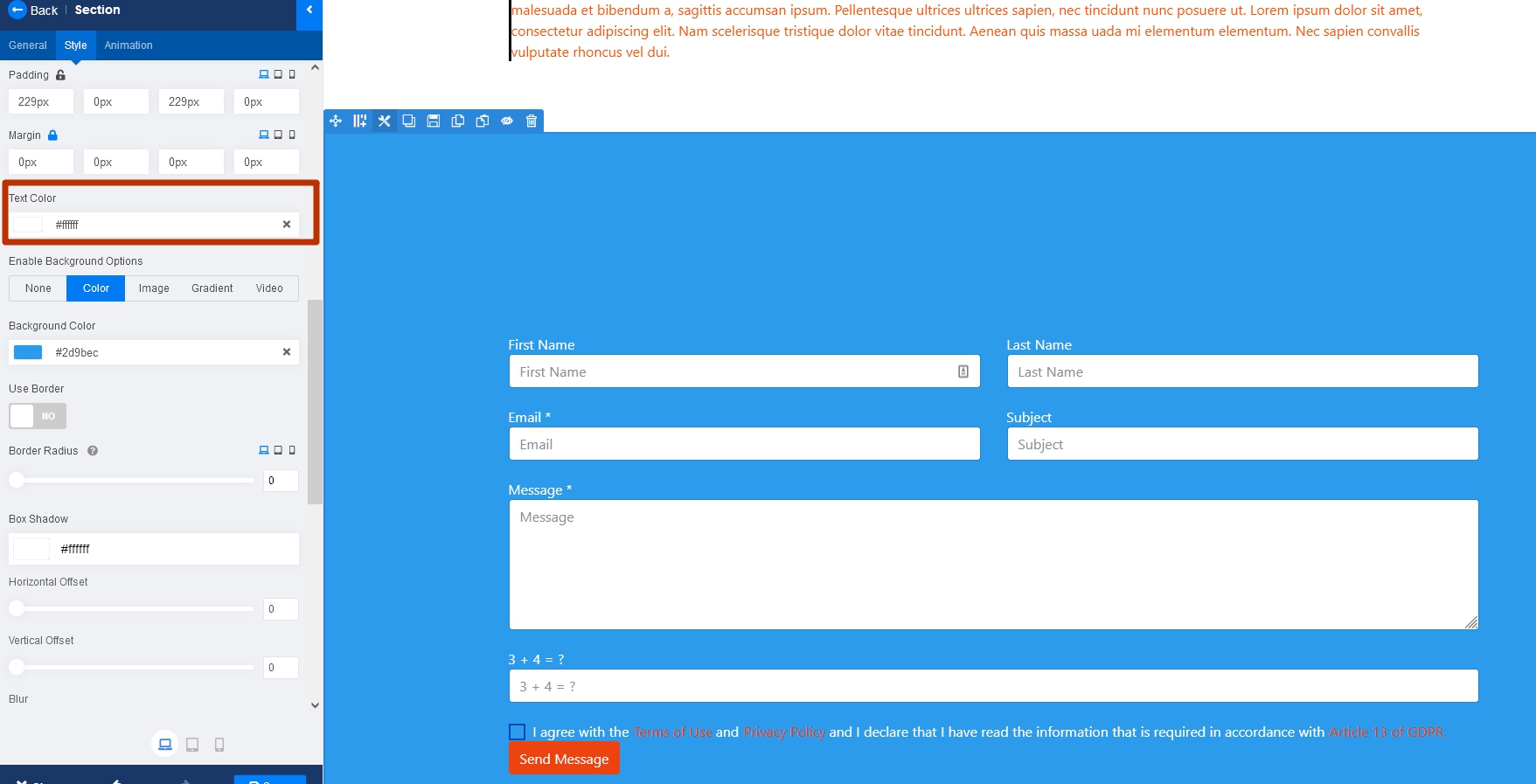
Here is the color setting in the addon
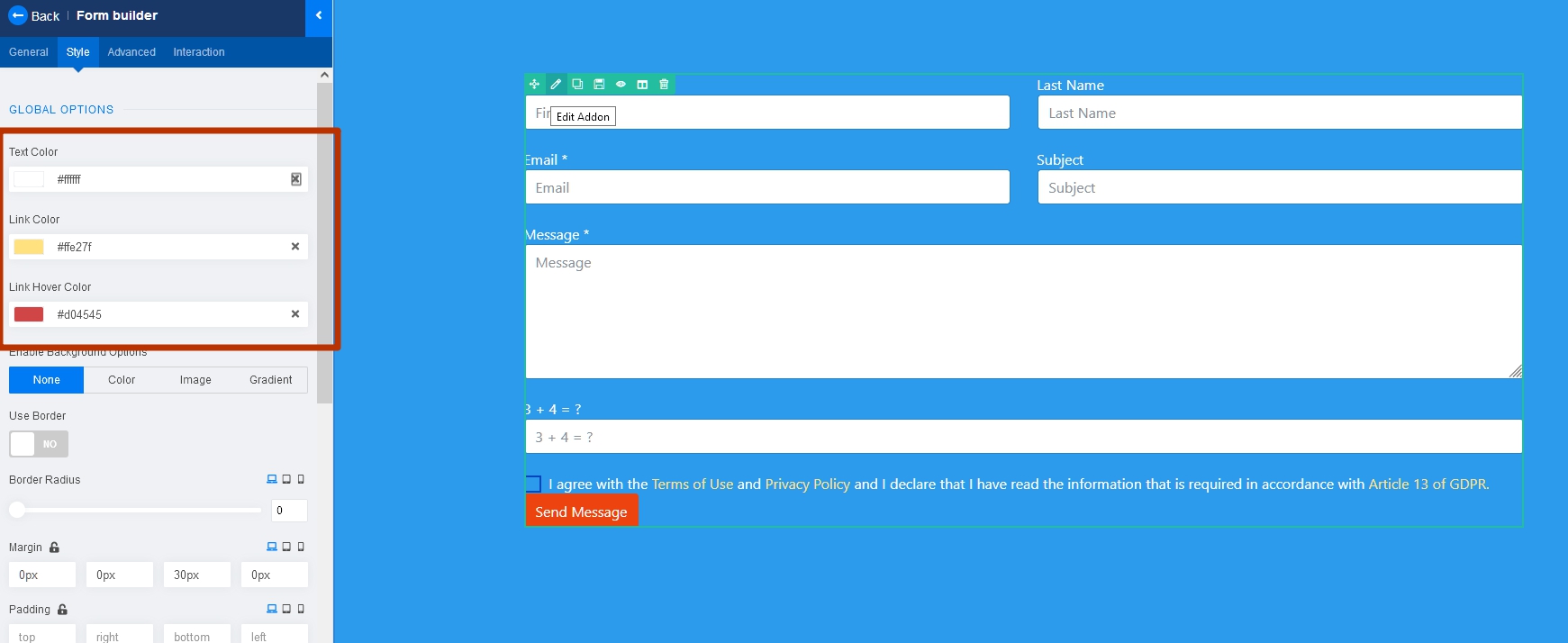
If you want to change the color of Policy only
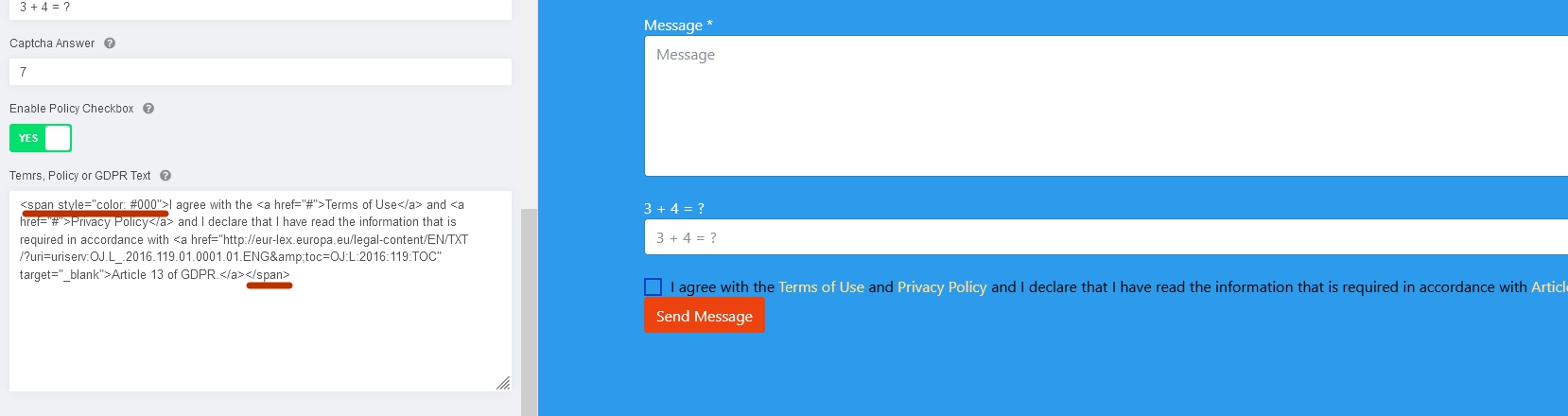 Yes, for all small things there are no settings.
Such simple things should know and be able to do any webmaster. This is not an expert level, but the level of beginner in web.
I stated clearly that the MENU colors affect pages and articles and this id absolutely unacceptable .
I have never come across it. Menu items have their own unique classes and cannot affect everything else. Apparently, you are simply confused in the settings.
The basic color of the text is Body Color, which you can override in separate template settings, in SP PB blocks or using CSS if some setting not exist