Setting / Conversion To PHP-version 8.0
M
marcoconsulting
Dear ladies and gentlemen,
for our Joomla-website we installed the Helix3-Framework-template.
Now there's an upcoming update to PHP-version 8.0 and when we checked the conversion from PHP-version 7.4 to version 8.0 the website doesn't work anymore: As result there appears an empty page view.
Can you please give me information about this problem and a solution or an advice how we can deal with it?
If you need any further specifications - feel free to ask.
Thanks in advance! Kind regards
6 Answers
Order by
Oldest

Paul Frankowski
Accepted AnswerHi,
- In Joomla Admin: Global Configuration - Sever - Error Reporting: Maximum - Save.
- Then set PHP 8.0 again.
- Check what front-end will display. Any message should tell you more - why it doesn't work?
BTW
What version of Helix3 you have?
M
marcoconsulting
Accepted AnswerDear Paul,
thanks for your quick reply.
I checked the status of website after configurating your settings and setting version php 8.0. Now the following error message appears on the website:
0 count(): Argument #1 ($value) must be of type Countable|array, stdClass given
Can you please give me an advice, what we can do that PHP version 8.0 works on that website? Thanks in advance!
M
marcoconsulting
Accepted AnswerDear Paul,
can you please give me more advice, what we can do to solve the problem with version php 8.0? Do you need more information in this case?
Thanks in advance!
Paul Frankowski
Accepted AnswerDo you have this error message on every page (subpage) or only selected like home page ?
Having PHP 7.x copy menu links (or from sitemap) to text file, then switch to PHP 8.0.x and test 4-6 random links from it, also those that use article inside. Please check it carefully, this is very important test.
Paul Frankowski
Accepted AnswerBTW
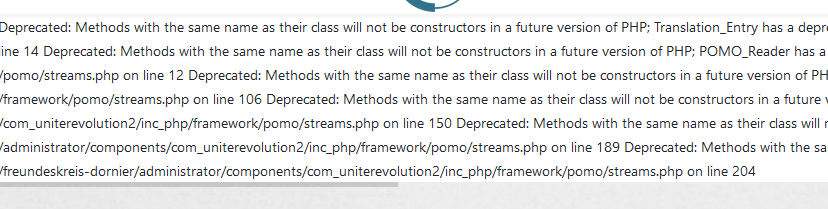
As I see now, also com_uniterevolution2 generate errors on your site, it doesn't look good. Maybe you should update to new version that extension as well.