

Stretched Images On Mobile (Magnin Template)

How
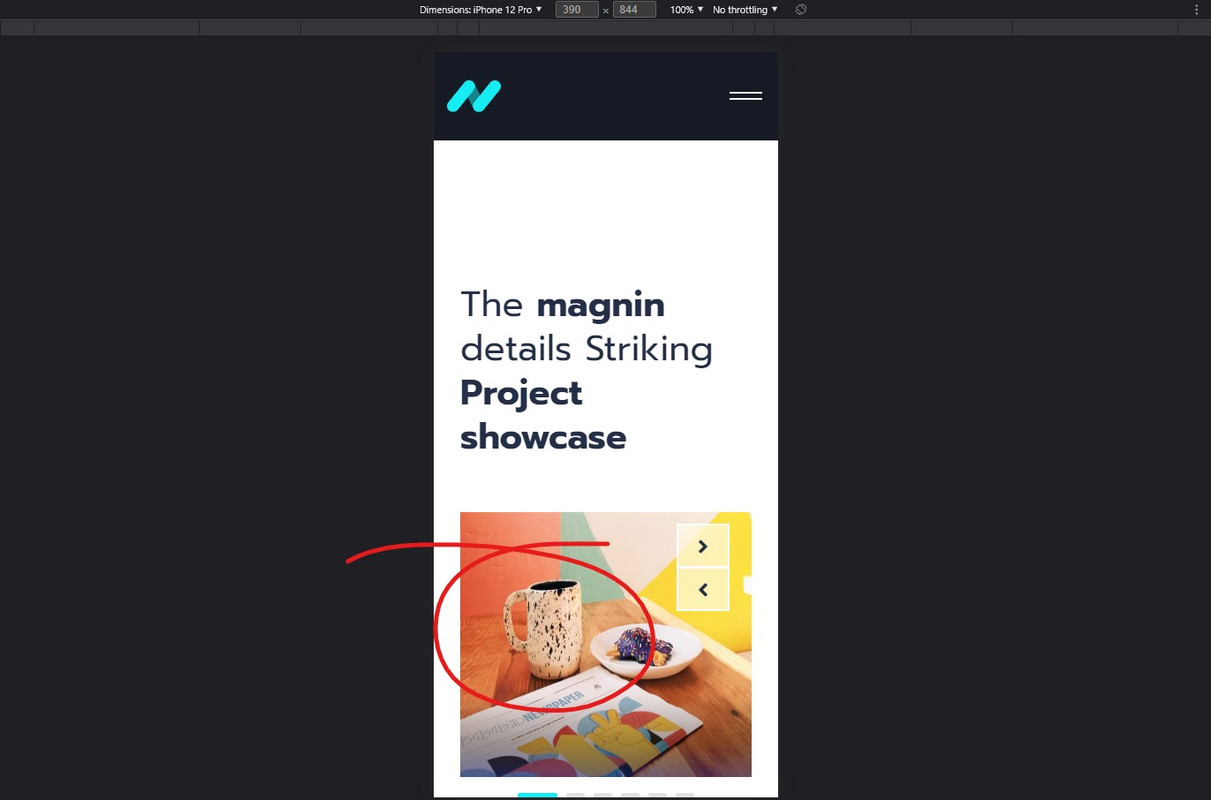
Hello again. I've notice that SP Simple Portfolio with Image carousel module is streching images on mobile view. How to reproduce - when you open even your demo site og Magnin - just switch to mobile view. https://demo2.joomshaper.com/2021/magnin/index.php/component/spsimpleportfolio/item/1-gaming-feast?Itemid=0 As I found, image get fixed width and this shrink image instead of crop on overflow.
3 Answers
Order by
Oldest

Rashida Rahman
Accepted AnswerHi there!
Thanks for your query.
I have checked our demo, the image getting 100% width and height. https://prnt.sc/26oqpmm
You can use the following code in your custom CSS:
#sp-simpleportfolio .sp-simpleportfolio-description .sppb-carousel-extended-item img {
    height: auto !important;
}
Hope this will solve the issue for you!
Note: Path towards custom CSS: Extensions>Templates>Styles> Click on your current default template name then choose Template Options. Then find custom CSS within the custom code.
Best Regards
How
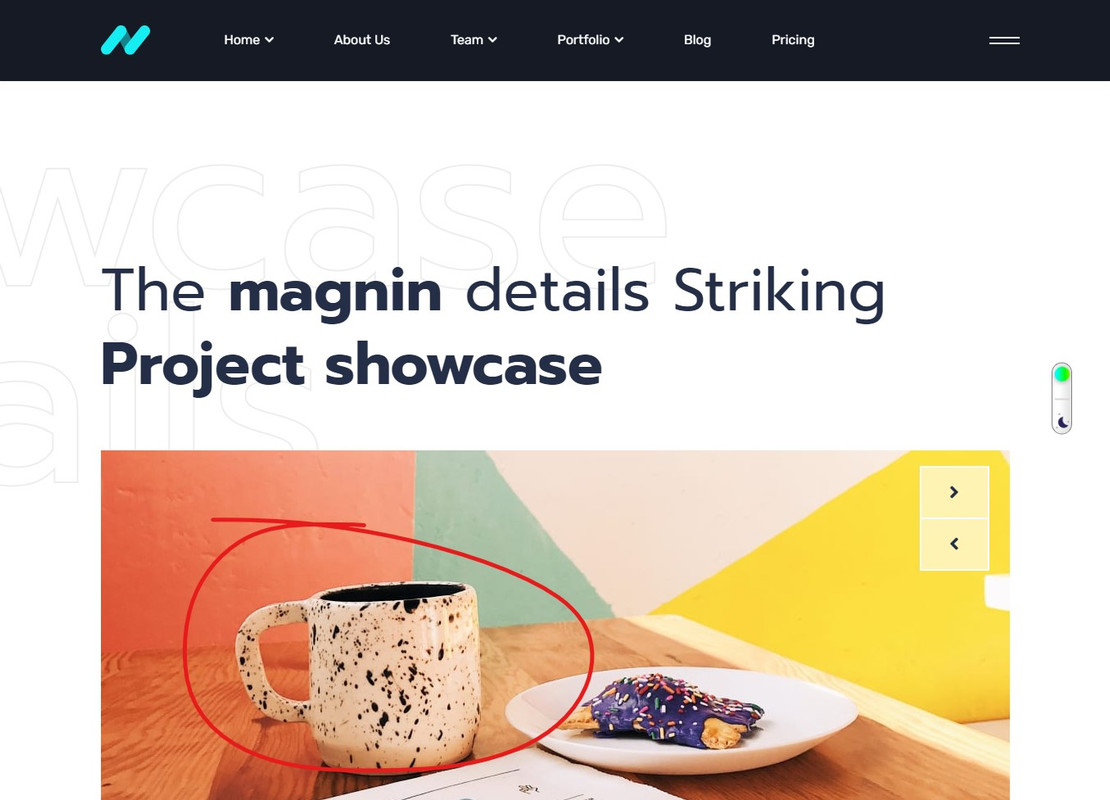
Accepted AnswerThank you Rashida, I've check your solution but I think it will look better if height would be 100% with hidden overflow on width without shrinking. Do you think it is possible?
Just remind I talk about mobile view ;)
Rashida Rahman
Accepted AnswerHi,
You are welcome!
Without shrinking this is not possible to keep the view right that way I think.
However, you can try the following code instead:
@media (max-width: 767px){
#sp-simpleportfolio .sp-simpleportfolio-description .sppb-carousel-extended-item img {
   object-fit: contain;
}
}
Note: Path towards custom CSS: Extensions>Templates>Styles> Click on your current default template name then choose Template Options. Then find custom CSS within the custom code.
Best Regards