

Change Header Color In Image Layouts Of SP-Pagebuilder

maximiliaan
I want to change the height and color of an Image layout in SP Pagemaker. I see no parameters for it. Change blue header color and height Change content text color. URL's in the hidden content. Regards Milan
5 Answers
Order by
Oldest

Paul Frankowski
Accepted AnswerHi Max.
Content color - you can change in "Style" tab : Text Color
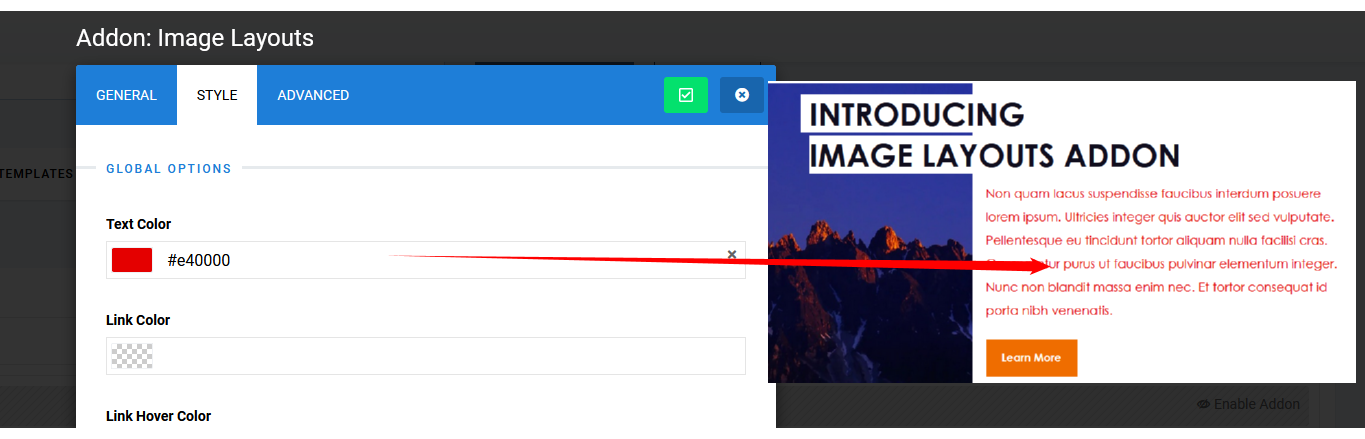
AND also from here
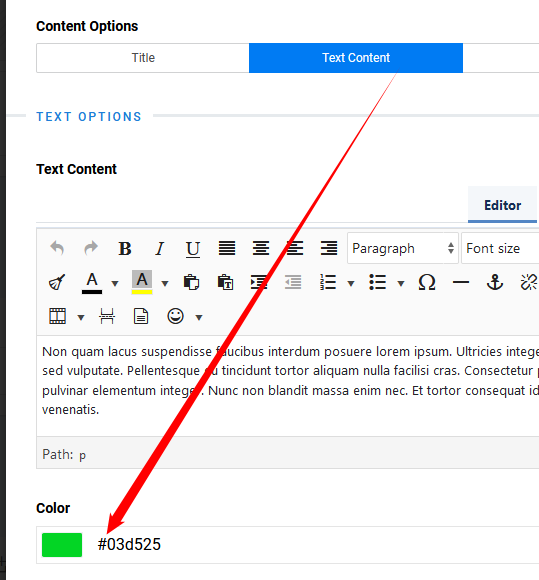
Paul Frankowski
Accepted AnswerAnd Title (Header) color you can change here
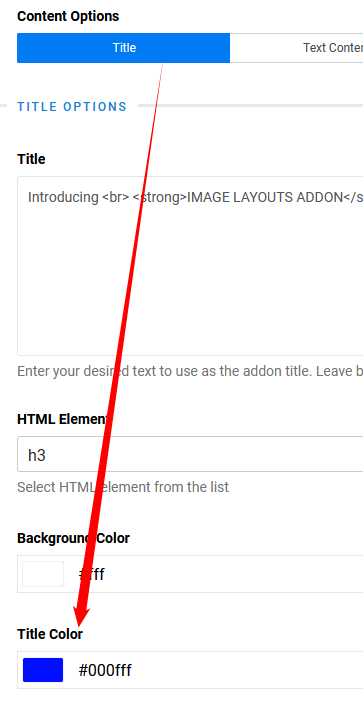

It's very easy to find and change in few seconds. Of course if template styles did not override those colors "stronger".
Paul Frankowski
Accepted AnswerYou're welcome.
I also recommend my youtube channel about Joomla tips: https://www.youtube.com/channel/UCpVFT0p3FPAPSv1l6PoxaRQ/videos
Please mark topic as solved.