

Nuron Template SP PAGEBUIDER Not Updating Photos And Settings

Alberto Bonello
I am having the same problem as before with this new template. The footer information does not update. I enter the logos and make text changes. Still, when I save them, they revert to what was originally on the template as a placeholder. Also, I am getting several errors like the following:
Warning The PHP temporary folder is not set.
This folder is the folder that PHP uses to store an uploaded file before Joomla can access this file. While the folder not being set isn't always a problem, if you are having issues with manifest files not being detected or uploaded files not being detected, setting this in your php.ini file might fix the issue.
Also, when viewed on mobile devices, the template does not align, the menu logo cuts off, and problems with the slider module are not aligned correctly. This even happens on your demo install.
18 Answers
Order by
Oldest

Ofi Khan
Accepted AnswerHello AlB
I could not access using your credentials. For footer section, you need to edit the two modules. https://prnt.sc/LZZ_d_F4gHBr
For the logo, you need to use Custom CSS.
Best regards
Alberto Bonello
Accepted AnswerYuo are a super user and should be able to access (I tested it and it works). the problem is that everytime I update the footer modue the chanches do not save. The content reverts back to the sample text. I do not know why the logo needs to be css if it is a regular image in a joomla module. I have plased ta new logo, but it reverts back to the templates logo when saved.
This is a problem that several people have posted they are having in the forum.

Paul Frankowski
Accepted AnswerIf I may...
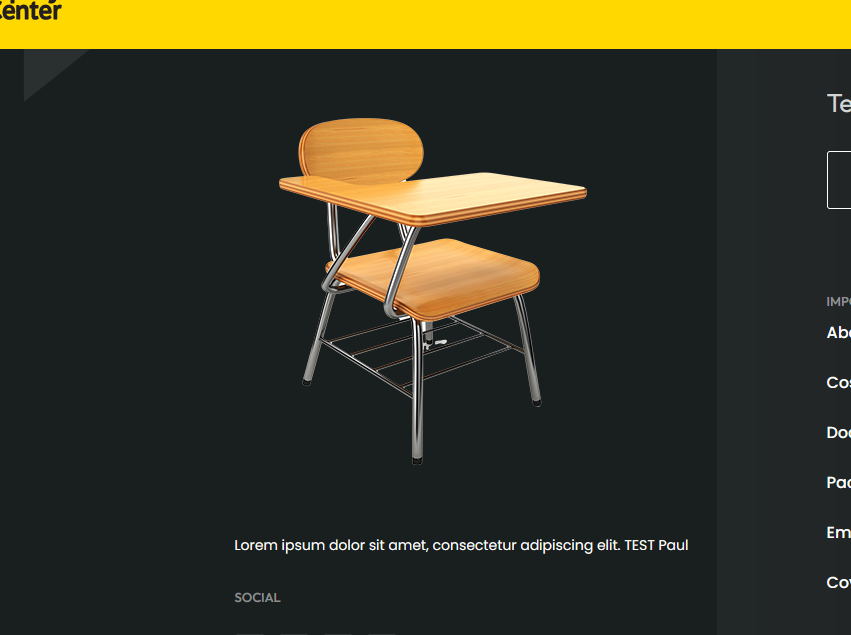
I you may see , I edited module "Footer Left" and instead of virus image, you have chair image. I didn't do anything magic, just replaced image and clicked Save & Close.
Ofi Khan
Accepted AnswerI have edited both footer module. It saves the changes. Also, I have used this CSS to Template Options -> Custom Code -> Custom CSS
@media (max-width: 991px){
    #sp-header {
        padding-top: 20px;
        height: 100px;
    }
}
It makes the look okay for the logo. Please check your site.
Paul Frankowski
Accepted AnswerABout
Warning The PHP temporary folder is not set.
This is problem that you have to correct here (or you alredy did)

or ask hosting support, it's Joomla request, no related with our code.
I made image upload test, and worked. I was able to upload example jpg file inside SPPB Media as well.
Alberto Bonello
Accepted AnswerThe footer still not updating. Tried several diferent browsers and not luck. Please watch video below. Another thing i noticed is that the color of the menu changes whne viewed on different browsers. Thanks https://www.dropbox.com/s/f4i475w37670i2v/Screen%20Shot%202022-03-29%20at%209.09.43%20AM.png?dl=0
I see that several people are having this same problem. Please advice.
Paul Frankowski
Accepted Answer@AiB
ABout image that you used: https://re-center.org/renew/images/2022/03/23/group-3533x.png
it's image that uses dark shapes, and had transprency bg and it was used on black background - so is/was there but you coudn't see it, guess why?
If you want to make it visible you have to add contrast background in addon settings, as I already did. So it's visible now.

Paul Frankowski
Accepted Answeryour link is is from different template, static image NO VIDEO, so it doesn't tell me anything for current topic.
Colors should be displayed this same, but there are small differences in tones between browser engines, and it's normal. You cannot change that.
I checked on Chrome, Firefox, Brave and menu looked this same. Chrome / PC

Alberto Bonello
Accepted AnswerThe problem is that SP PageBuider, when I use it on a mac system, no matter what browser I am using it, does not update the content on your Joomla 4 templates. I have no problem when I use a PC. I was able to replicate this problem on three different mac computers. This is a significant problem because most designers use MACs instead of PCs in the USA. I hope you can help with the issue. Thanks
Paul Frankowski
Accepted AnswerWhole our team are using Mac, only probably me have PC (Windows 10) - remote from EU.
But I don't see relation with footer image! It was contrast mistake, not SPPB bug.
Alberto Bonello
Accepted AnswerHey Buddy, take a look at the video below. I you will see the problem I have been having.
This is only happening when I am useing my macs. I was able to changei in PC. Thanks
Paul Frankowski
Accepted Answerthx. Hmmm.. weird.
- Maybe just delete old image addon, add new one, choose image.
- Save changes using top (Save) button, not at the bottom.
Trying to guess...


Alberto Bonello
Accepted Answerwell...it does not solve the problem. I told you that I can only change things if i use windows. we just installed another of your templates...we are having the same problem. it is only with joomla 4. i see other people in the forum are having the same problem. can u look into this please. my it manager looked into this and he replicated the issue at his home on his mac. he had the same issue.
Paul Frankowski
Accepted AnswerI have only Windows. So I have to ask other team member.
In the meantime, can you use front-end editor !
Ofi Khan
Accepted AnswerI have got the issue. It only happens with Safari. I have cheked with Chrome on Mac. It changes the images normally. Only Safari has this issue. I will talk to the developers.
Interestingly, on localhost the quickstart works fine with both Safari and Mac. Only your site has this issue with Safari.
Ofi Khan
Accepted AnswerI have taken a site backup and checked on my localhost. Here your site backup works on Safari browser. I think your server might have some issues with Safari.