how to change menu break point - Forum | JoomShaper
Solved Helix Framework

how to change menu break point

Asked by Laurent 4 years ago Last activity 4 years ago

Accepted answer

Marked as the solution
Laurent Asked this

for those who need the solution, a sample below :

@media (max-width: 1199px){
  nav.sp-megamenu-wrapper .sp-megamenu-parent {
      display: none !important;
  }
  #sp-header nav.sp-megamenu-wrapper #offcanvas-toggler {
      display: block !important;
  }
  .burger-icon {
    margin-top: 23px;
    }
}

5 more replies

Mehtaz Afsana Borsha Staff

Hi

Thanks for contacting us . You can use this custom CSS

.sp-megamenu-parent>li>a, .sp-megamenu-parent>li>span, .sp-megamenu-parent .sp-dropdown li.sp-menu-item>a{
    font-size:11px !important;
}

Path towards custom CSS: Extensions>Templates>Styles> Click on your current default template name then choose Template Options. Then find custom CSS within the custom code.

-Regards.

Laurent Asked this

thanks for your feedback.
but I don't want to reduce font size, but menu break point for tablet.

Laurent Asked this

yes i know that.
but for HELIX, what are the right css classes I need to override to change menu breakpoint?
what is your advice?

Mehtaz Afsana Borsha Staff

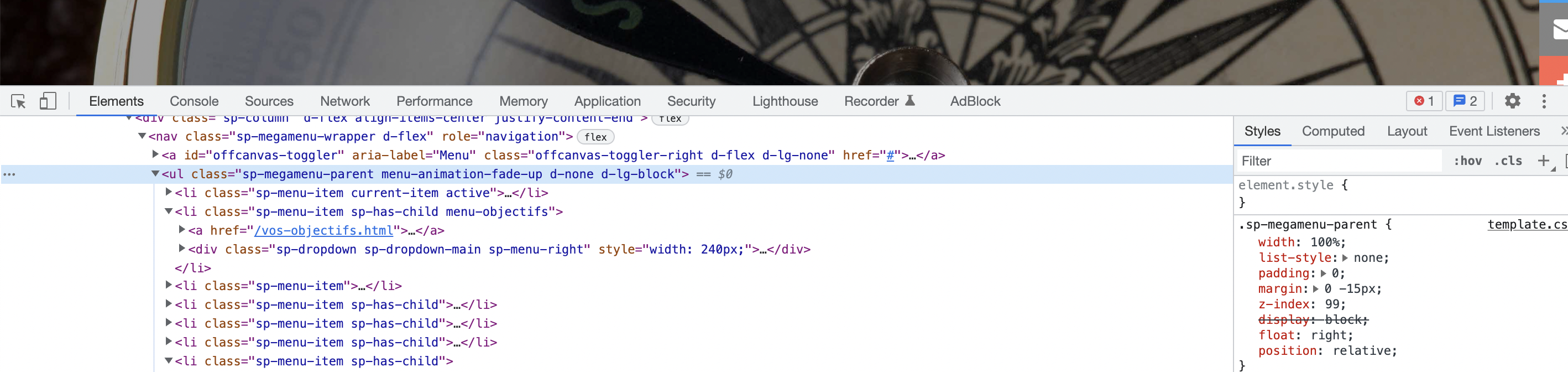
This is the menu Css class

.sp-megamenu-parent>li>a, .sp-megamenu-parent>li>span, .sp-megamenu-parent .sp-dropdown li.sp-menu-item>a

You can inspect it and find it from here

Screenshot 2022-04-19 at 1.09.24 PM.png

Log in to reply.