Hi,
How to make free courses only for logged in?
Guests are required to see them, but can only use them after they have created an account.
Awaiting an answer
Extensions
SPLMS free courses for logged
7 replies

Paul Frankowski Senior Staff
Hi Konrad,
maybe just change access in menu items settings, so access would be only for logged users (registered)
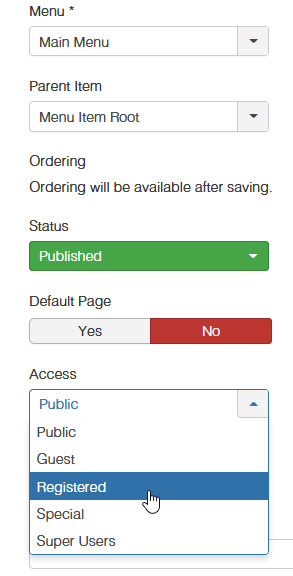
And for guests you can build basic course preview using pages ( Sp Page Builder) or articles.
Pedros Asked this
But then the visitor will not see the course.
How is he to see that there is something for free if he cannot see it?
Paul Frankowski Senior Staff
4 years ago
· edited
In that case:
- Do not change Access for menu items (keep Public)
- Also in Courses edit page Access - keep Public - so everyone can read info about it, if not set Registered bur Guest wil not be able to read then.
- But in each Lesson page change Access from Public to Register - so only registered can see them.
Then it should work as you want. If not, use extra pages/artciles with Courses intro with link to LOGIN/REGISTER page.
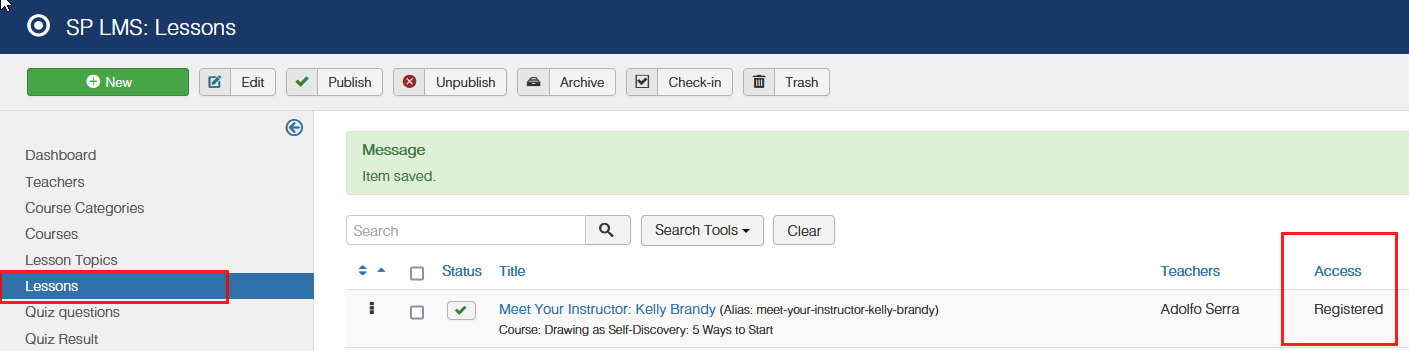
Pedros Asked this
It will be ok if you help me solve the problem like in the picture. To show the login page, or to make my own subpage with the message.
Pedros Asked this
something...
Paul Frankowski Senior Staff
Have you updated SP LMS to last stable version (4.0.6)
please do it, in case you forget.
YES, all phrases that use BIG LETTERS can be overriden by custom ones, also Polish sentences.
Use Joomla tool "Języki: Nadpisywanie tłumaczeń"
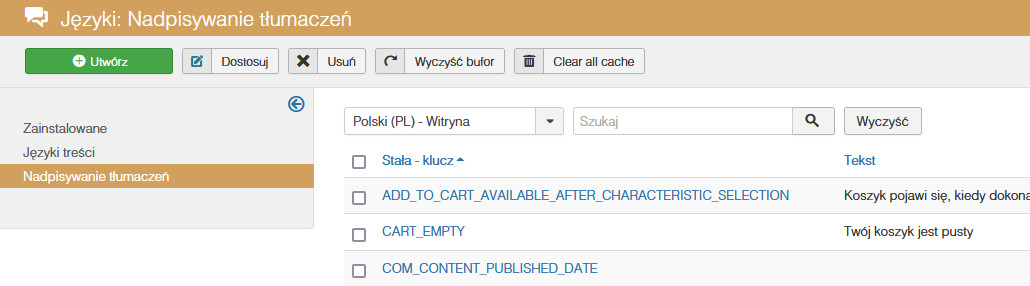
Pedros Asked this
Can I edit the design of this page, not just the content?
Log in to reply.