Usually in any article this {rsform 1} does the trick but I dont find the solution to add the shortcode in page builder
Staff replied
SP Page Builder
Adding rsform pro shortcode in the texteditor
7 replies

Paul Frankowski Senior Staff
4 years ago
· edited
Hi Omni,
You forgot to read SPPB documenation where we explained that. Here is easy way:
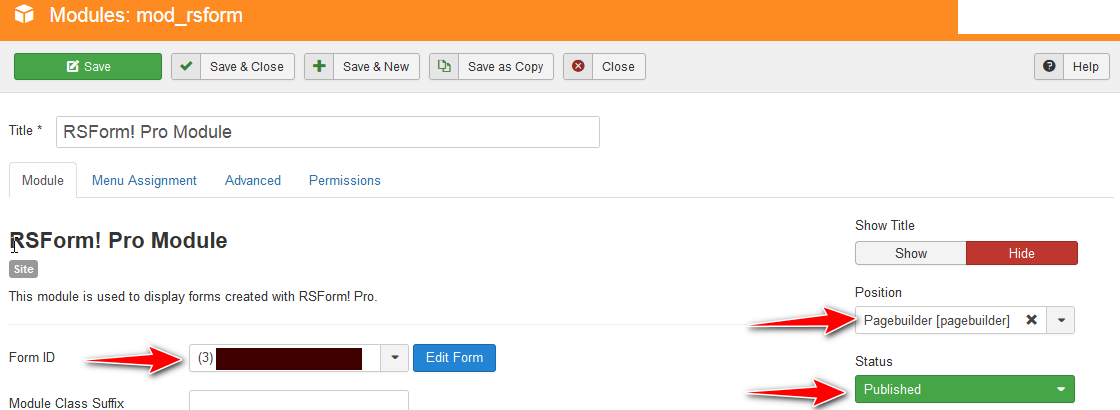
- Please install/use RSForm module
- After choosing the needed formID inside
- Publish module (Status) and choose "pagebuilder" position (or other not used in layout)
- Then find & just use that RSForm module inside the Module addon (SP Page Builder). That's all.
Breda
HI,
I have the same problem and i have tried the posted solution but the form is not showing on my page.
I have rsform module installed.
I made my form and created the module.
I think I have the settings correct and the menu is set to show on all pages.
http://prntscr.com/dQxGmha_lXiP
settings on the page builder:
http://prntscr.com/Hd_TWm8XXfdG
On the front end I only see the title set in page builder
http://prntscr.com/6p6XY21xZsFj
Can you help please?
Breda
Paul Frankowski Senior Staff
3 years ago
· edited
Hi Breda,
Above method worked for many years, even I used for my private website until Feb 2023.
First check if you can see that orginal RSForms module in one of Template module positions. Use bottom1 etc. Disable JS compression (!)
- If will NOT see it - check Menu Assigment settings or/then contact RSJoomla
- If you will see it - let me know...
Breda
Hi Paul,
I tried the form module in one of the footer modules and it showed ok. The problem is when I try to load it in the page builder, I am trying the position page builder but nothing shows.
I don't think I have JS compression on.
Thanks
Breda
Paul Frankowski Senior Staff
3 years ago
· edited
Thanks. As I said before, in that case please share access.
In the meantime, I will play on my own website. Look it works - just as I thought. Evidence
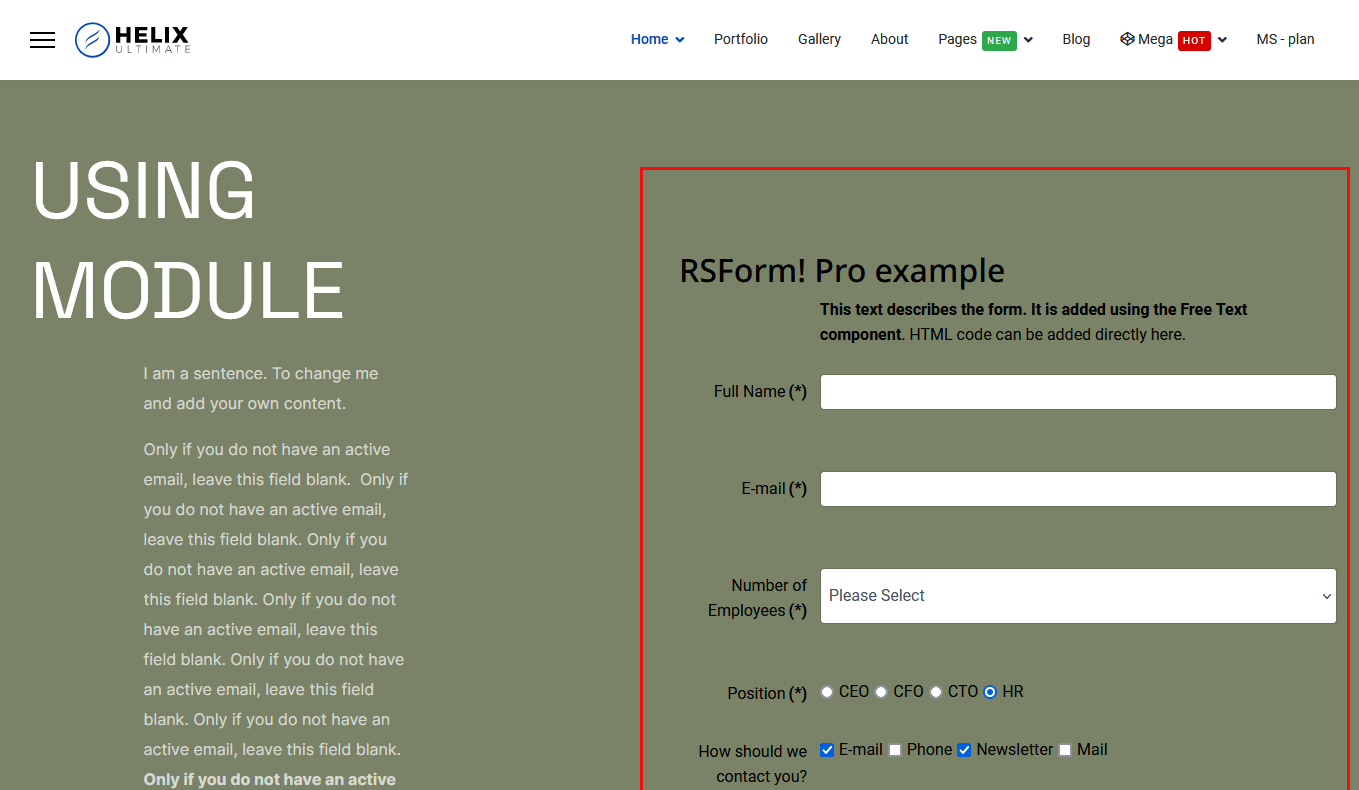
in that case you do something wrong :/
Breda
Thanks Paul,
I'll put the log in into the hidden content,
regards,
Breda
Paul Frankowski Senior Staff
3 years ago
· edited
Thanks, fixed.
You have chosen a wrong RS module in addon. It was a Human mistake, nothing else ;)
Log in to reply.