Hi
I need to remove share icons and specification from the articles. I use Arino template with J2store compomemt.
For the icons i do go from Helix to the blog and disable the "Social Share" and from Basic tab the Social icons but still its there.
https://prnt.sc/nzXQkIcj0Vr7
Solved
Templates
remove social share icons and Specification (Arino template)
Accepted answer
Marked as the solution
Paul Frankowski Senior Staff
In that case , by now please use below Custom CSS:
.j2store-single-product-view #sp-main-body .j2store-single-product .j2-store-social-share {
  display: none;
  visibility: hidden; }
In Templates - Arino - Template Options - Custom Code - Custom CSS
6 more replies

Rashida Rahman Staff
Hi there!
Thanks for your query.
Would you please give me your site URL here to check?
Best Regards
Kostas Mantas Asked this
Paul Frankowski Senior Staff
If I may...
- social-share in product page - seems to be from J2Store settings, check in Options.
- In J2Store "Specifications" - can be only hidden not disabled as I remember.
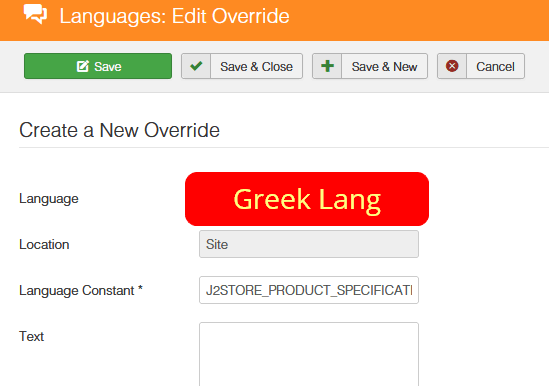
In Joomla Admin: Languages: Overrides - override that phrase in Greek and English language (Site)
J2STORE_PRODUCT_SPECIFICATIONS
with EMPTY field, no word. Then Save.
Kostas Mantas Asked this
Thanks Paul Frankowski for your respond,
Specification is hidden now. As for social-share i have all ready chech in J2store settings and in J2store tab in the article but i cant find any were anything about social-share to hide it.
Kostas Mantas Asked this
You are amazing. Thank you very much Paul it works just fine.
Paul Frankowski Senior Staff
Thanks. Καλή σας μέρα!
Log in to reply.