Replace Meta Name Gourmand Template
D
Dweeze
I want to replace the:
<meta name="generator" content="Helix Ultimate - The Most Popular Joomla! Template Framework.">
in the Gourmand template. Have tried to do it via the language override ( HELIX_ULTIMATE_GENERATOR_TEXT) but it does not have any effect. Also tries the plugins\system\helixultimate\src\Core\HelixUltimate.php edit line 312. The result is a template crash.
How do I do it right?
12 Answers
Order by
Oldest

Paul Frankowski
Accepted AnswerHi,
yes, in that template you have to edit that file:
plugins\system\helixultimate\src\Core\HelixUltimate.php - line 323
$this->doc->setGenerator('Helix Ultimate - The Most Popular Joomla! Template Framework.');
Just put your text inside ' ' (!)
$this->doc->setGenerator('Grafikhuset');
it should work. You can also delete that line totally.
Paul Frankowski
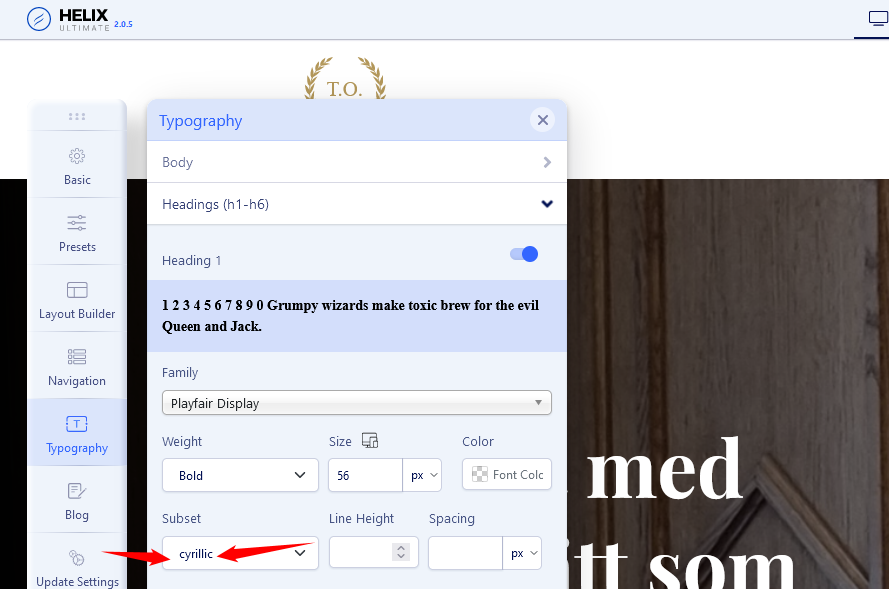
Accepted AnswerExtra advice: check your Typography settings (template probably), and do not use (load) this same Google Font twice. Also you do not need subset cyrillic for Roboto & PlayFair - you are not conquered by Russia ;)

Ofi Khan
Accepted AnswerHello Dweeze
Please go to this location: language/en-GB/en-GB.tpl_gourmand.ini and add this language string
HELIX_ULTIMATE_GENERATOR_TEXT="Helix Ultimate - The Most Popular Joomla! Template Framework."Change the text according to your need.
Best regards
D
Dweeze
Accepted AnswerThanx for your answers!
Paul: When I change that file the site crashes. I get the message:
"Sorry, there was a problem we could not recover from.
The server returned a "500 - Whoops, looks like something went wrong."
Ofi: Changed the file but the original text remains. I renamed my template so I also changed the language file according to this.
Paul Frankowski
Accepted AnswerThis is the only file that contain that text.
Q: Even with deleted line - template crash?
Check file permission, should be this same as it was before save.
D
Dweeze
Accepted AnswerYes, even when I delete that line it crashes. The file permissions are the same as the original file (644)
D
Dweeze
Accepted AnswerI would be happy to do so yes. Please use the details attached and take a look yourself. I can´t figure it out.
Paul Frankowski
Accepted Answerfixed, now you have meta generator "Grafikhuset....
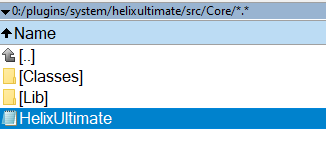
you forgot to keep exaclty this same filename "HelixUltimate.php" as it was. It was your mistake ;\
D
Dweeze
Accepted AnswerOk, I still don´t understand the mistake. The only file in that directory is "HelixUltimate.php", I copied it, edited it and replaced it. The name was always the same. Anyway I´m thankful that it works now.
About the "Extra advice: check your Typography settings" thing. I don´t know where to change this. I have only used the default settings for the template itself. So if I want to change the fonts I shouldn´t activate "Typhography" in the Helix template settings, or? Where should I change the fonts in that case?