
Sp Pb 4.0.1 Margins auto in columns does not work in non standart layout - Forum | JoomShaper
Solved SP Page Builder

Sp Pb 4.0.1 Margins auto in columns does not work in non standart layout

Asked by Pavel 4 years ago Last activity 4 years ago

Hi.

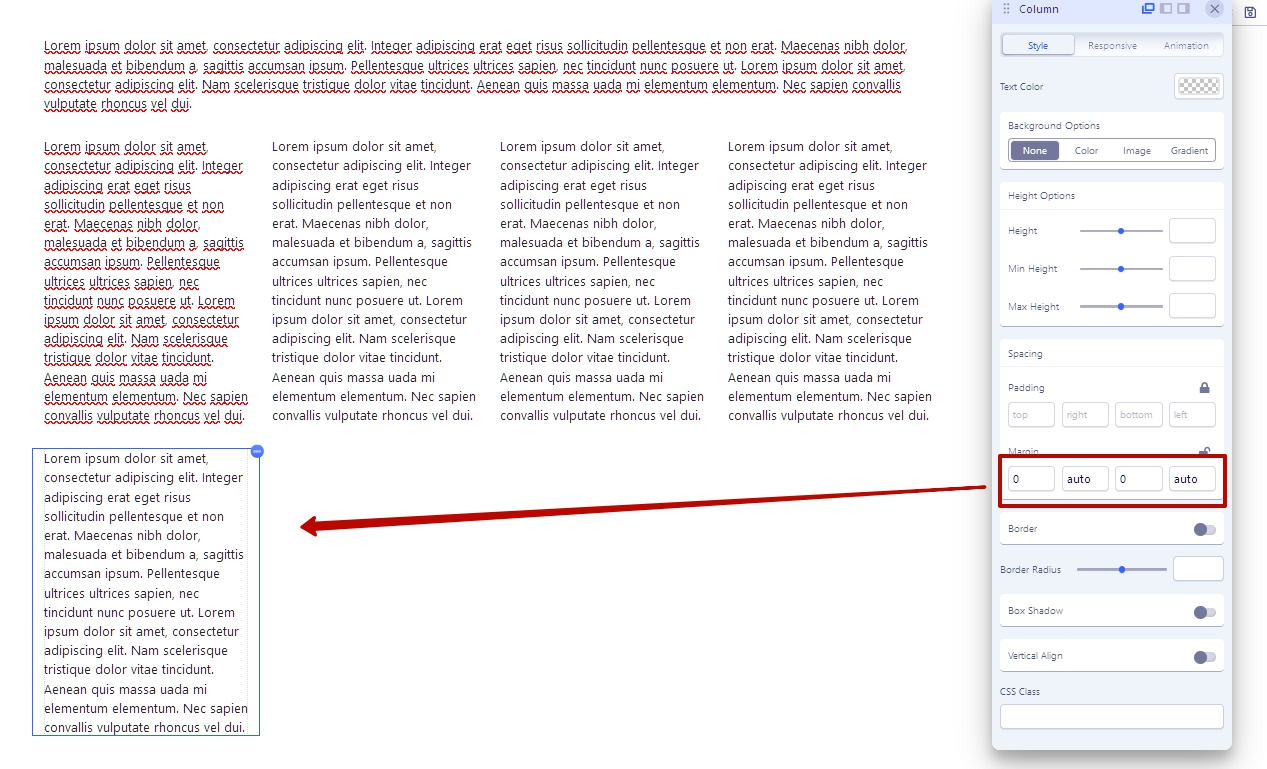
I am using a non -standard columns layout 12 + 3 + 3 + 3 + 3 +3.
For the last column, I set margin: 0 auto;. In Sp Pb 4.0.1 it's does not works.
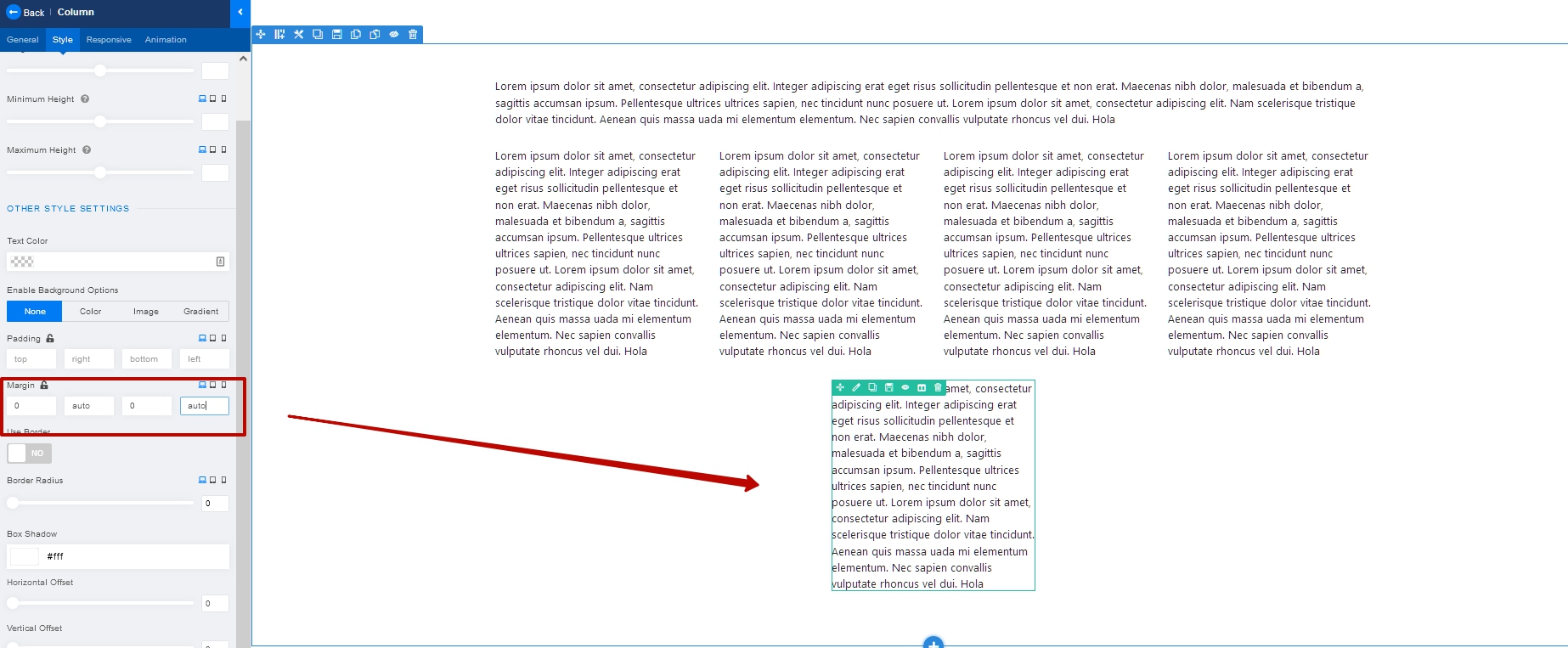
In Sp Pb 3 works as it should
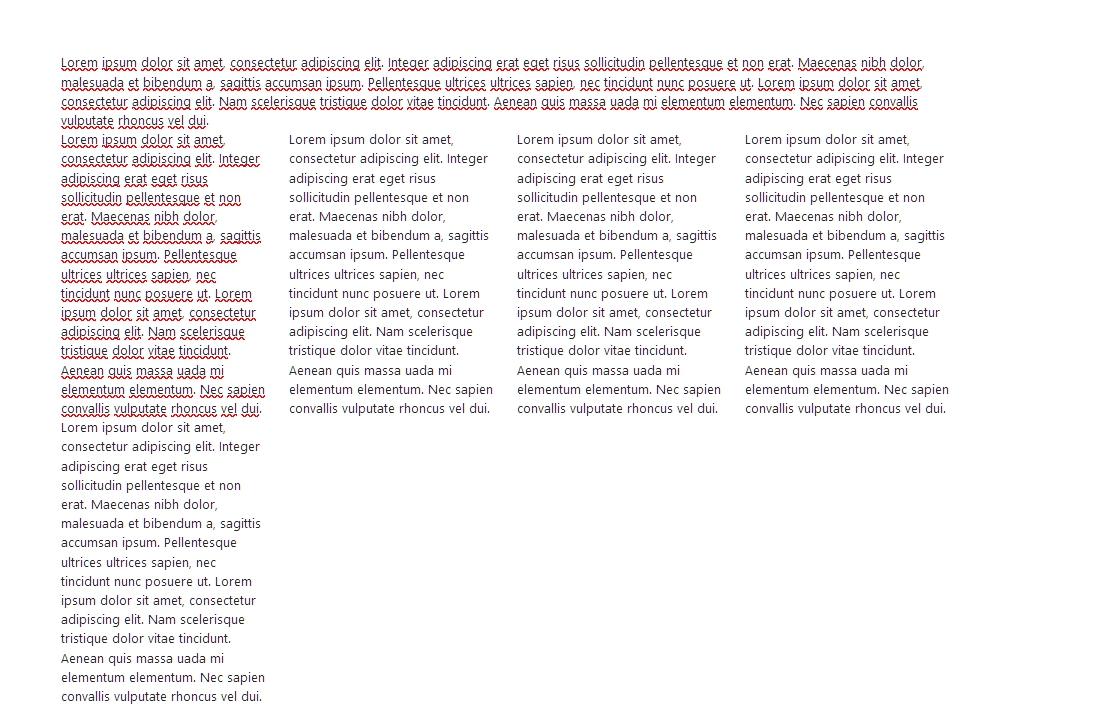
The lack of margin-botom by default makes you do a lot of extra work. But in fact, I think in SP PB 4 Margins settings apply to the wrong DIV to which should be applied. This is the reason for the problems.
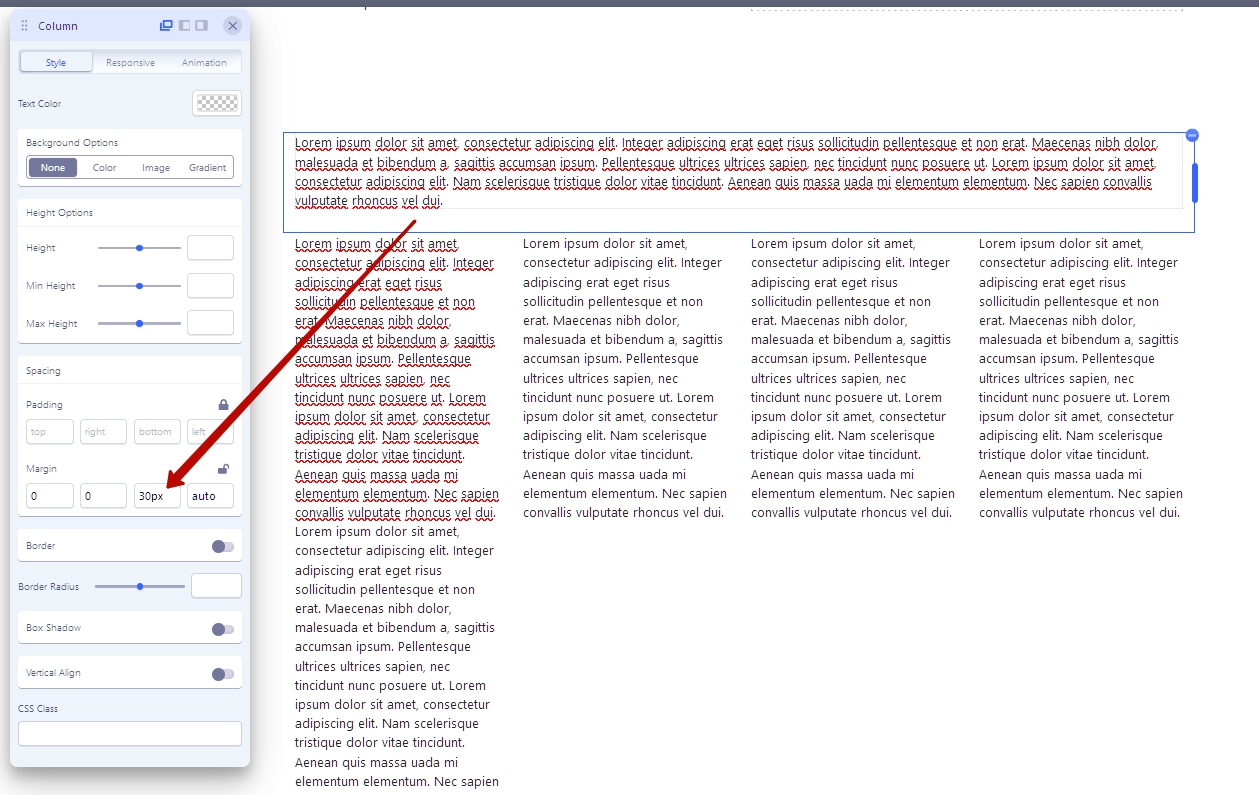
If you set margin-botom in the column settings, you will see in the code inspector the incorrect display of the block model.
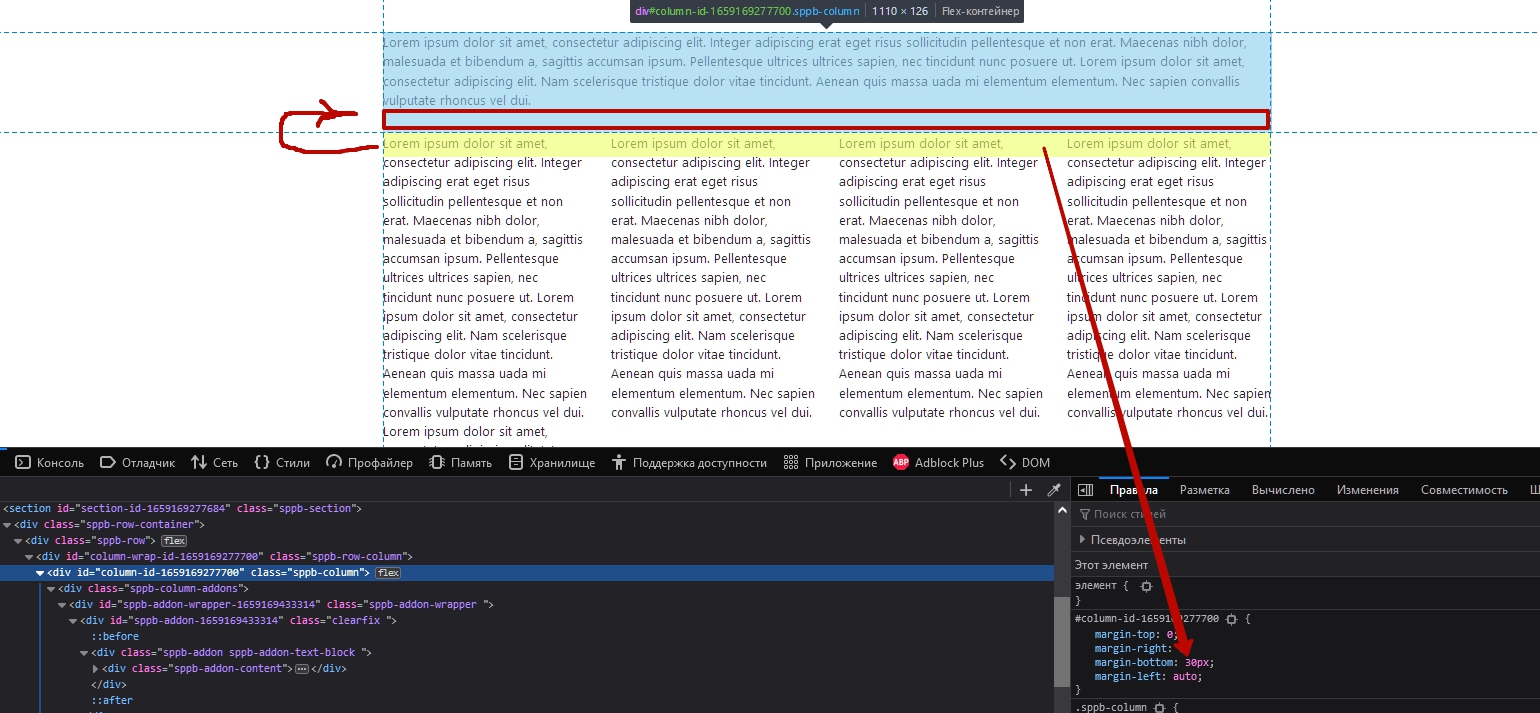
This will lead to a breakdown of user settings after updating from SPPB 3 to SPPB 4.

Layout Grid is what should have been carefully tested. This is the heart of SPPB. But as we see, it contains problems. I would not recommend update from SPPB 3 to SPPB 4 until the problems are eliminated.


Accepted answer

Marked as the solution
Paul Frankowski Senior Staff

It will be fixed 4.0.2 probably, our developer already started working on it. Thanks.

3 more replies

Mehtaz Afsana Borsha Staff

Hi,

Apology for your experience with our product. And thanks for sharing the problem elaborately. I will inform our team about this problem so that they will take care of it.

-Regards.

Paul Frankowski Senior Staff

If I may....

As always big thanks, I already added to bug list, I fully agree with you.

But it's like it was with Joomla 4.0.x -- nobody bright/clever use first x.0.0, x.0.1, x.0.2 on production website.

Pavel Asked this

Hi Paul and Mehtaz. Thanks

Log in to reply.