Salon Addon Border Radius Shows In Admin But Not On Page

Patricia Lee
The home page shows 4 boxes with Podcasts at the top.
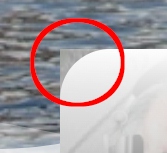
In my editor those have border radius but live they show squared off corners. I find no way to add radius.
Perhaps CSS in the original template but if so that got wiped out for some of these - I would need that CSS if possible?
This is from upgrading Pagebuilder today.
8 Answers
Order by
Oldest

Mehtaz Afsana Borsha
Accepted AnswerHi
Use this custom CSS
#sppb-addon-1623176201729 .overlay-background-style{
    border-radius: 50px;
}
#sppb-addon-1623176202309 .overlay-background-style{
      border-radius: 50px;
}
#sppb-addon-1623176202314 .overlay-background-style{
       border-radius: 50px;
}
#sppb-addon-1623176202319 .overlay-background-style
{
       border-radius: 50px;
}
Path towards custom CSS: Extensions>Templates>Styles> Click on your current default template name then choose Template Options. Then find custom CSS within the custom code.
Mehtaz Afsana Borsha
Accepted AnswerHi
Thanks for contacting us. Could you please check? I cant access your site.
-Regards.
Patricia Lee
Accepted AnswerUpdated here sorry https://noelgyger.com/
Patricia Lee
Accepted AnswerThank you for the start. I was waiting for another answer for an issue same page.. it just arrived today so I have addressed both.
This fix only works for tghe overlay.. the image still just shows square and the image properties tab does not allow for radius (it used to.. )
Seems this entire tempalte needs some kind of bug update.. but in the meantime can you tell me what to use to ensure the picture used in the add on is also getting a radius comment.
And if you look at your template (the one you display for download for a fee) all images on home have a radius comment.. none of these can even have a setting anymore. So perhaps a radius comment that covers all images on the site.. I would be okay with that.
Updated here https://noelgyger.com/
Patricia Lee
Accepted AnswerIt's right on the home page... I'm guessing a radius css comment could be added but not sure what or where (for the image not the overlay)