I have image sof different heights for use in the team carousel addon. I am using the layout with the titles below the image (it has to be this way for client). I want to remove the box shadow below the titles so it merges seemlessly into the white background and looks natural. I have tried targeting the selector
.sppb-carousel-extended-team-content {
Box-shadow: 0
}
but it does not work. Any help here greatly appreciated. I would like it to look like the bottom photo.


Awaiting an answer
SP Page Builder
Remove box shadow from team carousel
3 replies

Paul Frankowski Senior Staff
4 years ago
· edited
Hi Ralph,
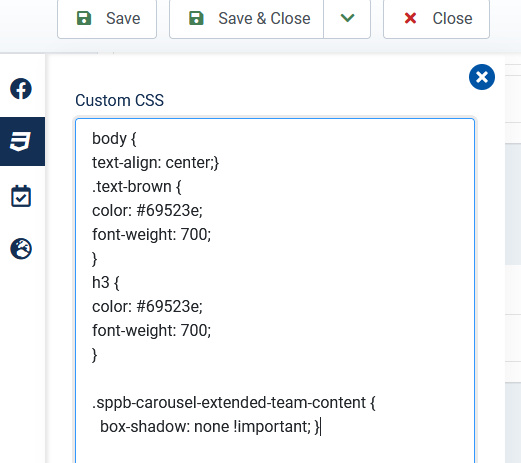
.sppb-carousel-extended-team-content {
  box-shadow: none !important; }
Add inside that Page - Custom CSS section
Paul Frankowski Senior Staff
4 years ago
· edited
Alternative method would be to set min-height for those white blocks. For example:
.sppb-carousel-extended-team-content {
  box-shadow: none !important;
  min-height: 142px;
}
As you can see, you have few possibilites.
Of course all images should have this same resolution, shape.
John Celano Asked this
Yes.. it works.. It was the display: none.. ! not 0
I appreciate that, greatly!
Log in to reply.