

Equal Columns In Bottom Position For Helix Ultimate
I have a website built in Helix Ultimate. The client did not want Page Builder.
I am trying to get the columns in the Bottom position to be of equal lengths, even though the columns may not have the smae amount of content.
I have been following the W3 Schools turoiral here (https://www.w3schools.com/howto/howto_css_equal_height.asp), which has worked in the past.
.col-container { display: table; / Make the container element behave like a table / width: 100%; / Set full-width to expand the whole page / }
.col { display: table-cell; / Make elements inside the container behave like table cells / }
and for responsive
/ If the browser window is smaller than 600px, make the columns stack on top of each other / @media only screen and (max-width: 600px) { .col { display: block; width: 100%; } }
I've switched out .col-container and .co for #sp-bottom .sp-module. It does not work.
What am I doing wrong?
8 Answers
Order by
Oldest

Pavel
Accepted AnswerHi.
You do not need all this code.
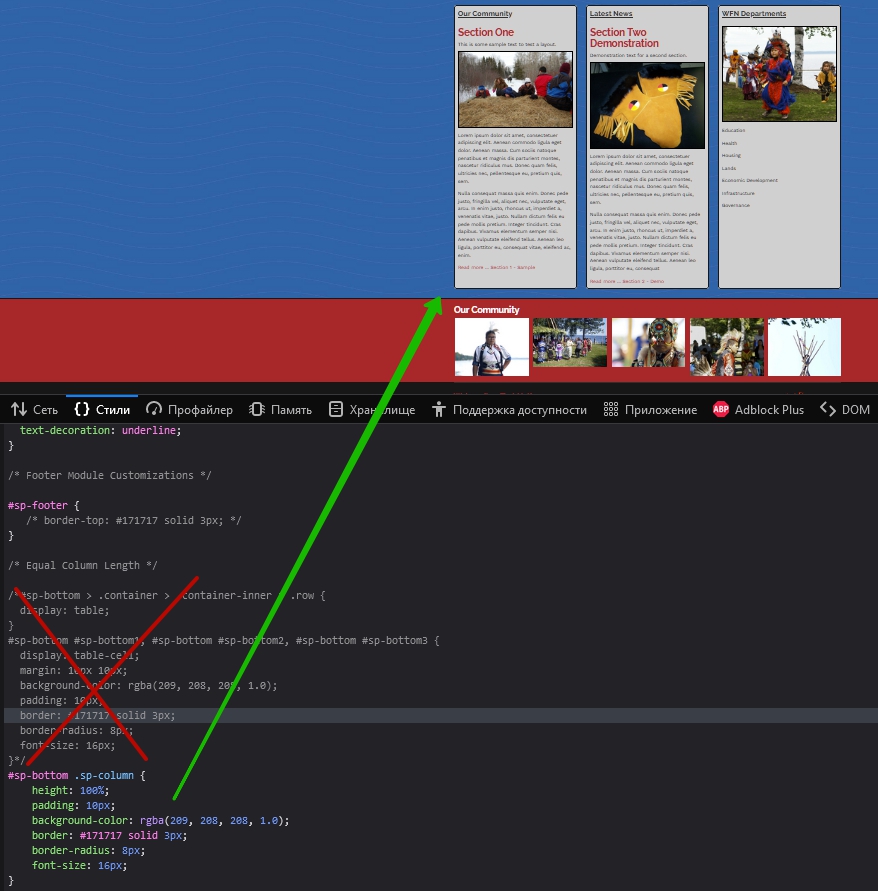
It would be enough
#sp-bottom .sp-column {
    height: 100%;
    padding: 10px;
    background-color: rgba(209, 208, 208, 1.0);
    border: #171717 solid 3px;
    border-radius: 8px;
    font-size: 16px;
}
In Bootstrap 5, the columns have the equal height by default. All you need is to stretch the child div (.sp-column) for the full height of the column.
display: table; display: table-cell; - this is a rudiment for building layout in 2022. Learn Bootstrap 5 (on board in Helix), Flex Box Css, CSS Grid.
T
[email protected]
Accepted AnswerThe url is https://wahnapitaefn.ca/home.html.
T
[email protected]
Accepted AnswerHello Ariba,
Have you had a chance to look at this yet?

Ariba
Accepted AnswerHello
Kindly use the following css in custom css section
#sp-bottom > .container > .container-inner > .row {
  display: table;
}
#sp-bottom #sp-bottom1, #sp-bottom #sp-bottom2, #sp-bottom #sp-bottom3 {
  display: table-cell;
  margin: 10px 0px;
  background-color: rgba(209, 208, 208, 0.7);
  padding: 10px;
  border: #171717 solid 3px;
  border-radius: 8px;
  font-size: 16px;
}
T
[email protected]
Accepted AnswerThank you for your suggestion Ariba, but it is still not working properly. https://wahnapitaefn.ca/home
How do I get space in between the Bottom row's cells? I've tried updating this with padding and margin, but it did not work.
Also, particularly the third cell, the "Departments" cell, does not stay the same width in tablet mode.
I also need space below the cells in tablet view. adjusting the margin and padding did not resolve this.
I've tried modifying the code you sent, but it does not change anything. I have cleared my browser cache, so it's not that.
What else am I missing?
T
[email protected]
Accepted AnswerThank you Pavel. That worked.