

Hover Image Addon

Laurent
Hi,
I need to create an image and make an hover effect to display another image, with an hyperlink. which addon can be relevant?
Thanks L.
9 Answers
Order by
Oldest

Pavel
Accepted AnswerHi Laurent.
Not certainly in that way.
Add the class to the addon
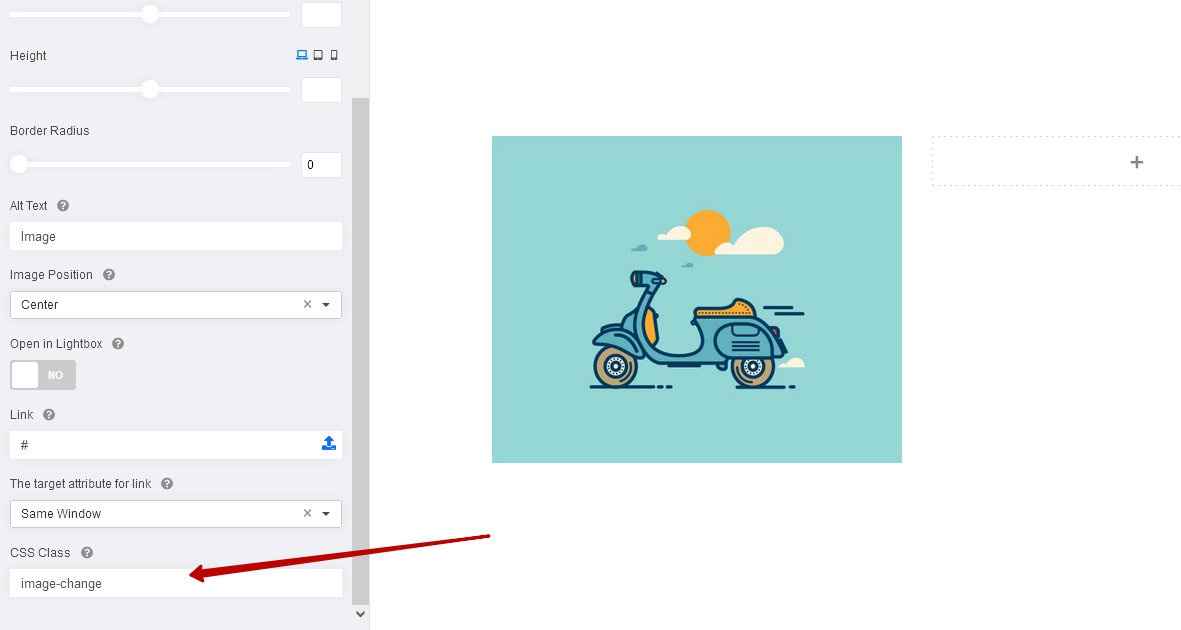
And try following code
Opacity effect
.image-change .sppb-addon-single-image-container::before {
    content: '';
    position: absolute;
    top: 0;
    left: 0;
    width: 100%;
    height: 100%;
    background-image: url(/images/your-image.jpg);
    background-size: cover;
    background-position: center;
    opacity: 0;
    pointer-events: none;
    transition: .3s;
}
.image-change .sppb-addon-single-image-container:hover::before {
    opacity: 1;
}
Scale effect
.image-change .sppb-addon-single-image-container::before {
    content: '';
    position: absolute;
    top: 0;
    left: 0;
    width: 100%;
    height: 100%;
    background-image: url(/images/your-image.jpg);
    background-size: cover;
    background-position: center;
    transform: scale(0);
    pointer-events: none;
    transition: .3s;
}
.image-change .sppb-addon-single-image-container:hover::before {
  transform: scale(1);
Slide effect
.image-change .sppb-addon-single-image-container {
    overflow: hidden;
}
.image-change .sppb-addon-single-image-container::before {
    content: '';
    position: absolute;
    top: 0;
    left: 0;
    width: 100%;
    height: 100%;
    background-image: url(/images/your-image.jpg);
    background-size: cover;
    background-position: center;
    transform: translateX(-100%);
    pointer-events: none;
    transition: .3s;
}
.image-change .sppb-addon-single-image-container:hover::before {
    transform: translateX(0);
}
Mehtaz Afsana Borsha
Accepted AnswerHi
Thanks for contacting us. Could you please give me any demo of this?
-Regards.
Laurent
Accepted AnswerI have no demo, this is just a question. I saw on image addon, this is not possible to do an hover effect with hyperlink on the image. so how to do that?

Rashida Rahman
Accepted AnswerHi there!
Thanks for your query.
You may try the image overlay addon. It allows you to add overlay effects. You need to add some additional CSS to made some changes to achieve what you want though. You can add link in the title and/or content, but not in the image.
Have a nice day!
Best Regards
Laurent
Accepted AnswerOk I see but this is not my need. I need to add the hyperlink on the image. so how to do that?
Laurent
Accepted Answer@pavel: ok thanks with image addin, I assume css should be something like this for hover ?
#addonId .sppb-img-responsive:hover {
  background-image: url('path_to_image;');
}