Hello
How can i use specific (non- GoogleFont) font in my website ?
Beyond the Mountains is the name of the font. I have otf and ttf files.
Thanks
Awaiting an answer
Templates
Adding specific font to Travus Template
14 replies

Paul Frankowski Senior Staff
4 years ago
· edited
Hi Damien,
we have guides for that, also on youtube you can find at least two.
Start from lecture of: https://www.joomshaper.com/documentation/sp-page-builder/sp-page-builder-3/google-fonts-and-dsgvo
there are tips and useful links inside that document. Remember that .woff is more recommended than .tff as web font format!
TOCHTERMANN DAMIEN Asked this
4 years ago
· edited
Is it possible to continue using both Google Fonts and "specific" (non google) fonts with that tricks ?
it would be fine to give both possibilities without coding 😉Thanks
Paul Frankowski Senior Staff
4 years ago
· edited
You can use both Google Fonts from both settings SPPB or Template, and extra custom font for selected classes, ID or HTML tags by custom CSS. CSS coding is necessery for Custom Font. But it's very easy task for most webmasters.
If you are webmaster from Germany or Austria - I don't recommend using Google Fonts loaded directly from Google server. EU Law restictions.
TOCHTERMANN DAMIEN Asked this
I'm in France but i mean it is same...I would be great to have an option to automatically store selected Google fonts. For example Template Creator component does it.
Paul Frankowski Senior Staff
Yes, I know that here in EU we all have almost this same GDPR law, but not all countries are so strick as German court.
Maybe in the near future, I will ask becuase it's a good idea, to have at least 5-10 popular Google fonts downloaded with option to choose them from Typography settings. But by now, you have to use your webmaster skills.
TOCHTERMANN DAMIEN Asked this
If it may help, Template Creator includes a search engine allowing to select a font and download it directly in server for local use.
TOCHTERMANN DAMIEN Asked this
4 years ago
· edited
I followed tutorials but my font doesnt look as expected.
My customer would like this font https://www.dafont.com/beyond-the-mountains.font
on the green links (title) here : https://www.jemangeterroir.2c-events.com/index.php/fr/content_page/item/78-domaine-de-la-tour-bajole-a-saint-maurice-les-couches
Thanks
PS : it works fine on smartphone but not on computer
Paul Frankowski Senior Staff
Desktop Firefox/Windows view
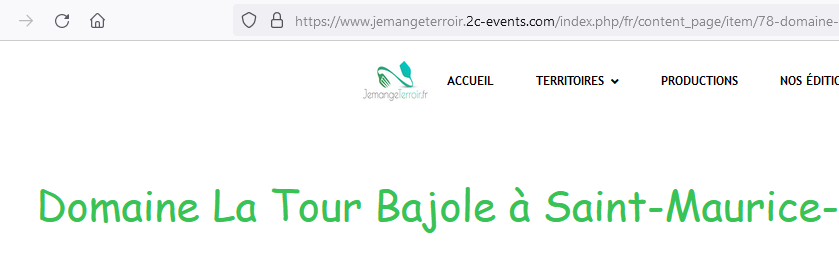
maybe check from different browsers, on mine seems to be working fine.
TOCHTERMANN DAMIEN Asked this
No;.... it should look like this : https://prnt.sc/3A-Hdg9ldyyt on all resolutions / browsers.
Thanks for help to fix it.
Paul Frankowski Senior Staff
Oh, now I see...
wait a minute
Paul Frankowski Senior Staff
CSS analizing
TOCHTERMANN DAMIEN Asked this
Take the needed time... i have whole day and more ;)
Paul Frankowski Senior Staff
UPDATED CSS
#flexicontent .fc_item_title {
@import url('https://www.jemangeterroir.2c-events.com/templates/travus/fonts/beyond_the_mountains1-webfont.woff');
font-family: 'Beyond The Mountains', cursive;
font-weight: normal; font-style: normal;
}- Wrong order!
- use full URL to that font file, with https:// !!! add in my code
- you forgot about @import
- and ";" must be just after ")" !!
But our role here is not teaching CSS, please!
TOCHTERMANN DAMIEN Asked this
4 years ago
· edited
Sorry, it is the first time i'm confronted to local fonts using in bought templates...
I should change the code lines in custom.css , exact ? Thanks for all
Log in to reply.