I'm using the Spectrum template. Under Typography, I only see Google fonts but I jus JCE editor and it only shows Windoes commom fomts. Must I use wirtd Google fonts?
Staff replied
Templates
shaper_spectrum and Google Fonts issue
6 replies

Paul Frankowski Senior Staff
4 years ago
· edited
Hi Kieron,
It's better to set fonts from Template Options > Typography then from JCE editor.
It doesn't make sense to set it manually each time in text, easy to create only big mess after all.
About JCE - sorry, but we are not support of that extension. Ask its developer.
Kieron Asked this
Thank you for the speedy answer Paul.
I understand what you say but sometimes clients use JCE!
My issue is that when I go to Typography to select a site font all I see are Google Fonts .... I cannot set the site font to Areil ot Verdana ?
When I furn off Google fonts for Body, where does the font displayed on the site selected from ? I dont want to use strange Google fonts.
Kieron Asked this
When I install Helix Ultimate template I see normal (Ariel, Verdana etc) fonts in Typography as well as Google Fonts but only Google fonts in the Shaper_Spectrum template.
Paul Frankowski Senior Staff
Indeed in some old templates maybe indeed there was no classic fonts,
but you can set them using Custom CSS in 60 sec. Very easy !
For example
body { font-family: Arial, Helvetica Neue, Helvetica, sans-serif; }
This same you can do for H1, h2.... etc.
Kieron Asked this
understood Paul .... but when I furn off Google fonts for Body, where does the font displayed on the site selected from ? Is there a default font?
Paul Frankowski Senior Staff
4 years ago
· edited
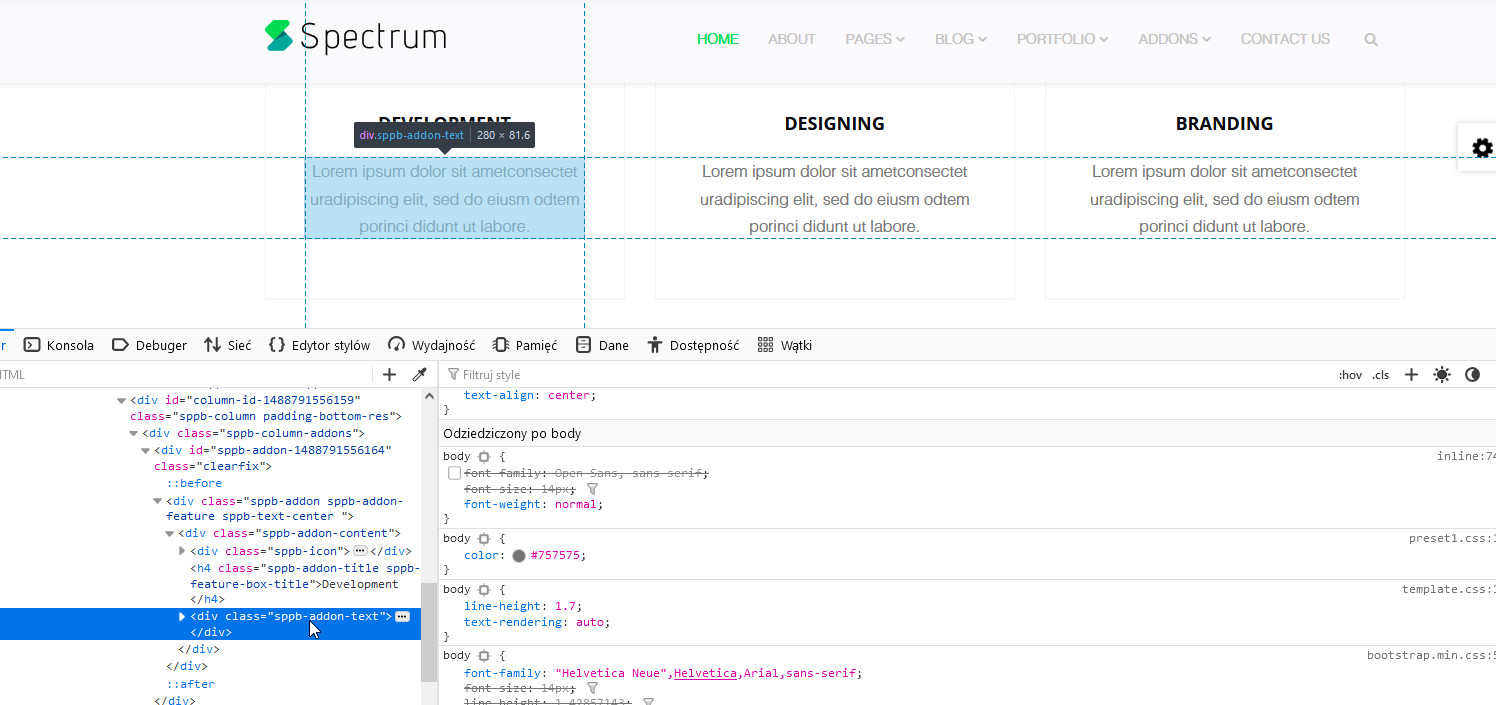
Yes. It's taken from Bootstrap.min.css file and default fonts from it are:
font-family: "Helvetica Neue",Helvetica,Arial,sans-serif;
and in this order are loaded if found in system. Arial is 3rd. For example on my Windows 2nd font - Helvetica is loaded as 1st.
Log in to reply.