Staff replied
SP Page Builder
We would like to recommend Setting up page width.
4 replies

Mehtaz Afsana Borsha Staff
Hi
Thanks for contacting us. Could you please explain it more?
-Regards.
CHAYAPOL Asked this
Please open the picture. I need help urgently
https://1drv.ms/u/s!AiyGCNIk12e59io8Dd1BcArfWEva?e=V4W39U)

Paul Frankowski Senior Staff
Hi Chatapol,
I also don't fully understand what is your goal.
You want to reduce template width from full width with container to Box layout ?
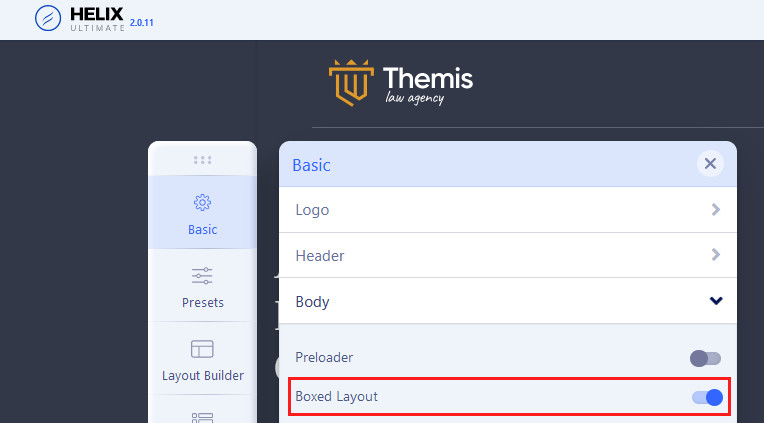
If yes, check Template Options > Basic > Body > Boxed Layout : YES
then choose bg color for the website, maybe white?
Paul Frankowski Senior Staff
4 years ago
· edited
For other width changes you have to use your CSS knowledge, no options/switchers for that.
Page content (from SP PB) that is displayed in component area uses class .sppb-row-container
and on large resolution this default value is used
  @media (min-width: 1380px) {
.sppb-row-container {max-width: 1320px; }
    }
As you see very basic CSS. We cannot teach CSS here, so we can give only tips.
Yes, you can override it using Custom CSS.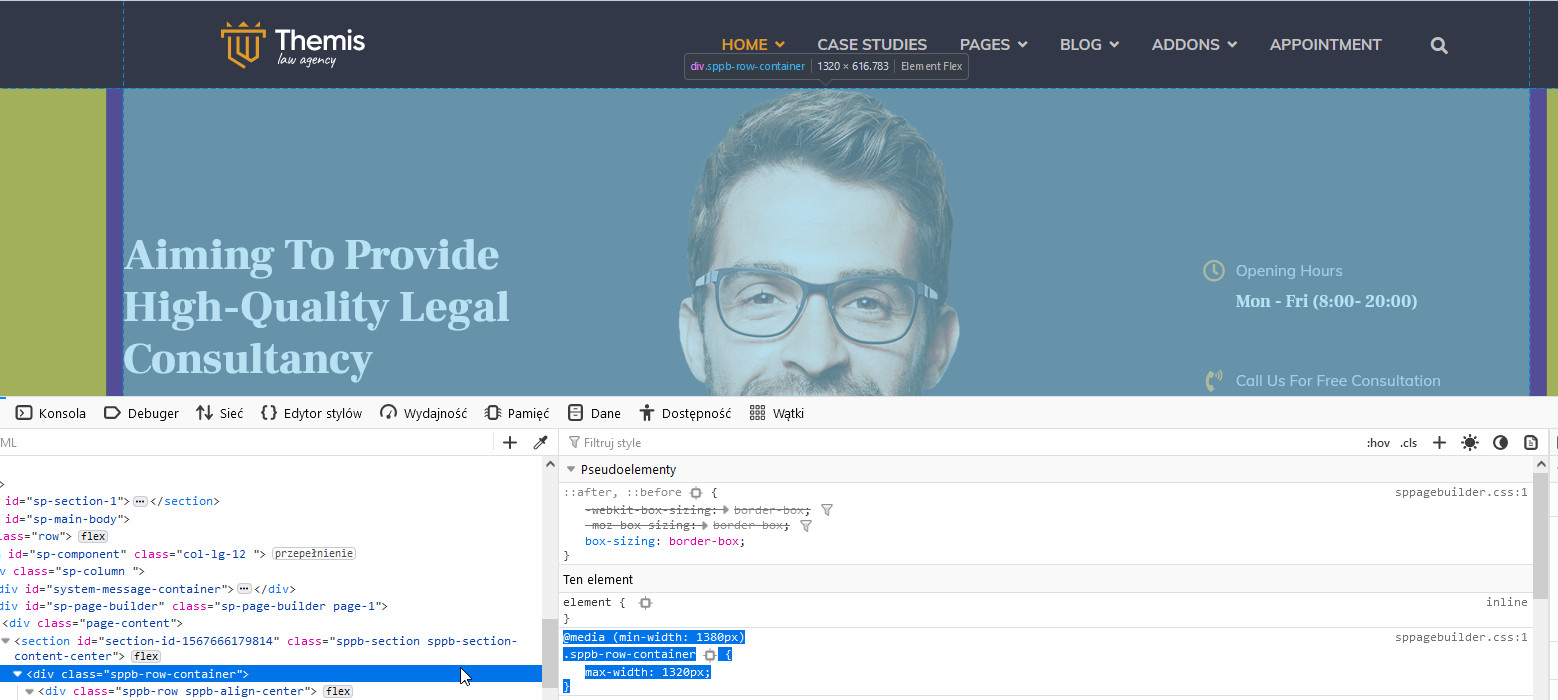
Log in to reply.