How to insert Google tag (gtag.js) after the SUBMIT BUTTON on a form? - Forum | JoomShaper
Staff replied SP Page Builder

How to insert Google tag (gtag.js) after the SUBMIT BUTTON on a form?

Asked by Michael 4 years ago Last activity 3 years ago

Hi guys,

A person helping with a google Adwords PPC, has requested we place the following coding be placed - AFTER the submit (or send) Button on a form?

I understand how to insert scripts in between the <head> ... </head> which then means it's on all pages, but I do not know how to place this inside 'Form Builder' ... I can see where you add CSS, but not html - CODE for scripts.

How do I do this? I have a meeting next Monday and would like to insert this before then, so if I could get a quick reply that would be much appreciated.

Thanks in advance

Syco

7 replies

Toufiq Senior Staff

Hi there,

Thanks for contacting us. Sorry, right now this feature/functionality is not available.

-Thanks

Paul Frankowski Senior Staff
3 years ago · edited

If I may....

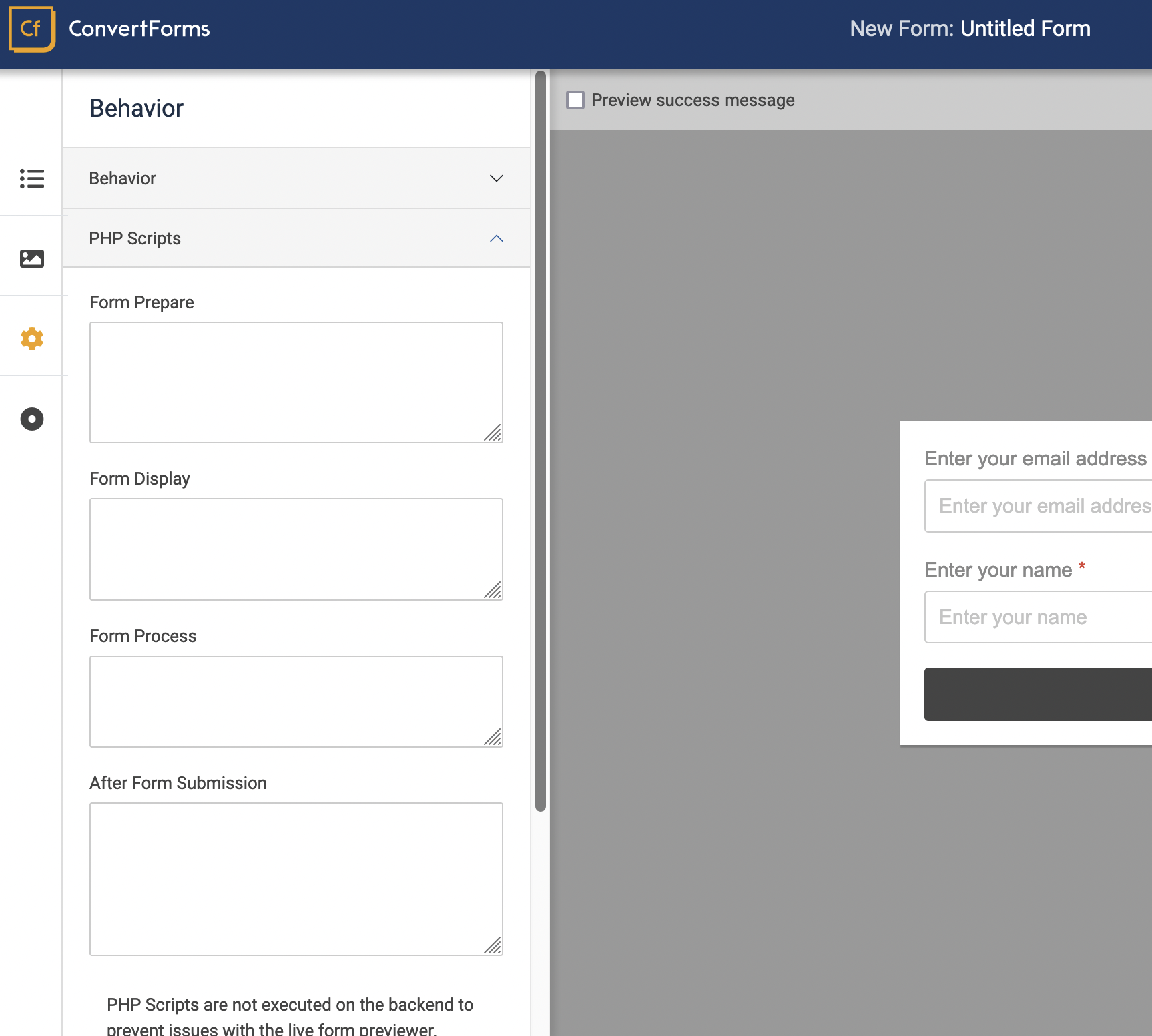
indeed, and for that purpose you have to use different Form Builder, for example, Convert Forms (tassos.gr) - it has needed by you feature, custom code fields. Screenshot

Zrzut ekranu 2022-11-8 o 13.29.27.png

Then you can use that CF form inside CF Module and choose that module inside Module addon (SPPB). Always works!

Michael Asked this

Hi Toufiq,

Sorry for the late reply as I have been out of the office. Really can not believe with how important Google Adword PPC that are used by so many businesses... that there is no feature to support this scripting after pushing a SUBMIT or SEND button. :(

Hi Paul,

Thank you for your info on Convert Forms (tassos.gr)... I guess this will mean I will need to REMAKE a new form in CF... I hope I can work out how to use CF form inside CF Module ... and choose that module inside Module addon (SPPB).

Really apprecaite your help !

regards,
Michael

Paul Frankowski Senior Staff

yes, you can. I use this way all the time.


added to wish list.

Pavel

How do I do this?

Hi. If you use GTM on your website, you can add any code to any element on the page via GTM interface on the Google side using JS/JQuery. It is in this that it makes sense to use GTM.

For example, add the class to your form addon (CSS Class field in addon settings), find the button selector through the code inspector and using an integral selector (.your-own-addon-class .submit-button-class), use it in JS/JQuery by adding the entire code in the GTM interface

Michael Asked this
3 years ago · edited

Hi Paul,

I installed CF, and created a form, which works fine !
But when I added the Google Analytics 4 Tags script into the 'After submission form' in the custom code fields... it came up with a syntax error. :(
and the form doesn't submit.
![(https://imgur.com/a/5iFxxJK)]

I guess I will have to contact their support team

Paul Frankowski Senior Staff

Mike, indeed. Probably you made small mistake somewhere.

Log in to reply.