
Estate - Adjust Map Zoom on Half and Full
How can i reduce the zoom (i think it maybe at 16), down to around 8
Using Mapbox
Estate - Adjust Map Zoom on Half and Full
How can i reduce the zoom (i think it maybe at 16), down to around 8
Using Mapbox
Hi
Thanks for contacting us. Could you please give me your site URL so that I can check?
-Regards.
https://baysiderealestate.ae/index.php
Sites behind a holding html page, hence the index.php
I have just 9 properties all within Dubai, would like the zoom ratio to cover JUST Dubai. Thanks
Could you please give me a screenshot of it?
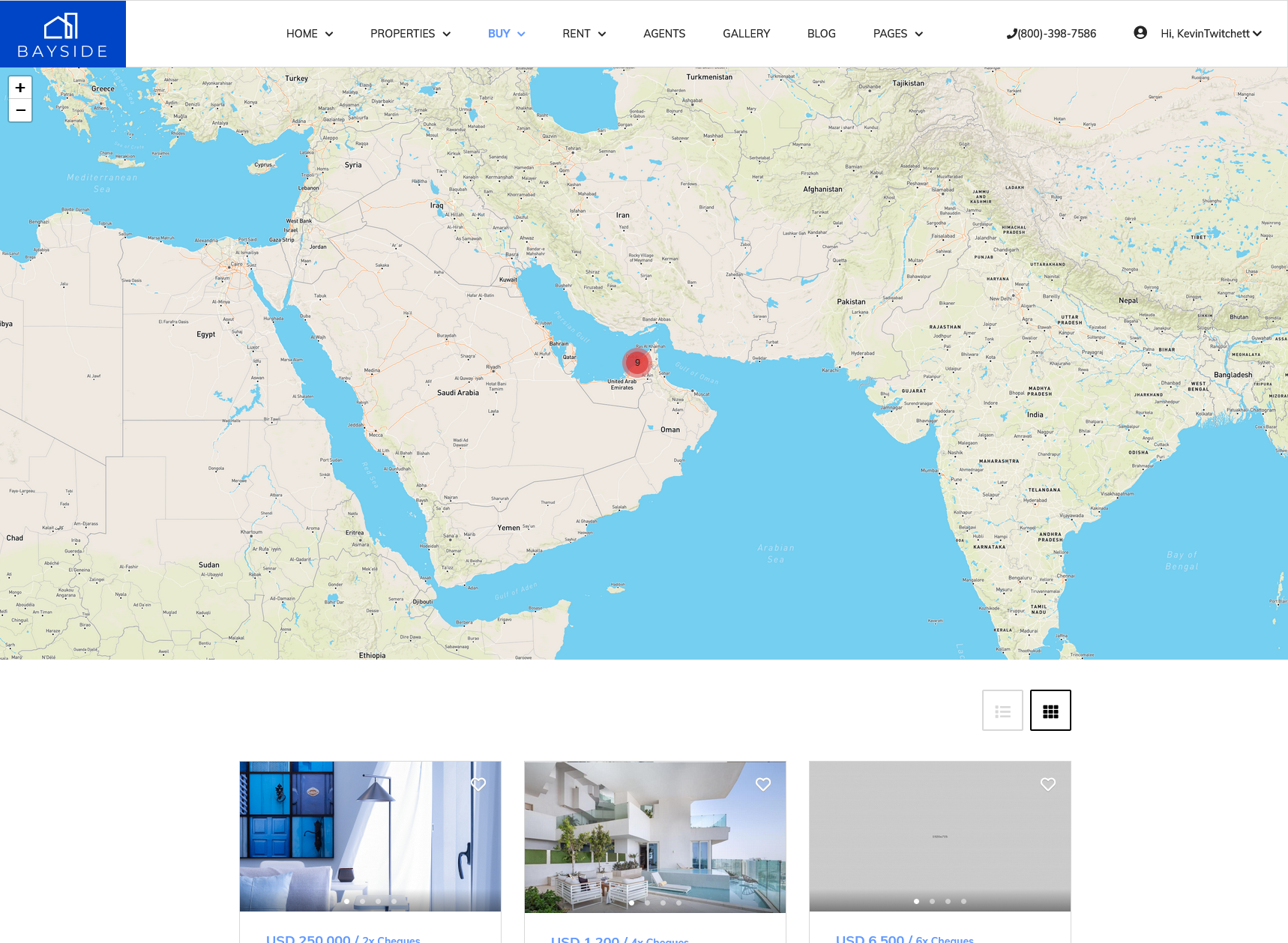
Any ideas?
I think you can solve it via custom CSS. Could you please give me that specific page link?
I would think that the zoom would be set in this js file... components\com_spproperty\assets\js\gmap.js
I found this but I don't know js so can't say what parameters need to be chnaged.
var initMap = function (data) {
if (mapType == 'google') {
map = new google.maps.Map(document.getElementById('spproperty-map'), {
center: data.center,
zoom: data.zoom,
tilt: 45
});
} else {
this.osmMap = L.map(this.options.osm_id, {
scrollWheelZoom: false
}).setView(this.parseLocation(this.options.latlng, 'osm'), this.options.zoom);
L.tileLayer('https://api.mapbox.com/styles/v1/{id}/tiles/{z}/{x}/{y}?access_token={accessToken}', {
attribution: "Map data © <a href=https://www.openstreetmap.org/'>OpenStreetMap</a> contributors, <a href='https://creativecommons.org/licenses/by-sa/2.0/'>CC-BY-SA</a>, Imagery © <a href='https://www.mapbox.com/'>Mapbox</a>",
id: 'mapbox/streets-v11',
accessToken: this.options.mapbox_token
}).addTo(this.osmMap);
}
As the country is quite small a fixed zoom level would be no issue. Can anyone comment on this? 