Staff replied Templates

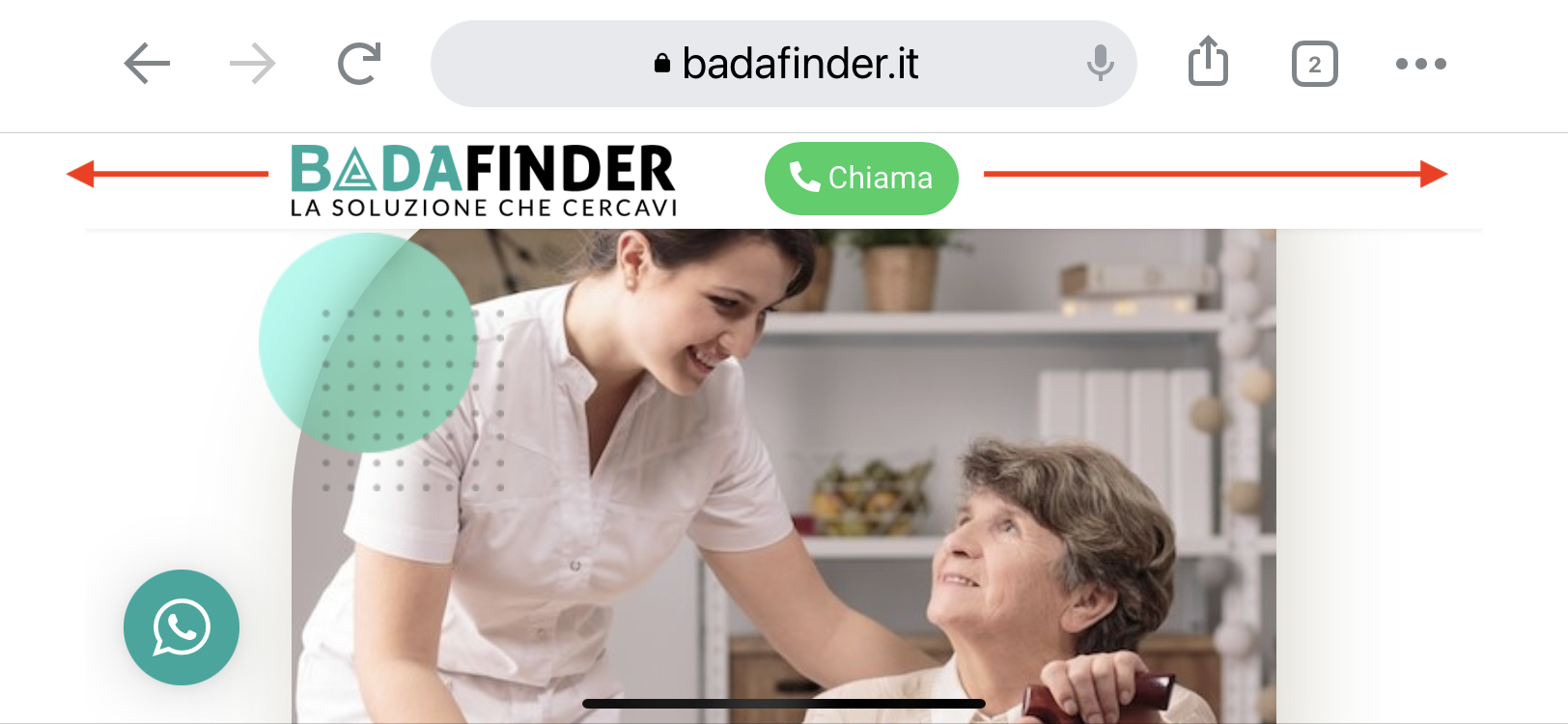
Responsive problem Header phone view

Asked by Francesco 4 years ago Last activity 3 years ago

Hello,

I can't place the button in the header in smartphone mode as I would like.

It should be positioned to the right of the logo but is positioned below.

How do I fix the right alignment position to the right?

This is the link of the page: https://badafinder.it/landing-famiglie

Tnx
Francesco

11 replies

Mehtaz Afsana Borsha Staff

Hi

Thanks for contacting us. Could you please give me a screenshot of your issue?

-Regards.

Mehtaz Afsana Borsha Staff

Hi

Use this custom CSS


@media (max-width: 900px){
#sppb-addon-1668420723660 {
    position: relative;
    bottom: 55px;
    left: 210px;
}
}

Path towards custom CSS: Extensions>Templates>Styles> Click on your current default template name then choose Template Options. Then find custom CSS within the custom code.

Francesco Asked this

Yes, with this modification it is positioned correctly.

I have seen that the CSS goes to place the button, but it is not at 100% of the available space.

For example, if I turn the smartphone 90 °, the logo does not expand to the right and the button to the left

Thank you
Francesco

Mehtaz Afsana Borsha Staff

Could you please give me a screenshot of that and mention there? Because it seems normal on my end.

Francesco Asked this

Yes, too, if I hold the smartphone vertically I see it correct, but if I turn it 90 degrees and put it horizontally, the screen resizes. I'm trying with an iPone 11. The image I posted is the screen shot in landscape mode.

Francesco Asked this

Thanks, i see the link to resolve my problem

Francesco

Log in to reply.