I'm using Floox template with the Quickstart content Slideshow with default slider. I do not see an adjustable setting for opacity so where can I find this in the coding to override?
Solved
SP Page Builder
Slideshow default slider background opacity: make less opaque?
Accepted answer
Marked as the solution
Pavel
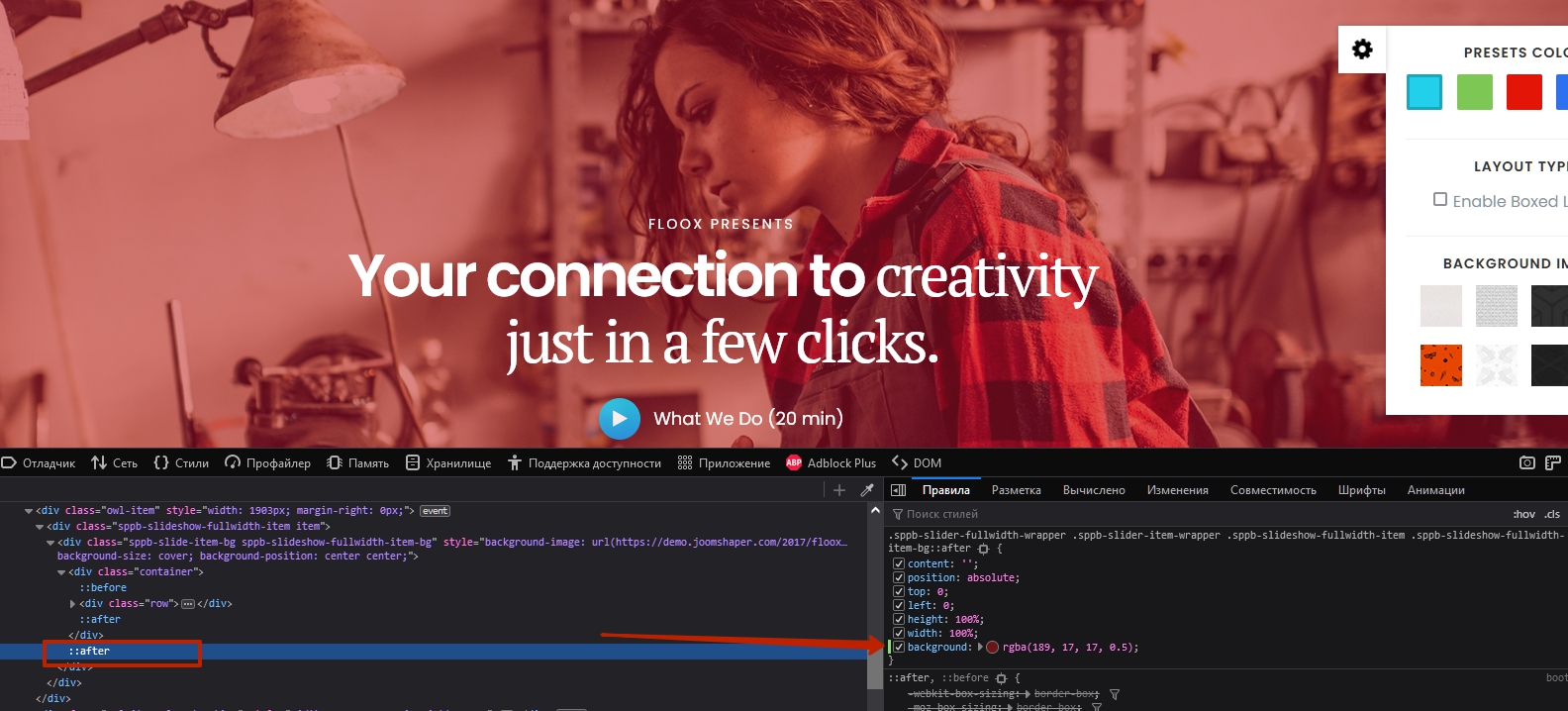
Hi. Code inspector will always help
5 more replies

Mehtaz Afsana Borsha Staff
Hi
Thanks for contacting us. Could you please give me your site URL and also screenshot? Where I need to change?
-Regards.
Carlton Stout Asked this
The slider is on the homepage just like your Demo...I'm wanting to experiement in making it less opaque.
see my URL in the hidden content below...
Thank you Mehtaz
Carlton Stout Asked this
3 years ago
· edited
Thanks Pavel,
I've been using the inspector frequently for my adjustments.
I found that code. I tried changing the value for background and clearing the cache, and refreshing the browser and that did not work.
update...
I tried adding this code to the custom css Temple Custom Code panel and that worked. Odd that it didn't work in the actuall css file.
.sppb-slider-fullwidth-wrapper .sppb-slider-item-wrapper .sppb-slideshow-fullwidth-item .sppb-slideshow-fullwidth-item-bg:after {background: rgba(28,49,74,0.3);}
Thanks Pavel for verifying this is the active code responsible for this property.
Pavel
3 years ago
· edited
Hi Carlton
I tried adding this code to the custom css Temple Custom Code panel and that worked.
Do not clog <head></head> of your site unnecessarily.
Odd that it didn't work in the actuall css file.
Two things you need to add that it will works in the CSS file:
- Add your own class to addon (CSS Class field in addon settings)
- Use !important
.your-own-class-name .sppb-slideshow-fullwidth-item-bg::after {
    background: rgba(28, 49, 74, 0.3) !important;
}
Carlton Stout Asked this
Great Pavel, I'll try this next.Thank you
Log in to reply.