Hi,
how can I remove the 3 buttons to Facebook Twitter LinkedIn in the articles under the heading?
See Example:
https://j4.eifelverein-marmagen.de/index.php/home/aktuelles/1078-schutzhuette-kuecheler-heck
Helix Ultimate Free
Version: 2.0.11
Hi,
how can I remove the 3 buttons to Facebook Twitter LinkedIn in the articles under the heading?
See Example:
https://j4.eifelverein-marmagen.de/index.php/home/aktuelles/1078-schutzhuette-kuecheler-heck
Helix Ultimate Free
Version: 2.0.11
Hi
Thanks for contacting us. Could you please give me a screenshot of your issue? I need to check.
-Regards.
Hi
take a lool at the Site right under the heading "Schutzhütte"
above the picture
https://j4.eifelverein-marmagen.de/index.php/home/aktuelles/1078-schutzhuette-kuecheler-heck
Hi
Use this custom CSS
.article-details .article-ratings-social-share{
    display:none !important;
}
Path towards custom CSS: Extensions>Templates>Styles> Click on your current default template name then choose Template Options. Then find custom CSS within the custom code.
Well, it works, thank you.
You are always welcome. You can now close this post by accepting the answer.
Hi. I just don't understand why use CSS for this. It turns off here
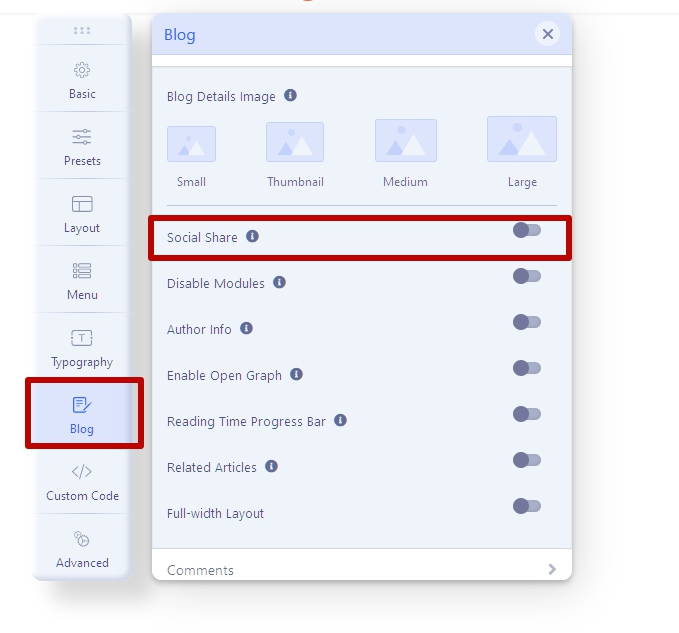
Thank you, it is so easy to do it this way.

