Awaiting an answer Templates

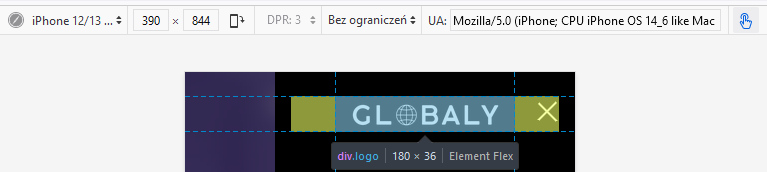
I would like to center align the logo in mobile version

Asked by Stefano 3 years ago Last activity 3 years ago

Hi,

I would like to center align the logo in the Pitech theme, I found a CSS code on the forum, but it only aligns it by 80%. if i try to align it to 100% the menu goes to the bottom row. (mobile)

My website is: www.globaly.it

The CSS code I'm referring to is this:

@media (max-width: 580px) {

sp-logo {

margin: 0 auto;
width: 80%;
text-align: center;}
    }


4 replies

Mehtaz Afsana Borsha Staff
3 years ago · edited

Hi

Thanks for contacting us. Use this custom CSS

.justify-content-between {
    justify-content: center !important;
}

Path towards custom CSS: Extensions>Templates>Styles> Click on your current default template name then choose Template Options. Then find custom CSS within the custom code.

-Regards.

Stefano Asked this

Thanks for the reply.

unfortunately by inserting that CSS, the logo is not 100% centered and the menu also moves.

you can see the result from mobile on globaly.it

I wish I could wake up the menu position (right, left) and have the logo perfectly centered

Paul Frankowski Senior Staff

Ciao Sefano,

in your case, all you need is that:

.offcanvas-menu .logo {
  margin: 0 auto;
}

After using that CSS code you should get centered logo

119.jpg

Stefano Asked this

It does not work.

I need to align the logo in the center and to be able to choose if the menu is on the left or right, otherwise it aligns everything in the center.

Log in to reply.