In v.3 we could put html code in every part of page builder (e. in titles or texts). This makes the page builder even more powerful.
Now in v.4 I try to put some simple styling code (ex. text-shadow in a span) and it does not work.
Why?
In v.3 we could put html code in every part of page builder (e. in titles or texts). This makes the page builder even more powerful.
Now in v.4 I try to put some simple styling code (ex. text-shadow in a span) and it does not work.
Why?
Hi,
and this is still possible
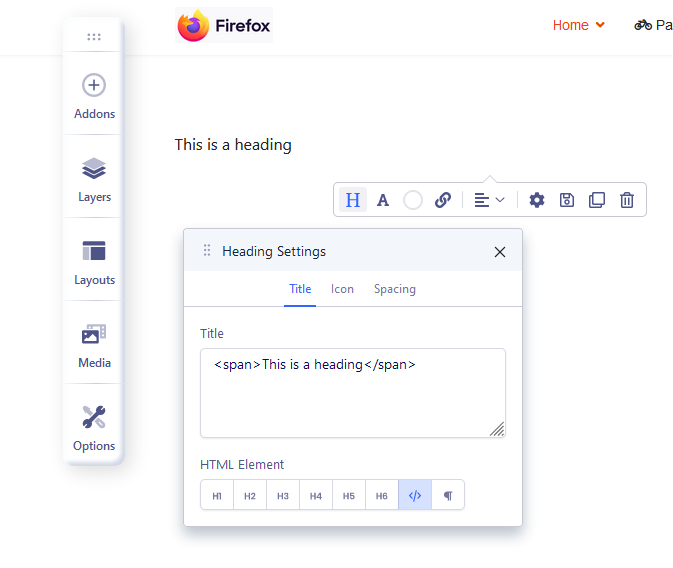
Hello again dear Paul
It is more convenient to use some snipsets inside for example in a title.
Check this screenshot, where I insert a small code in a title inside a slider
https://snipboard.io/KLlMWc.jpg
In v.3 it was working fine
mik
Thx, and now your code is cleaned or what exaclty?
I tested your code (with red value) and still works. I added a new slidehow addon, and ... all is OK.

Zoomed (text-shadow red)
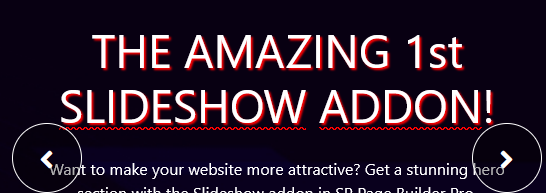
so we didn't change anything there if we talk about Slideshow addon.
1.No, the code stays in place but it does not work.
Besides.... you forgot that you can set text-shadow from settings in Style tab

so I don't see a reason to use < span style="text-shadow...... anymore.
do you agree with me?
No I believe your screenshot, no worries.
But in my case it does not work.
I also face various disfunctions and I r=thnik it is because of some caching.
For example all the things I chane in the main page builder window, where all the pages are in a list, Isee some padlocks, I click them, it says ok, but the padlock is still there.
Also I change the view (ex. ascending or descedning) it works only one time and when I go to anothe page and then come back to this list, it loses my filtering.
I clean the cache, but to no avail.
Any ideas?
1.No, the code stays in place but it does not work.
Use Code Inspector tool from your browser and check why! As a webmaster, you need to use the basic tools.
I did and I see that the code is not there!
Maybe Joomla cache?
Or you have enabled Production Mode in SPPB Options?
Please add a new slideshow and test there.
As you saw on my screenshots it should work.
And yes, use Text-shadow from setting as well!
Or you have enabled Production Mode.
? what do you mean?
I found out that a part of the caching poblems are coming from my server, because when I clean the cache there, then the padlocks are working ok (though I have to flush cache every time). I'll contact me server about this.
But the problem with the custon code is still there. Any other ideas?
OK, I fixed the shadow following your advice: you forgot that you can set text-shadow from settings in Style tab
But the image size is like a bug. Can you test from your end, to change the image size in a slide? (not the background image)
2nd - you already creatred separate topic for that question, so it's better to keep there.

