Is it possible to have the main text menu aligned to the left of a template, but then have the burger menu be aligned to the right in mobile view?
Solved
Templates
Menu Aligned Left, Burger Menu Aligned Right
Accepted answer
Marked as the solution
[email protected] Asked this
I understand Paul.
Thank you for your reponse.
For anyone else who sees this thread, I changed the max-width to 991px to cover tablet view as well.
@media screen and (max-width: 991px) {
sp-menu > .justify-content-end {justify-content: flex-end !important;}
}
Thanks again Paul.
8 more replies

Paul Frankowski Senior Staff
Hi,
yes, possible. But probably with small help of custom CSS.
[email protected] Asked this
Here is the url you are requesting Paul.
Maybe this is something that could be added to the Customization Tips in the Documentation for Helix Ultimate 2.
[email protected] Asked this
I provided the url when you asked for it Paul. What CSS code would I use to leave the desktop menu aligned left and make the mobile burger menu appear on the right?
Paul Frankowski Senior Staff
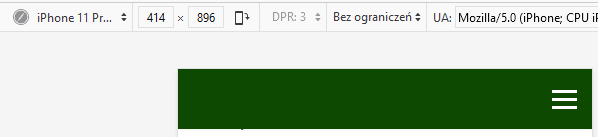
Below custom CSS should help to move [=] to the right size (on mobile view only):
@media screen and (max-width: 680px) {
#sp-menu > .justify-content-end {justify-content: flex-end !important;}
}
[email protected] Asked this
I don't know why the text above became so big, but wow. :)
Paul Frankowski Senior Staff
3 years ago
· edited
For sure it's good to know the basics. As I see above header and menu you have image, so this is not a text.
<img src="/images/banners/Northern_Healthy_Homes_Logo_2023.png" alt="..." style="display: block; margin: 0px auto;" width="1000" height="140">
width and height settings do the job. If I understood your question/concerns correctly.
Paul Frankowski Senior Staff
For anyone else who sees this thread, I changed the max-width to 991px to cover tablet view as well.
Indeed, but not only small tablet but also XL smartphone in horizontal view.
Becuase tablet iPad has 1024px.
[email protected] Asked this
See below.
Log in to reply.