
hi everyone,
at my home page I have under the slider a image carousel, but I'm having trouble to get to show better in tablet mode, both ways. Is anyone that would be so kind to help me please ?
here the website
Awaiting an answer
SP Page Builder
Image Carousel responsive not so responsive
Asked by Cristina
3 years ago
Last activity 3 years ago
15 replies

Paul Frankowski Senior Staff
Hi Cristina,
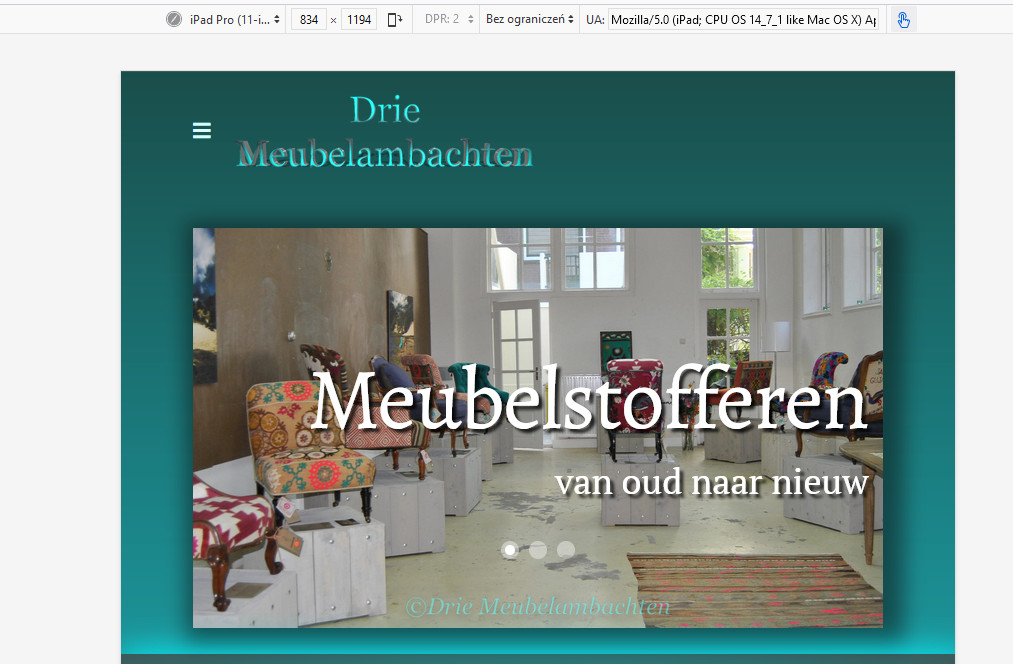
but what is wrong with Tablet view?
Here is screenshot from iPad emulator
Paul Frankowski Senior Staff
Let me guess, you want to show the whole image, not cropped.
Yes, it's possible, example code for main top slider:
@media screen and (max-width: 1024px) {
.sp-slider .sp-item .sp-background
{background-size: contain !important; background-repeat: no-repeat;}
#section-id-1511613808 .sp-slider-outer-stage {
  height: 380px !important; max-height: 380px;}
}
Paul Frankowski Senior Staff
3 years ago
· edited
About carousel-extended next to "Groot of kleine"
Easier would be to use different slider for mobile/tablet view only.
Use addon "Image Carousel" instead of, is much more responsive and works better for tablet and mobile view. Add images and set that addon to display only for Tablet and Mobile, and hide in Desktop. Opossite do for carousel-extended addon.
Cristina Asked this
hi Frank thanks so mych for your fast answer, you are the best!! yes i meant the image carousel next to the groot of kleine. i have an image carousel that was in the template. But if I understanr you correctly i can put two carousels there then and one for the desktop and the other for the tablet and mobile, tho my question is how do i get both at the same place then? bc rn is one row wirh two columns.
thanks so so much
Paul Frankowski Senior Staff
yes, on that same column. One below the other, but with different view settings
Cristina Asked this
thanks Paul, tho I do have another question, you said before that the carousel for the tablet and mobile to use the image caousel unlike the extended one for the desktop extended addon. Yet the current one is an image carousel i dont quite understadn what you mean by extended, unless you mean that instead of showing three pics, one in the center and half of two pics on each side is extended then. ;) trying to get it all properly sorted out and i must say the more im getting used to it the more i like it... except for the few bugs i had before in my other post ;D
Paul Frankowski Senior Staff
yes, You should use only a single image per slide for mobile view, less problems.
SPPB 3 or SPPB 4?
Cristina Asked this
ok yay i got that right then, sppb 4, lastest version
Cristina Asked this
3 years ago
· edited
humm tiny hiccup, i have done so yet on the ipad pro landscape the carousel that gets showed still is the desktop one even tho is hidden on the options. what now? recreat the big and try if that works ?
Paul Frankowski Senior Staff
3 years ago
· edited
It's becuase iPad Pro has resolution of laptop. And Hide/Show detection is based on basic resolution rules. Do we talk about iPad Pro 10.5 or Pro 9.7?
so extra CSS with @media with -webkit-min-device-pixel-ratio is needed. Do you need extra tip?
Cristina Asked this
3 years ago
· edited
if you wouldn't mind yes otherwise idk how to fix it for the bigger ipad :s and make a new carousel for this isn't an option and the ipad is 12,9 inch
Cristina Asked this
@Paul i hope you had a great weekend, can you please help me solved the ipad 12.9 inch issue with the carousel? :)
thanks so much :*
Paul Frankowski Senior Staff
Sure, I had, but we still have winter here with wet snow.
Let me check my CSS notes...
Paul Frankowski Senior Staff
so let's imagine that we want to hide addon in iPad (9.7"-12.9") only:
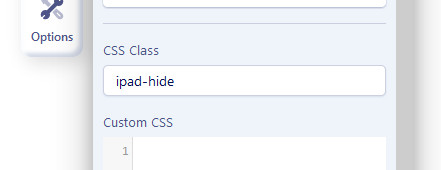
- In addon "CSS Class" put name: ipad-hide
- Then inside template or page Custom CSS add
@media only screen
  and (min-device-width: 768px)
  and (max-device-width: 1366px)
  and (-webkit-min-device-pixel-ratio: 2) {
.ipad-hide { display: none !important; visibility: hidden;}
}
it should help (in theory)
Cristina Asked this
hi Paul, sorry i couldnt answer you before but the flu got the best of me... but now im back working on it and it works yet the mobile one wont show now even tho isnt hidden for tablet and didnt added the ccs at the mobile one and in the settings isnt hidden either... what do i do now?
Log in to reply.