Hello,
I would like to place a button centered vertically and horizontally on the video (see link) and have it work on all browsers.
Can you help me on this?
Thank you very much in advance.
Best regards,
Michel
Hello,
I would like to place a button centered vertically and horizontally on the video (see link) and have it work on all browsers.
Can you help me on this?
Thank you very much in advance.
Best regards,
Michel
I don't have Mac to confirm or deny.
In Windows (Chrome/Firefox) I have on the middle, anyway find CSS method that works for all. This task anyway was beyond support.
Chrome - clear browser cache.
Hi Nabora,
As 1st step: in Row Options > Vertical Align: Center > Save changes
it should help, if not let me know.
Your solution does not work… You should go to the site to understand my request.
The button is an addon under that of the video. Centering the button in the row does not change anything.
Thanks for your help.
403: Accès interdit
Votre emplacement (PL) a été mis en liste noire.
Really? unlock me, I asked already.
And if you want to have button on video, use that button in this same ROW.
Ohh sorry… try again !
Here are the access…
Rsfirewall password is ??
Oups… too sorry!
Merci, checking...
Done, I removed your old CSS code, and I used only this
#sppb-addon-wrapper-1675948653793 {
  position: absolute;
  top: 50%;
  left: 0;
  right: 0;
}
Yes, I could done it just from settings (front-end editor), but ...

Great, thanks a lot !!!
However, I can't find how to remove the 100px white under the video :(
I don't see 100px anywhere in the first row.
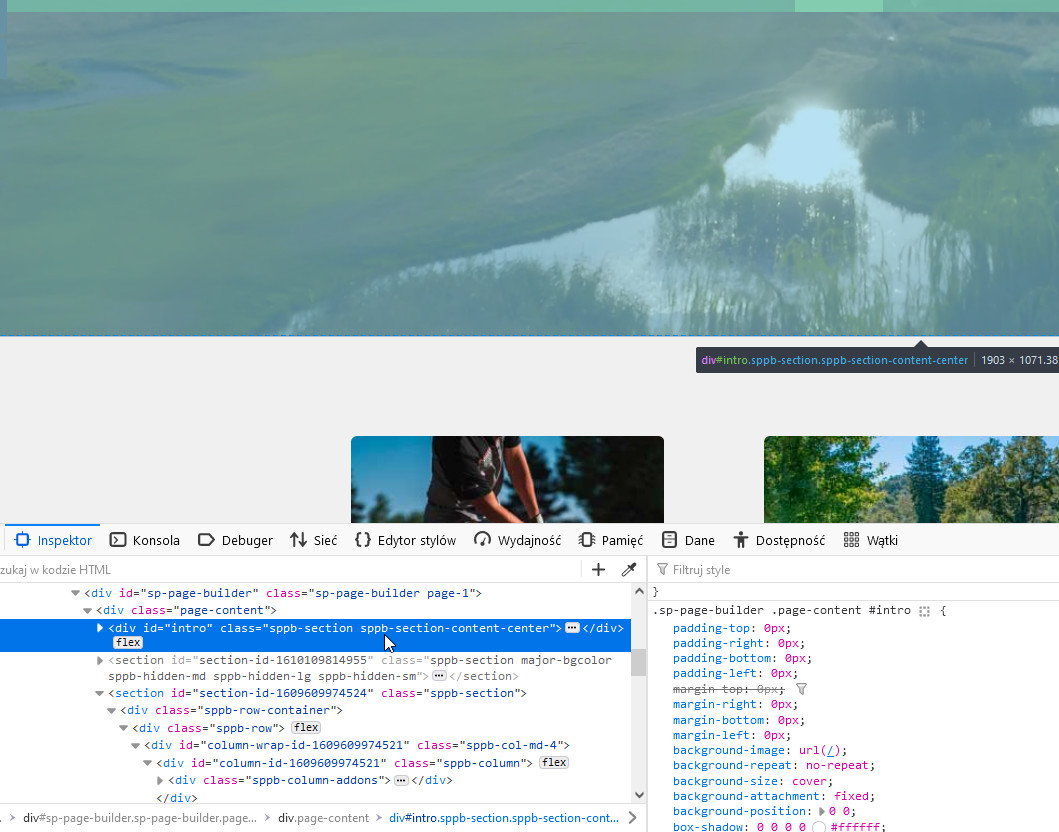
2nd section/row has 50px top padding, just change value and save settings.
It shows up like this in Google Chrome (Mac)…
In Firefox and Safari, it's perfect!
Firefox/Safari VS Chrome!
Firefox/Safari on the left and Chrome on the right…
Thank you for your prompt response!
I must admit that this is the first time since my subscription to Joomshaper that someone has answered me so quickly and with a solution that works.
Usually I have to wait 48 to 72 hours :(
Thanks again for your availability.
See you soon!
PS.: For the display defect on chrome, I will search on the side of google…
PS. 2: Sorry for my bad English ;)
The fastest I was with a good answer... it was about 90 sec after the user post.
Sorry that you have to wait sometimes a big longer than you should.
In our country we have a proverb:
Happy people don't measure time.
Haha, excellent :))
