
After the update the hide flags on mobile, tablet and desktop don't work and I see double blocks on devices.
Joomla 3.10.11
Helix 3.0.3
Theme: Shaper Newedge
After the update the hide flags on mobile, tablet and desktop don't work and I see double blocks on devices.
Joomla 3.10.11
Helix 3.0.3
Theme: Shaper Newedge
Hi
Thanks for contacting us. Could you please give me a screenshot of your issue?
-Regards.
Questo problema l'ho riscontrato anche in un altro template.
nel sito http://falieretoniolo.it/
se spunto il comando "nascondo per mobile" in realtà non lo nascondo e mi pubblica doppia la riga
We only communicate in the English Language. Please help us understand your issue by translating it!
I also encountered this problem in another template.
on the site http://falieretoniolo.it/
if I tick the "hide for mobile" command, I don't actually hide it and it publishes the line twice
Ciao,
please add this custom CSS
@media screen and (max-width: 760px) {
.d-none, .hidden-sm, .hidden-xs {display: none !important; visibility: hidden;}
}
it should help fix it, of course keep current settings.
Hi I haven't written to you anymore but I keep having problems.
I'll give you a screenshot. The highlighted screen should only be seen in the mobile and instead it also appears in the desktop even if I check "hide desktop"
can you help me?
can you please help me?
Use updated CSS code
@media screen and (max-width: 760px) {
.sppb-hidden-sm.sppb-hidden-xs, .sppb-hidden-sm,
.d-none, .hidden-sm, .hidden-xs {display: none !important; visibility: hidden;}
}this command doesn't work
My CSS was OK, but you have wrong Responsive settings in column.
If you have SPPB 4.0x - Please switch to ENG lang and check column settings again, column must be hidden in Desktop and Tablet !
I have SPPB 3.X installed
Whatever I want to hide on both mobile and PC, it doesn't work.
I'll give you the screenshot.
Please help me as I have been having this problem for quite some time now
can you please help me?
You have two rows, one is hidden in desktop (screenshot), and second is hidden on mobile

And look here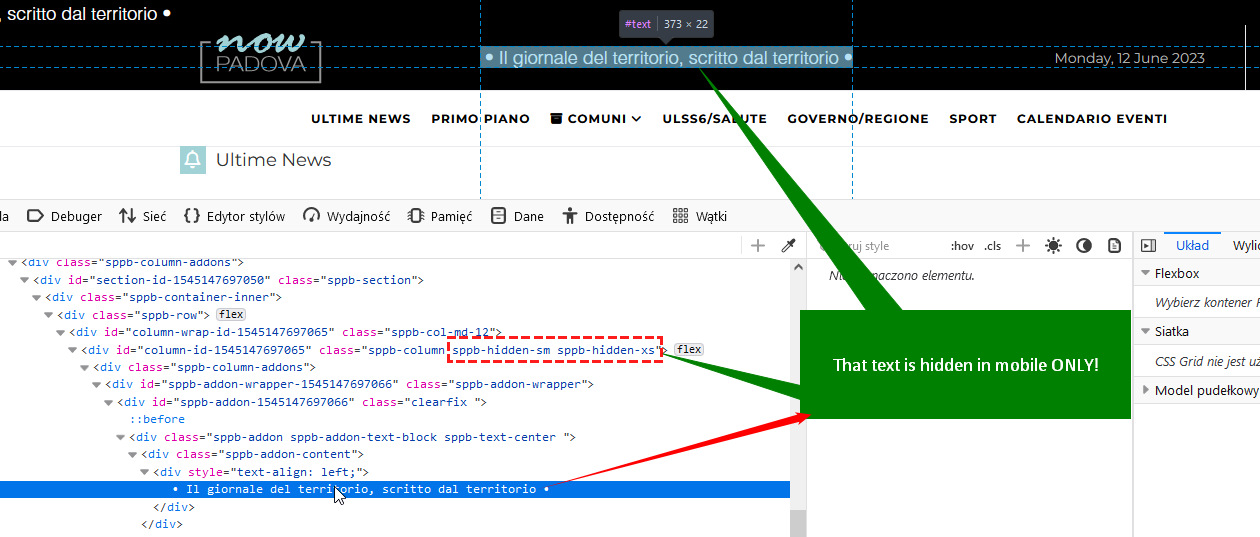
and here
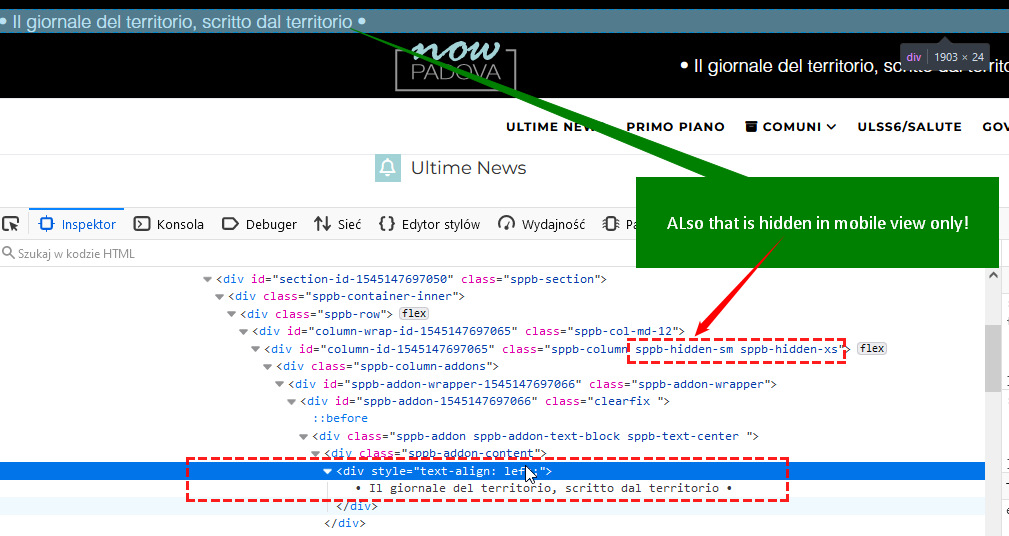
so I think it's not a problem with SPPB , but your settings. Small confusion.
I have question for you
The writing above must not be seen on the desktop but must be seen only on tablets and smartphones.
The writing between the logo and the date should only be seen on the desktop.
I cannot login :(
what is correct password?




