I upgraded to the latest helix ultimate and now the mobile dropdown menu is missing when viewing on mobile phones.
Staff replied
Helix Framework
Mobile menu missing
7 replies
Gary Asked this
my entire site is helix ultimate including the template so with the latest update it looks like once again something was missed. This is showing me the the testing is not fully verified once again and now we sit in limbo

Paul Frankowski Senior Staff
Hi Gary,
Fixed in 60sec.
compression set in Jch_optimize was set to high.
Play with JCH settings more deeply.
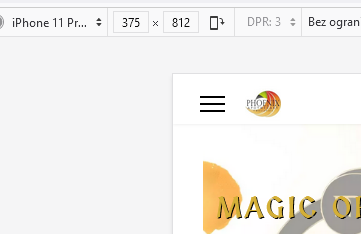
Gary Asked this
but you didnt test it, and I'm now getting random json errors and when testing on mobile including iPhone 13 with chrome or safarii any of the menu selections dont do anything and get the message "server stopped responding"
Prior to the update with the way jch was configured there was absolutly no issues or json errors so your quicky was a quickie but still there are issues.
Donna
I have exactly the same issue. I did not change anything and yet I now have no menu on any mobile device.
I'm beginning to think I should not update anything for a couple of months until those more savvy test your new software changes!
How do I get my menu back????
Donna
Paul Frankowski Senior Staff
@Donna,
- Use Code Inspector from your browser and check what color has <span> used for [=] icon
- If (1) is "a black magic" for you - use below custom CSS
.burger-icon > span {background-color: black !important;}
you can use: red, green, blue, yellow etc.
Donna
Paul,
I opened the code inspector on my PC. I am not using SPPB 4.x and am using the Helix Ultimate as my template.
I do not have any color selected for the hamburger icon.
<div class="burger-icon" aria-hidden="true"><span></span><span></span><span></span></div>However, I did have a banner scrolling across the top of my page in the top-content position. I had to eliminate this to get the off canvas mobil menu working again last night.
So I either don't use the scrolling banner or we need better documentation to adjust whatever the size issue is causing the problem.
Thank you,
Donna
Paul Frankowski Senior Staff
I didn't mention about SPPB , only Helix.
So please use my CSS if you don't have color for [=] icon somehow.
Template Options > Custom Code > Custom CSS (as always)
Log in to reply.