Video not shown - Forum | JoomShaper
Solved SP Page Builder

Video not shown

Asked by BKeeper 3 years ago Last activity 3 years ago

Hi,
after I installed the latest update 4.0.8 of SPPB my videos are been not shown anymore.
I can see the video in the editor, but not in preview or on the published page.

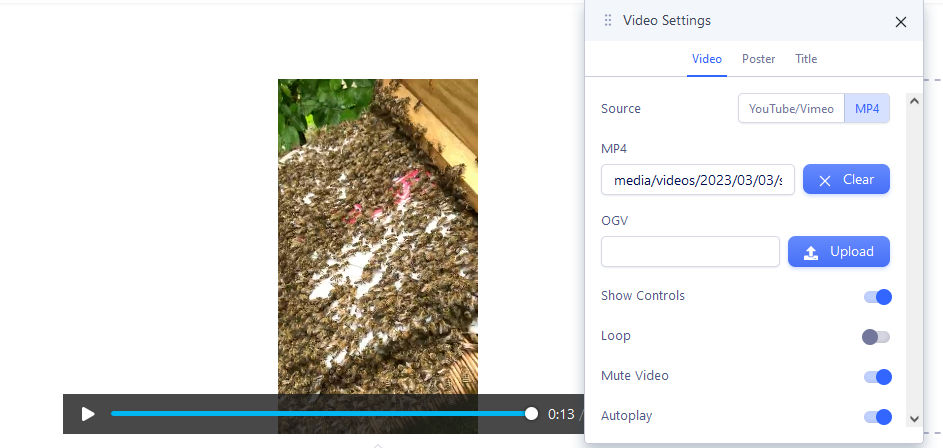
Editors view:
editors view

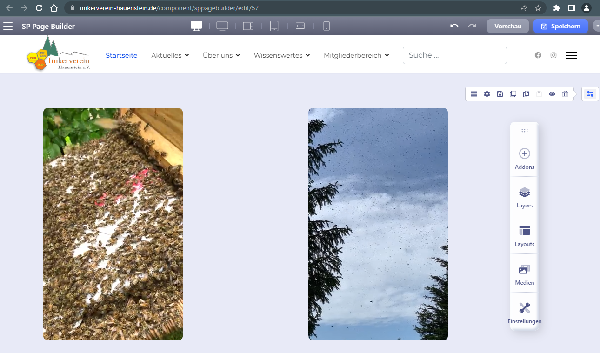
Published View:
preview or live view

Is this a bug in Version 4.0.8?

KR,
Michael

Accepted answer

Marked as the solution
Paul Frankowski Senior Staff

So to play video you have to use path without "/" at beginning.

info_673_2023.jpg

14 more replies

Paul Frankowski Senior Staff
3 years ago · edited

Hi Mike,

As I know that update didn't touch video addon, but....

  1. Youtube or mp4 file ?
  2. Can you share URL to that subpage where you have published video clips.

In general sorry for all design problems.

Paul Frankowski Senior Staff

BTW

Have you installed DE translation of SPPB 4.0x?
If yes, do you want to get more modern version of that translation.

BKeeper Asked this

... what do you mean exactly with 'modern' language?

Paul Frankowski Senior Staff
3 years ago · edited

"Modern" = I mean more current version, that you could install from SPPB admin.

Paul Frankowski Senior Staff

You can you rename video in /image folder from:

Schwarm In Der Luft.mp4

to

Schwarm_In_Der_Luft.mp4

and then use updated filename also inside video addon, let me know if helped.


In general DO NOT use space in filenames, only - , _ like I shown you.

BKeeper Asked this

Hi Paul,

I removed the spaces and updated the add-ins. Unfortunately this did not fix the problem. I know using spaces in filenames is never a good idea... shame on me :-)
I checked the original page where I first noticed the problem after upgrading to 4.0.8
The file names are ok there.

Paul Frankowski Senior Staff

Can I get access to admin area?

I have one idea what is wrong and how to fix it.

BKeeper Asked this
3 years ago · edited

sure

BKeeper Asked this

Hi Paul,

Did the credentials work? Did you found something?

KR
Mike

Log in to reply.