
Paul Frankowski Senior Staff
Hi Damian,
is it possible to add an icon and effect to a menu item using page builder
In theory yes, but I don't see a reason using this advanced method.
Using Helix Template Options > Menu > Menu item > click "Mega Menu" > Icon > choose name > Save.
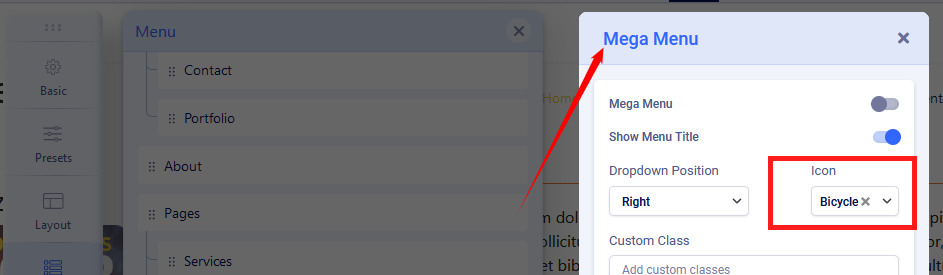

To hide Menu item Text and to keep only icon "Show Menu Title" : Off > Save

As you may see it's better & faster method :)
- In Helix Ultimate 2.0.x we use Font Awesome 5.2.x so preview icons from the FA project website.
- Remember to enable Font Awesome in Helix Options (Advanced), if you don't use it from other resource.