Staff replied Templates

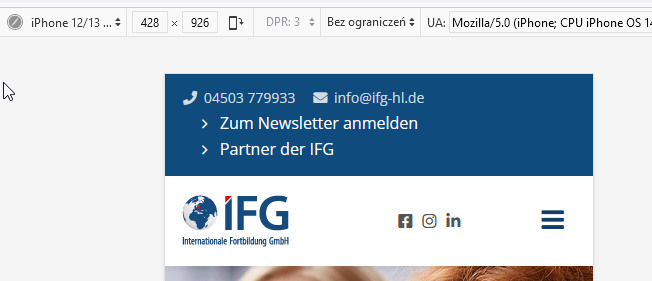
How can I fix the social icons in the mobile menu?

Asked by Knut Ingwersen 3 years ago Last activity 3 years ago

Hello,
i use the template Educon and have a problem with the position of the social icons in the mobile menu.
How can I fix the social icons in the mobile menu?
At the moment the social icons move down to an unfavorable place when scrolling.

In the desktop version, the icons remain correctly fixed in the menu header.
https://ifg-fortbildung.de/


9 replies

Paul Frankowski Senior Staff

Hi Knut,

probably there is NO space to display logo menu and social icons. But I will try to solve it somehow...

Mehtaz Afsana Borsha Staff
3 years ago · edited

Hi

Thanks for contacting us. Use this custom CSS


@media screen and (min-width: 320px) and (max-width: 767px){
ul.social-icons {
    position: relative;
    bottom: 90px;
}
}

Path towards custom CSS: Extensions>Templates>Styles> Click on your current default template name then choose Template Options. Then find custom CSS within the custom code.

-Regards.

Paul Frankowski Senior Staff

Reload browser cache 2x - should be much better

info_924_2023.jpg

I used that custom CSS

@media screen and (max-width: 680px) {
  #sp-header .col-6 {width: 49.5%; float: left;}
  #sp-header ul.social-icons > li {margin: 6px;}
  #offcanvas-toggler > i {color: #123E67;font-size: 26px;}
  #sp-header ul.social-icons {width: 75px; line-height: 80px;}
  ul.social-icons > li a {color: #555;}
}
Knut Ingwersen Asked this

Thank you so much Paul!!

Knut Ingwersen Asked this

Hello Paul,
sorry, but at my iPhone the icons are not in one row!

Paul Frankowski Senior Staff

what mobile screenshot resolution?
Iphone 6,7,8,9,10 ???

Knut Ingwersen Asked this

iPhone 10 + 14

Knut Ingwersen Asked this

The third icon (Linkedin) is in a second row

Paul Frankowski Senior Staff
3 years ago · edited

I already made correction for iPhone10 and smaller, refresh browser cache 2x


My CSS is inside custom.css file!

Iphone 6-10
6-10.jpg

Log in to reply.