Error After Upgrade To Joomla 4.x - Forum | JoomShaper
Awaiting an answer SP Page Builder

Error After Upgrade To Joomla 4.x

Asked by Edwin Kölliker 3 years ago Last activity 3 years ago

Good day

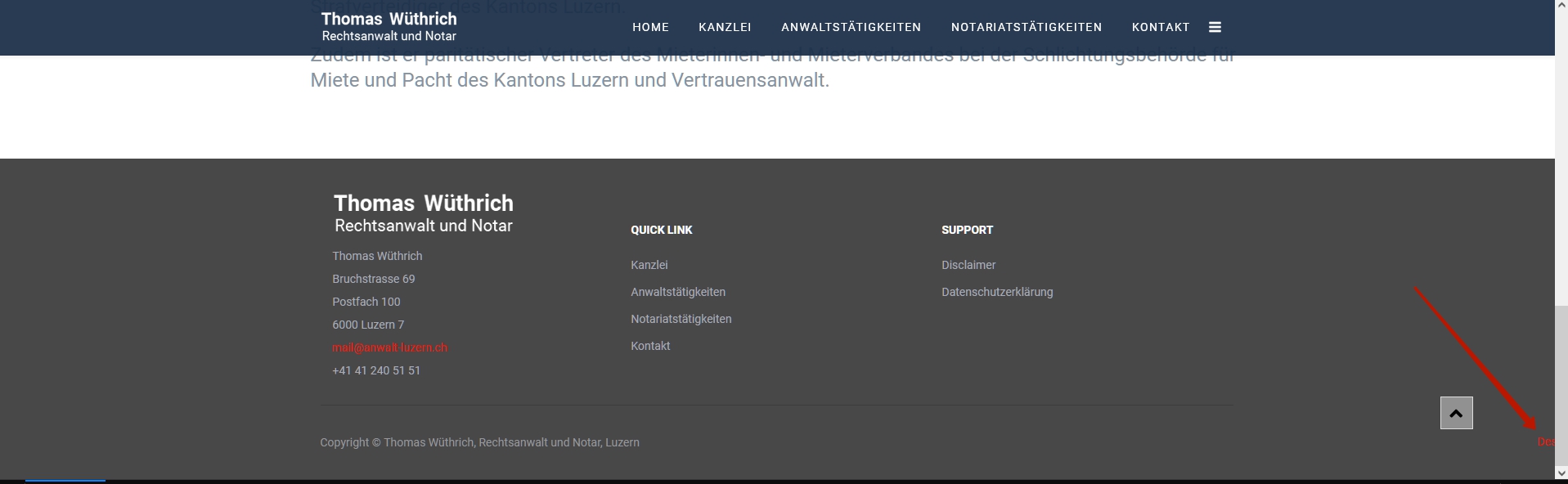
So, I have migrated a client website from Joomla 3.x to 4.x. I use the template from you -> Floox and SP PageBuilder with Helix. The migration has finally worked after a few attempts .... ... But now I have encountered the following problems: (see the picture sent along)

  1. the two menus "Quick Link" and "Support" in the bottemberarea of the page the LINKS don't work anymore. I can not edit them in the backend either ... Funnily enough it works fine in the tablet and phone ... but in the normal PC browser version it does NOT work!
    I have tested the site with 3 different browsers, all with the same result.
    -Google Crom
    -Opera
    -Microsoft Edge
    In all browsers, in the PC browser version, the links under "Quick Link" and "Support" do NOT work!!!!
    Also I can't edit the two items in the SP Page Builder!!!

  2. in the footer area the red line disappears if the screen is too narrow

Best thanks for your support Edwin Kölliker

Domain:
http://Anwalt-Luzern.ch

7 replies

Rashida Rahman Staff

Hi there!

Thanks for contacting us.

  1. Please use the following code in your custom CSS:
    @media (min-width: 1200px){
    #section-id-1499425868822 .sppb-row-container {
     width: 100%;
    }
    }

    Note: Path towards custom CSS(Joomla 4): System>Site Templates Styles> Click on your current default template name then choose Template Options. Then find custom CSS within the custom code.

https://prnt.sc/5mBuSRh907N3

https://prnt.sc/ooiq-lkMEXr_

https://prnt.sc/nunlX-f5AhK1

Best Regards

Edwin Kölliker Asked this

Dear Rashida Rahman
Wau, perfect, put the code in the Customer CSS and it works again !!!!
Point 1 is thus fixed, thank you very much

Now only the point 2. is still open
The red line with "Design & Development By PDL, Luzern" is not visible when the window of the browser is narrow, as soon as you widen the fenser sideways, it becomes visible.
Do you have me there also still a solution??
Thanks in advance
Edwin

Pavel
3 years ago · edited

Hi Edwin.

It is also on wide screens. And this is there, just shifted.

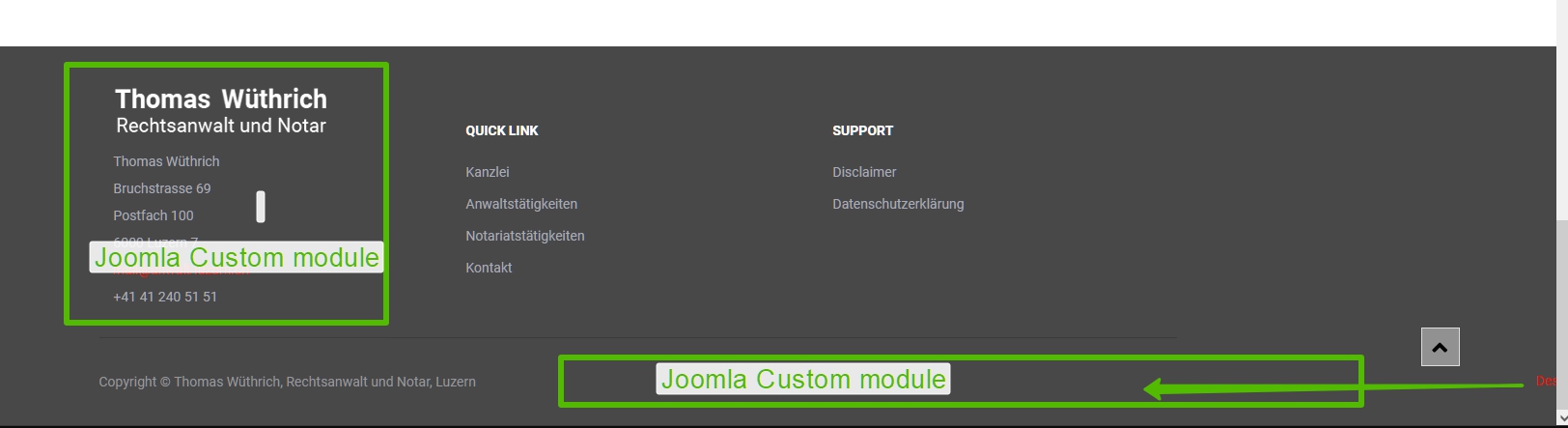
I would advise you to remake Footer using only custom modules instead of sppb modules. You will get much less HTML output code and does not need CSS, which in this case is a crutch.

Using the SPPB modules is excessive here.

Place "Design & Development By PDL, Luzern" in Custom Joomla module and publish it in footer-2 position.

Edwin Kölliker Asked this

Hello Pavel
Thanks for your feedback
I have done so and it runs, thank you very much.
.. Only, can you explain me why now on the website the "edit signs" come and do not go away???
Thanks for your Feedback again ..
Edwin
https://anwalt-luzern.ch/index.php/de/

Pavel

Only, can you explain me why now on the website the "edit signs" come and do not go away???

Hi. Set it in Global Joomla settings

Edwin Kölliker Asked this

ok, ... and yes, it works ... thank you very much for the prompt help!

Log in to reply.