Hi Guys,
Think I've found a bug in Page Builder,
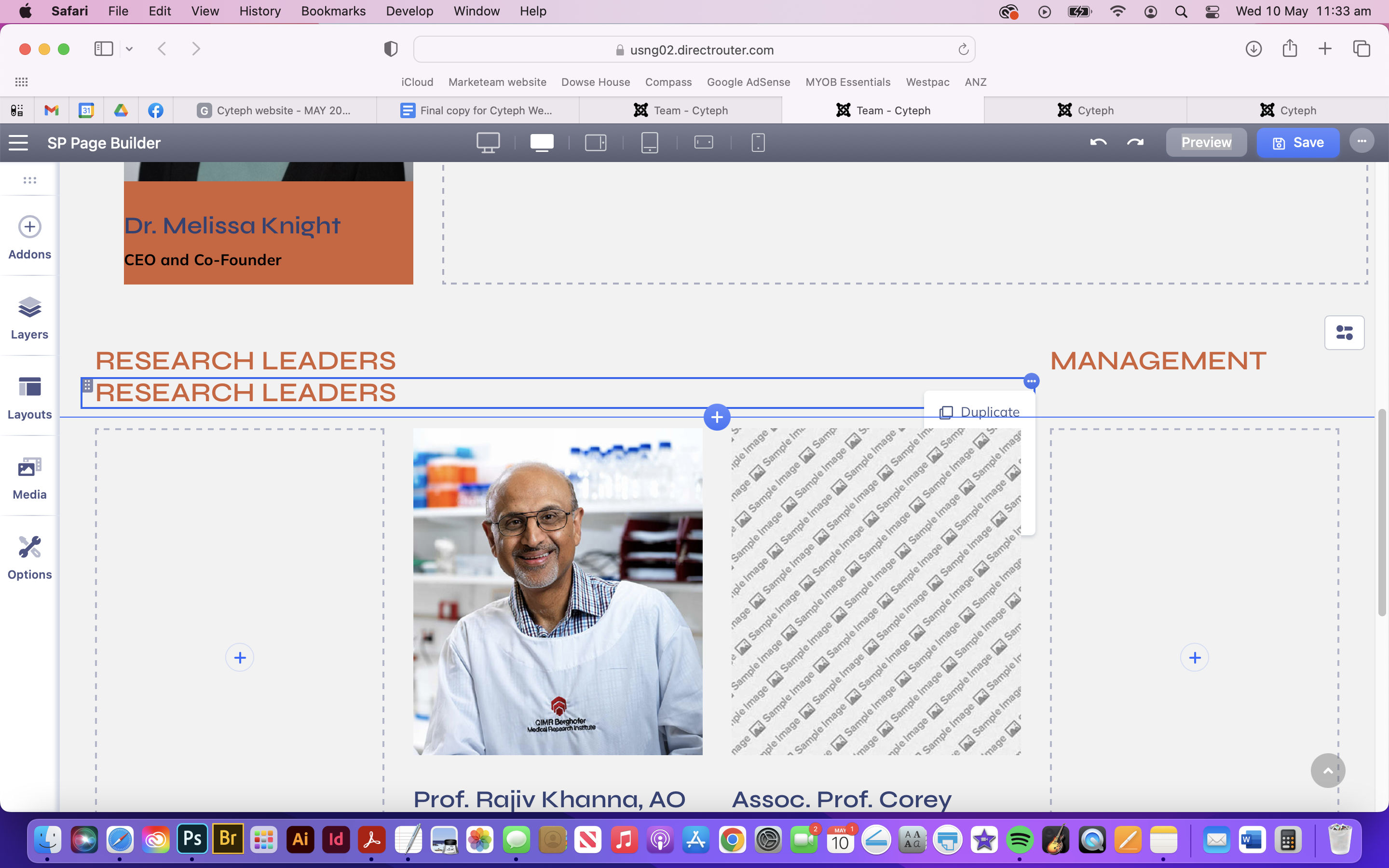
When trying to click on options, they're hidden behind a feature box. Please see screengrab below.
Hi Guys,
Think I've found a bug in Page Builder,
When trying to click on options, they're hidden behind a feature box. Please see screengrab below.
We will try to improve it in the future. Thanks for your suggestion. Thanks
Hi there!
Sorry to hear that. Is it happening every time or with a specific page and specific content? Did you mean column options?
It's looking fine at my end: https://prnt.sc/-PwBpMvwXgnu
Best Regards
It's the addon options - when there's another addon in a row below it, the options get hidden behind the addons.

Hi there,
I appreciate you reaching out. I sincerely apologize for this oversight. Click on the right button from your mouse you will get an option.
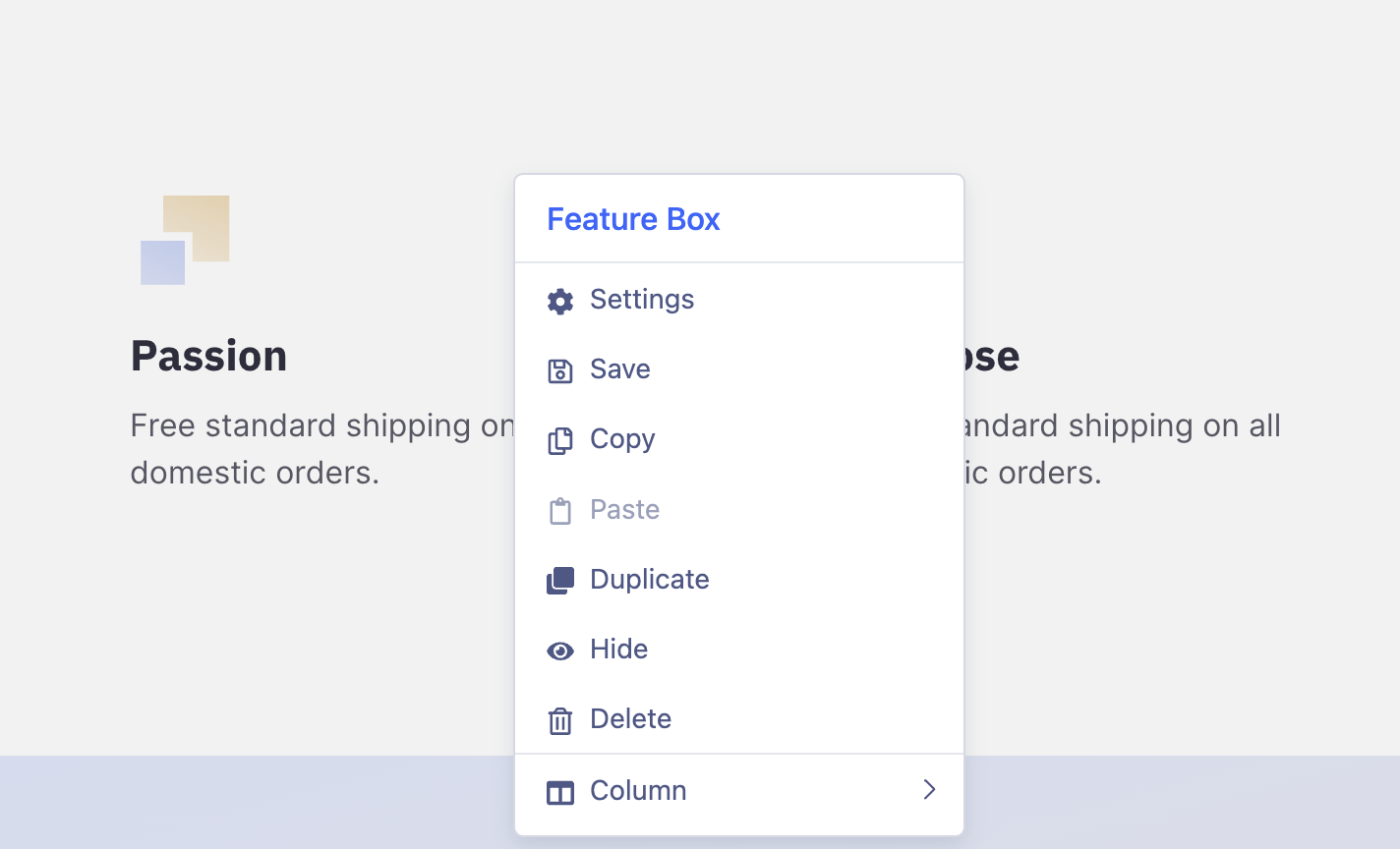
-Thanks
That's the column options - I'm talking about the addon options - they're going behind any other addon that's below it, meaning you need to physically move the below addon or add padding, margin to the row to be able to click on the options.
You can grab this setting from the left side layer panel.
I get that - but this is a bug. I figured letting you know about it would enable you to fix it.
Work arounds are great - but fixing bugs is better.

