
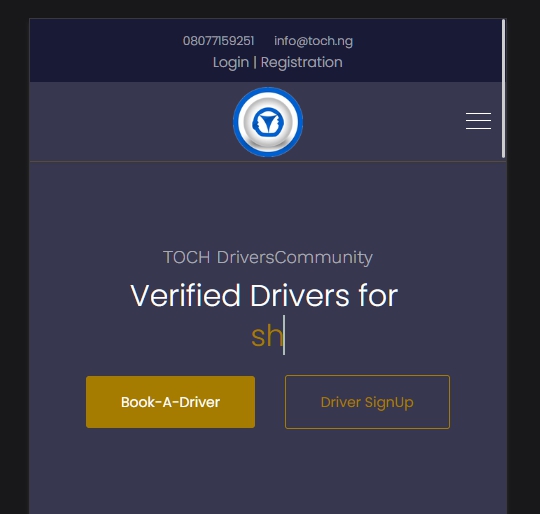
hi the logo alignment of WAYNE CORP Template is not centralized! it is distorted to the right ON MOBILE VIEW, please check the site on MOBILE to recreated th scenario.
how do i correct this issue pls?
url of site is: http://drivers.toch.ng
hi the logo alignment of WAYNE CORP Template is not centralized! it is distorted to the right ON MOBILE VIEW, please check the site on MOBILE to recreated th scenario.
how do i correct this issue pls?
url of site is: http://drivers.toch.ng
Hi. The following code will make such an appearance
@media (max-width: 991px) {
    #sp-header .row {
        justify-content: center;
    }
    #sp-logo {
        width: 110px;
    }
    #sp-header .logo {
        align-items: center;
    }
    #sp-header .logo .logo-image {
        margin-top: 0;
    }
    #sp-menu1 {
        display: none;
    }
    #sp-menu2 {
        display: block !important;
        width: 70px;
        position: absolute !important;
        right: 0;
    }
    #offcanvas-toggler.offcanvas-toggler-right {
        margin-left: 15px;
    }
}
Hi,
I would start with using below custom CSS:
@media screen and (max-width: 680px) {
.logo-image-phone.d-inline-block.d-lg-none {max-width: 72px;}
#sp-header #sp-logo {width: 66%; max-width: 66%;}
#sp-menu1 {display: none;}
#sp-menu2 {display: block !important;}
}hi Frank, i used the ccs code in the custome code (css section) but the logo on mobile view is still tilted towards the left , IT IS NOT CENTRALIZED! i hink something is not right, you can view it on mobile : http://drivers.toch.ng
i need the LOGO on the MOBILE VIEW to be centalized like the PC view!
please Help!
Hi Pavel, the CSS Codes works pretty fine, problem solved.
Thanks alot Pavel!
Hi. Glad was to help

