Hi,
i am having an issue with margins since updating to PB pro v.5.
I created articles with PB pro v.4. Text boxes and Image boxes have lost the margins. They still show in edit mode though.
Salvatore
Hi,
i am having an issue with margins since updating to PB pro v.5.
I created articles with PB pro v.4. Text boxes and Image boxes have lost the margins. They still show in edit mode though.
Salvatore
Yes, this same is when you are using classic CSS
padding: 30px or margin: 30px inside .css file, it's how CSS works.
You have to define all values: Top-Right-Bottom-Left - by 0 or bigger value
Hi Salvatore,
to help you more,
You have to check margin settings in new SPPB 5.x maybe indeed somehow they were removed, please do it. And save that article again.
If (1) will not help - we have to see that page URL - please share link.
Hi,
you will find the URL hereunder:
On the left, there are 3 boxes with 30px bottom-margin on the top 3 boxes (which you cannot see).
However, they are still shown in edit mode.
Those addons ?
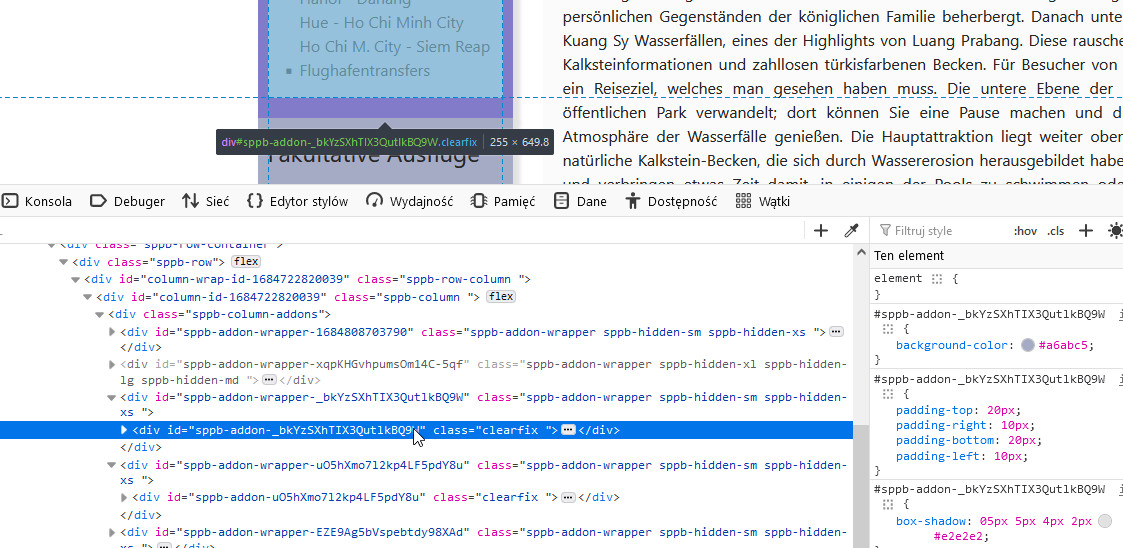
if yes, they have padding-bottom 20px
Exactly. They are still there, but since i upgrade to V5 they dont show up!
we talk about padding or margin settings, I want to be sure.
Margins not Paddings. Each box has a bottom-margin of 30 px.
We got a new update.
Now the 30px bottom-margin is applied correctly in edit-mode,
but when refressing in the browser it seems that the 30px margin
is applied on all sides, top, right. So i have to set these to 0px.
Then the article is displayed as wanted.
