Awaiting an answer Templates

Error Footer

Asked by Hausammann 3 years ago Last activity 3 years ago

Hi there ! I hope you are doing well. I am contactiong you because I have a problem that I cannot resolve with one of your template. I just installed it, started to make changes, and an error about SPPAGEBUILDER appear. PHP 8.1, fresh install. Any ideas ? URL: https://site.brisonslesilence.ch/fr/

Best regards,
Yanick Hausammann

16 replies

Ofi Khan Staff

Hello Hausammann

Apology for the inconvenience. Please share your administrator access here to check the issue. Use the Hidden Content box to share the credentials. Make sure that you have a full site backup with you before sharing.

Best regards

Hausammann Asked this

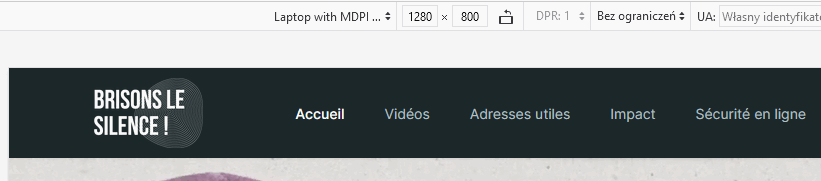
I also have a problem with the menu when I reduce the size of the window, it get down and get back up.

Hausammann Asked this

I also have a problem with the menu, when I reduce the size of the window, it get down and back up. You will see. Can you check ?

Ofi Khan Staff

Sorry, I do not get your new issue. Please share your cPanel access to check the footer error.

Hausammann Asked this

Ok there you go. For the menu problem, try to go to homepage, and reduce slowly the window, you will see what I mean.

Paul Frankowski Senior Staff
3 years ago · edited

If I may....

I can help with:

  1. Bottom1 error message - fixed already
  2. Menu position, becuase it request using extra CSS for smaller screen size.
Hausammann Asked this

Niiiice !

Hausammann Asked this

This would be really appreciated if you can help me doing this yes.

Paul Frankowski Senior Staff

Fixed

info_1495_2023.gif

Added / Used:

@media screen and (max-width: 1380px) {
.sp-megamenu-parent > li > a, .sp-megamenu-parent > li > span {padding: 0 20px;} 
}

to reduce space between menu items on laptops screens, and save space to keep all menu in one row. Yes, simple school math.

Hausammann Asked this

Hahaha you are a star ! Thanks !

Hausammann Asked this

So do I have to add it in the CSS ? It doesnt seems to be ok yet I just checked with clean cache.

Paul Frankowski Senior Staff

From time to time, a Joomla star, but not Rock star, hahah. Thanks

Paul Frankowski Senior Staff

Yes. In custom.css file.

And 1st one it was just a empty module. Not needed.

Log in to reply.