Image height and width - Forum | JoomShaper
Solved SP Page Builder

Image height and width

Asked by Stefano 3 years ago Last activity 3 years ago

Hi Joomshaper team, hope you can help me again this time :-)

To make the site very performing in terms of SEO, I have to set the height and width of all the images on the site.
In some "Sp Page Builder" addons (for example a simple image) it is easy to insert the height and width of the images.
But in other addons it is not possible to indicate the height and width of the images, for example like "Feature box" or "Image layouts". And Google PageSpeed reports it negatively to me.
Can you suggest me some simple action to solve this problem?
I think that with the right css code it can be solved, but I don't know how to do it.
Thank you!

( It occurs to me that I use the version of SP Page Builder 3.8.10. Maybe in the new version the heights and widths of the images are managed differently? )

Accepted answer

Marked as the solution
Paul Frankowski Senior Staff
3 years ago · edited

Ciao Stefano,

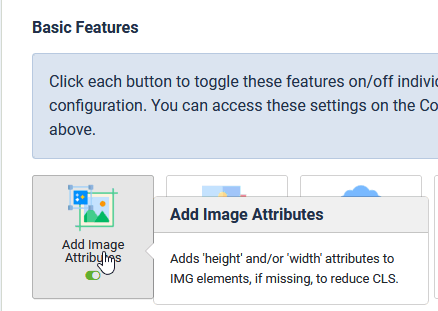
Indeed by default is not possible, but JCH Optimize Free/Pro allows that from its Basic settings

info_1383_2023.gif

and yes, it's used for SPPB images. Tested in Image addon, Feature addon in SPPB 5.0.x and SPPB 3.8.x!

info_1384_2023.gif


Thx Pavel :)

2 more replies

Pavel
3 years ago · edited

Hi.

In some "Sp Page Builder" addons (for example a simple image) it is easy to insert the height and width of the images.

This is also not a solution for SEO. And in general, CSS is not a solution to this problem.

The attributes of width and height in the tag are not CSS properties, but are HTML attributes. The values in these attributes should be added dynamically, depending on the size of the device screen.

To solve this problem, install and use some third -party component with on board the functionality of adding width and height attributes to <img> tags. For example, JCH Optimize has such functionality.

Stefano Asked this

Thank you so much for the advice, I'll install the component and let you know :-D

Log in to reply.
