display a single article on the home page. - Forum | JoomShaper
Solved SP Page Builder

display a single article on the home page.

Asked by Michael Kellner 3 years ago Last activity 2 years ago

Hello,

I ask for help. I want to display a single article on the home page. (Introductory text and with …read on.)

I have assigned these articles to the Info category.

when I want to embed the SPPB Joomla article, all categories are always displayed. I can select the Info category and limit the number of articles to 1. But nothing is accepted or saved. And immediately ALL CATEGORIES are selected again. I hope it explained clearly.

Thank you very much for your help. Greetings Michael

![https://media-kellner.de/U1.png]
![https://media-kellner.de/U2.png]

Accepted answer

Marked as the solution
Paul Frankowski Senior Staff
3 years ago · edited

Hi Michael,

as I know that addon wasn't designed to display a single article but articles.

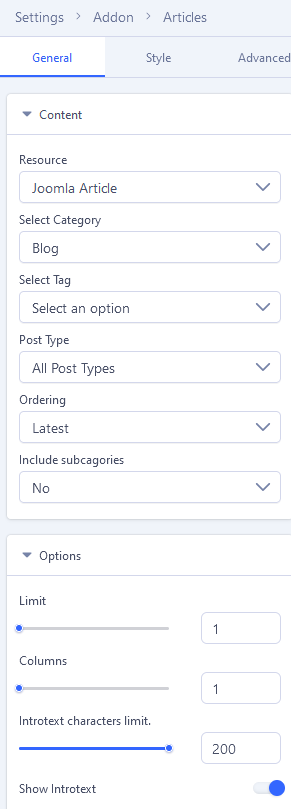
But at least using back-end editor of SPPB 5.0.9 you should be able to set

info_1423_2023.png

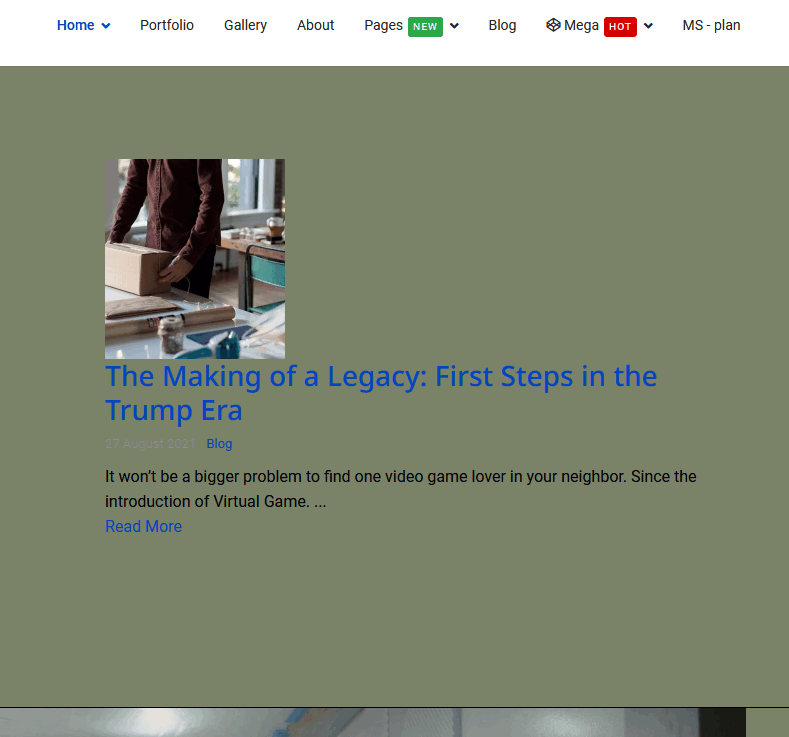
to display a single article, and worked on my demo site. Please use back-end editor and set as I presented.


Include subcategories : No


and should work, as on my site worked

info_1425_2023.gif

8 more replies

Michael Kellner Asked this

Thanks a lot!

Michael Kellner Asked this

Hey Paul,

I noticed it works on the computer. On the iPhone and laptop only a thin column is displayed. Can I do something with customized code here? Please help urgently, thank you very much

BR Michael

Paul Frankowski Senior Staff

share link becuase that topic is 2 months old!

Michael Kellner Asked this

Hey Paul,

you asked for a link and now? No feedback since then. Please let me know, thank you

Michael Kellner Asked this

It looks better that way. But how do I get that into the template?

class="sppb-col-xs-12 sppb-col-sm-12 sppb-col-md-12 sppb-col-lg-12 sppb-col-12"

Michael Kellner Asked this

Good morning, can anyone give me a tip? This should be possible with CSS customization.

best regards
Michael

Paul Frankowski Senior Staff

Thx. I tought it will fixed in next SPPB update, but I guess not yet

@media screen (max-width: 767px) {
  .sppb-col-xs-4 {
    -ms-flex: 0 0 100%;
    flex: 0 0 100%;
    max-width: 100%;}
}
Michael Kellner Asked this
2 years ago · edited

Hello Paul,

thx but that didn't bring any improvement. I entered it into custom css and updated the page. I also tested different browsers.

I expanded it and now it looks better. thx

@media screen (max-width: 767px) {
.sppb-col-xs-4 {
-ms-flex: 0 0 100%;
flex: 0 0 100%;
max-width: 100%;}
}

.sppb-col-sm-4 {
-ms-flex: 0 0 100%;
flex: 0 0 100%;
max-width: 100%;}
}

.sppb-col-md-4 {
-ms-flex: 0 0 100%;
flex: 0 0 100%;
max-width: 100%;}
}

.sppb-col-lg-4 {
-ms-flex: 0 0 100%;
flex: 0 0 100%;
max-width: 100%;}
}

Log in to reply.