
Hi,
How can I create a row with 5 columns and center these columns?
THanks
L.
Hi,
How can I create a row with 5 columns and center these columns?
THanks
L.
Hi Laurent,
Boostrap 5 hack >> https://mdbootstrap.com/how-to/bootstrap/columns-five/
This same in SPPB 5 Pro:
.justify-content-center .sppb-row {
  justify-content: center; }
After using it
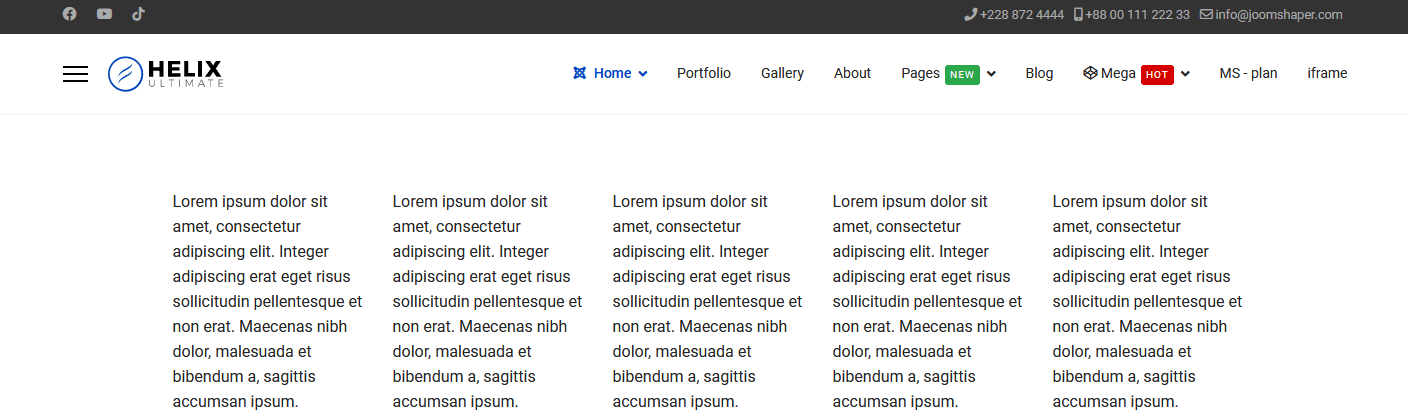
Video guide: https://youtu.be/JYwB6S4qCCo
Happy?
Hello,
Please check this tutorial playlist on SP Page Builder.
https://www.youtube.com/playlist?list=PLtaXuX0nEZk93IWlTApFmAbsKNan0GxXx
https://www.joomshaper.com/documentation/sp-page-builder/columns
Remember that the columns total is 12. So you can divide like this 2+2+2+2+2+2 or 2+2+2+2+2+1+1
Best regards
perfect many thanks to both of you ;-)
@paul : small point, does not work when row is fluid.
how to make it work with fuild row?
Now You have to use your CSS skills on that, it was just a example.
Check BT5 guides etc.
ok thanks
sorry to ask again, but with SPPB 3.X, is it possible to have a fluid row with 5 columns with full width?
because I do not see how.
with proper CSS probably yes. But it's task on your hands.
ok but honnestly it is not user friendly to manage odd columns.
when I select fluid row, the layout is broken.
what are the css classes added when I select fluid row on SPPB?
By default 5 columns are not supported, I did you a favor and you still need more and more... common.
I was just asking.
THanks for your help, I will check this out.

