Hi,
when I use SP Pagebuilder to make a list like:
- text
- text
- text
- text
- text
The result is:
-
text
-
text
-
text
-
text
-
text
In SP Pagebuilder there is an empty space between the points but not in Joomla articel editor.
Hi,
when I use SP Pagebuilder to make a list like:
The result is:
text
text
text
text
text
In SP Pagebuilder there is an empty space between the points but not in Joomla articel editor.
About extra bottom margin for < li > in SPPB pages, to be honest you made it, but very easy to correct that.
Just remove < p > < / p > from list. It's NOT needed there.
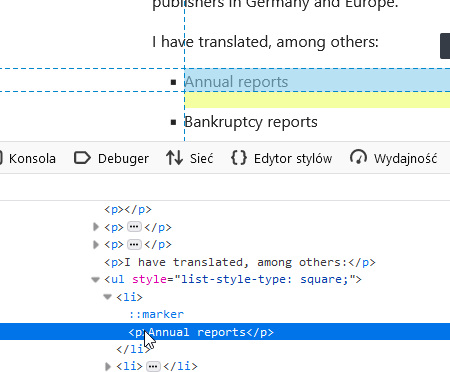
Click </> icon in toolbar from Text addon to switch html mode, and manually remove all < p > one by one. Yes, you can do that also on full-width mode.
Yes, with Custom CSS you can also reduce that padding, but it's better to have clean and order in HTML code, ja?!
.sppb-addon-text-block ul li p {
  margin-bottom: 0;
}OK - so i have to use system editor as it seems the small text editor inserts that < p > < / p >
Hi there!
Thanks for reaching out to us.
Can you show me an example of it? Kindly redirect me there with screenshot and page link.
Best Regards
....and why did the formatting options for (square points) gone in SP Page Builder ?
I mean that option was there before....
Why can I not use the complete defailt Joomla Editor to manage pages ?
I have only the very limited editor in SP Pagebuilder availabel.
I have only the very limited editor in SP Pagebuilder availabel.
Not really, in SPPB .5.1.9 first click [...] icon then click the last icon <^>
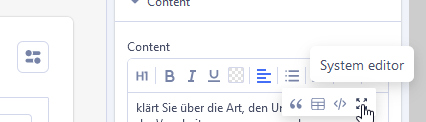
got it - but would be better if it was not behind the 3 points than direct to reach.
in SPPB 5.2 it should be sooner

