Found new problem: In "Image Layouts" i choose the second layout. There is a defintion for the button. Tried everthing, but the button is not showing. Is that corect?
Solved
SP Page Builder
Button in IMAGE Layouts
Accepted answer
Marked as the solution
Paul Frankowski Senior Staff
You're welcome. Please mark as solved.
6 more replies
Paul Frankowski Senior Staff
2 years ago
· edited
Hi Klaus.
Indeed that 2nd style doesn't support button.
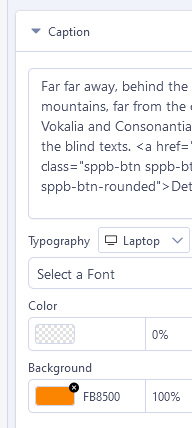
If you really need that 2nd style with button, add button inside Caption text using HTML code:
<a href="/LINK" class="sppb-btn sppb-btn-default sppb-btn-rounded">Details</a>
Copy & Paste and Customize it.

Klaus Liedtke Asked this
thx.
Klaus Liedtke Asked this
Hi Paul,
And how to change the grey background-color and the font-color?
Paul Frankowski Senior Staff
background-color - for example by using different class name, instead of "sppb-btn-default" you can use:
- sppb-btn-secondary
- sppb-btn-success
- sppb-btn-danger
- sppb-btn-warning
- sppb-btn-info
font-color - custom css !!!
Klaus Liedtke Asked this
Thx, that works for the background of the button.
But i want to change the background-color of the row. This is grey.
Paul Frankowski Senior Staff
From addon settings
Log in to reply.