active Tab in addon - Forum | JoomShaper
Solved SP Page Builder

active Tab in addon

Asked by Torsten Kaletta 2 years ago Last activity 2 years ago

Hello,

I have a question about the "Tabs" addon. I use the Pitech template. Here I have created a tab on a page. My problem is that the first tab is not set as active. Only a click on a tab shows which tab I am in. How can I set it so that the first tab is active?

Kind regards

Torte

Accepted answer

Marked as the solution
Paul Frankowski Senior Staff

Extra CSS style for tab hover

.sppb-addon-tab .sppb-nav > li:hover {background: white; }

info_2086_2024.jpg

2 more replies

Paul Frankowski Senior Staff

Hi Torsten,

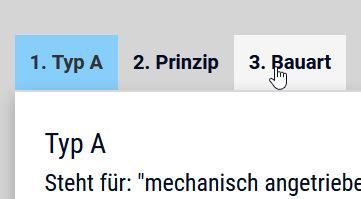
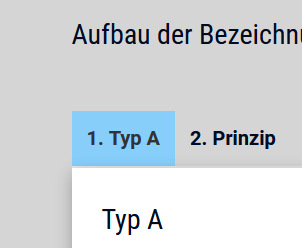
Active tab is active, only it doesn't have extra color that could show that.
Example that you can use:

.sppb-addon-tab li.active { background: lightblue; }

info_2085_2024.jpg

but it should be possible to set color in settings, but above CSS method is also OK.

Torsten Kaletta Asked this

Hello,

Thank you very much. I have solved the problem with the edge at the bottom. The problem that the area below was 3px too far up. I moved it down using transform:translateY.

With kind regards

Torte

Log in to reply.