

Flipbox Link

stq74
Hello, I use the flipbox addon, on the flipstyle, I have an image that appears and I would like to give it a link to another page, I did not find the option, what to do? Thank you
7 Answers
Order by
Oldest

Pavel
Accepted AnswerHi. Add your classes to the link and to the addon.
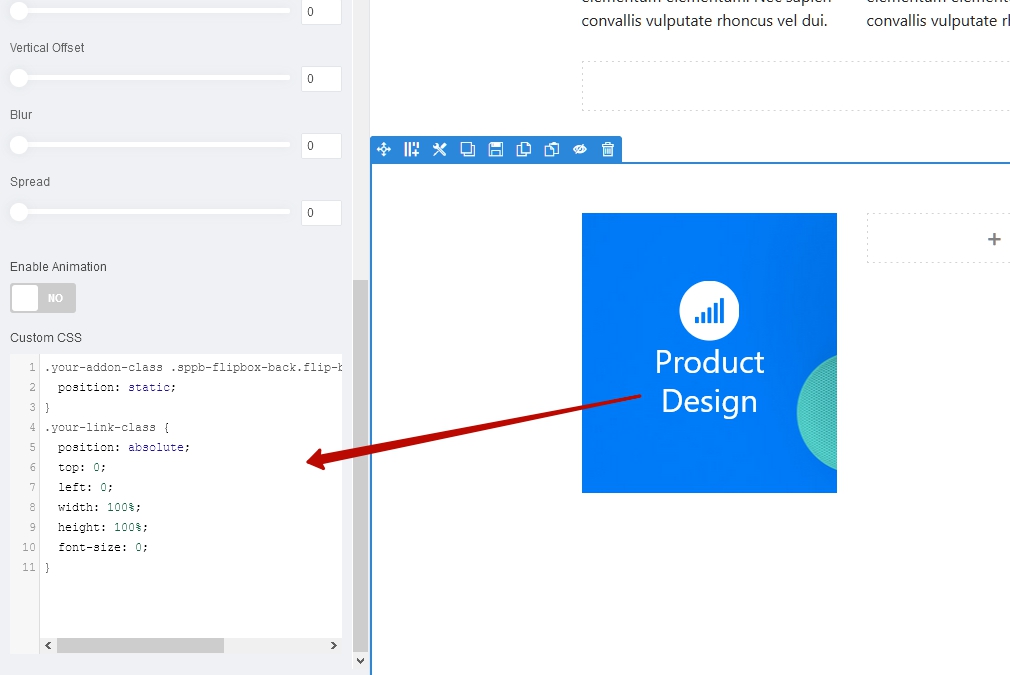
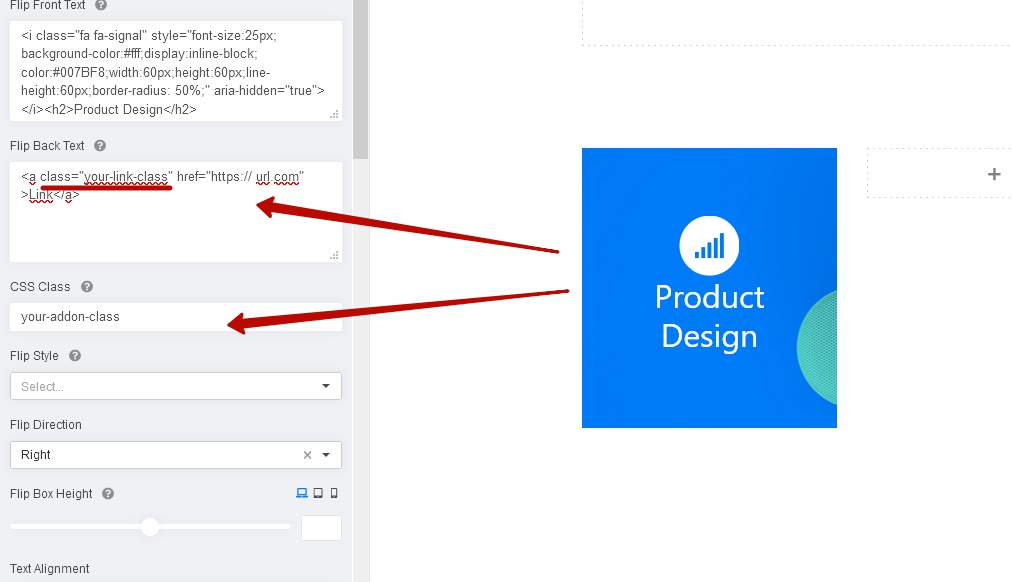 Use the following css code.
.your-addon-class .sppb-flipbox-back.flip-box .flip-box-inner {
    position: static;
}
.your-link-class {
    position: absolute;
    top: 0;
    left: 0;
    width: 100%;
    height: 100%;
    font-size: 0;
}

Rashida Rahman
Accepted AnswerHi there!
There is no default option to add a link to that image.
But you can always add a link to your flipbox text using the HTML <a> tag as follows:
Hope this helps!
Best Regards
stq74
Accepted AnswerHi Rashida,
I have no text but only a background image. How to do it?
thank you

aletfox
Accepted AnswerHi ! I had the same problem! The only option I found was to create this code to be able to solve the link, It is not the most elegant option but it can help you
<a href="https:// url.com" >
<br><span style="opacity:0;"> sometext- sometext- sometext- sometext- sometext sometext- sometext- sometext- sometext- sometext sometext- sometext- sometext- sometext- sometext sometext- sometext- sometext- sometext- sometext sometext- sometext- sometext- sometext- sometext sometext- sometext- sometext- sometext- sometext sometext- sometext- sometext- sometext- sometext sometext- sometext- sometext- sometext- sometext sometext- sometext- sometext- sometext- sometext sometext- sometext- sometext- sometext- sometext sometext- sometext- sometext- sometext- sometext sometext- sometext- sometext- sometext- sometext</span>
</a><br>
<a href="https:// url.com/" class="btn btn-primary btn-lg btn-block" role="button" >go to link </a>stq74
Accepted AnswerHi Pavel, awesome, that's exactly what I wanted. thank you very much. Stephane