I am using the Cuisine template and I want to remove/replace the Cuisine logo on the mobile setting. I have tried replacing the logo in Page Builder and even replaced the logos in the presets but that hasn't changed the logo on the mobile site. Thanks
Solved
Templates
Support for Cuisine template
Accepted answer
Marked as the solution
Paul Frankowski Senior Staff
2 years ago
· edited
Hi Ken.
Those two images used by Template are your Custom Logo
<img class="sp-default-logo" src="/templates/shaper_cuisine/images/presets/preset1/logo.png" alt="BBQ Heaven">
<img class="sp-retina-logo" src="/templates/shaper_cuisine/images/presets/preset1/[email protected]" alt="BBQ Heaven" width="183" height="85">
What I see on Mobile View
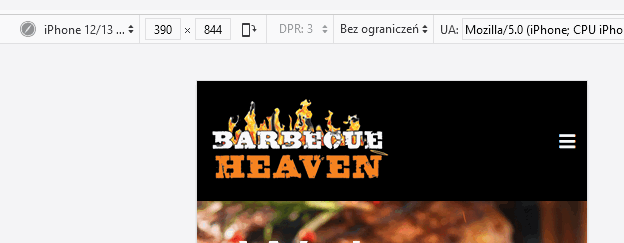
It means it's problem with Your Browser Cache, not template itself.
Use different browser on your Phone and recheck site again.
Even on iPhone you should be able to install Firefox or Opera etc.
Or at least refresh site 2x.
0 more replies
Log in to reply.