Black Friday 2026 50% off every plan Our biggest deal of the year on #1 Joomla products.
Ends in 12d 09h 47m 57s
Claim 50% off
Awaiting an answer Templates

How to get a mega menu title hoovered ?

Asked by Laurent 2 years ago Last activity 2 years ago

Hello,

I use Wayne Corp template and would like to get a menu title hooverable when user move the mouse on it.

I also would like to change font color of 2 titles (only) , would you please tell how i could do that please ?

Website is here : Audit Energétique & Thermographie

Many thanks,

12 replies

Pavel
2 years ago · edited

Hi.

Here is

.liens-sous-menus_hover:hover {
    color: red !important;
}

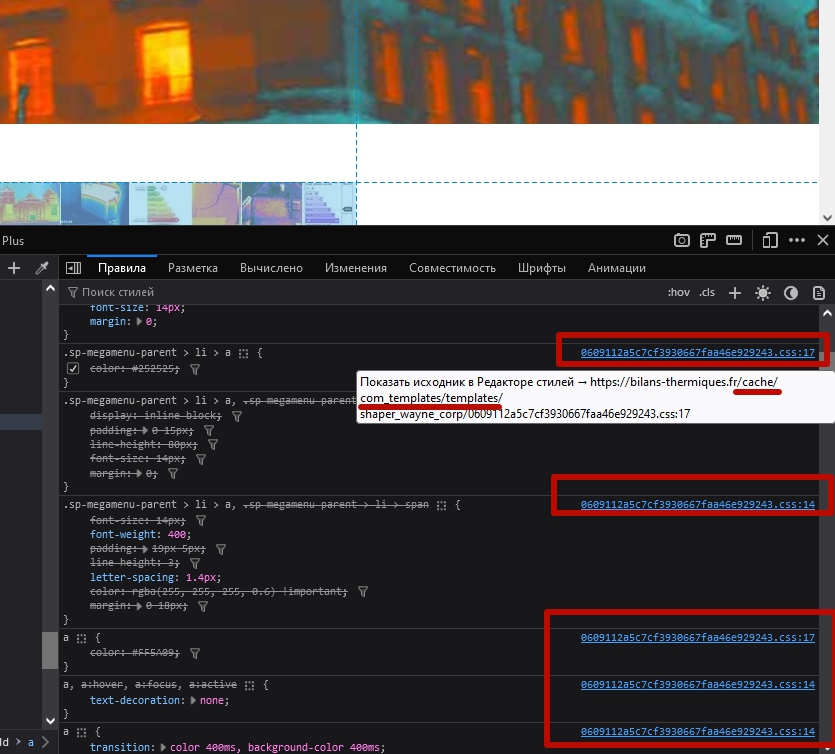
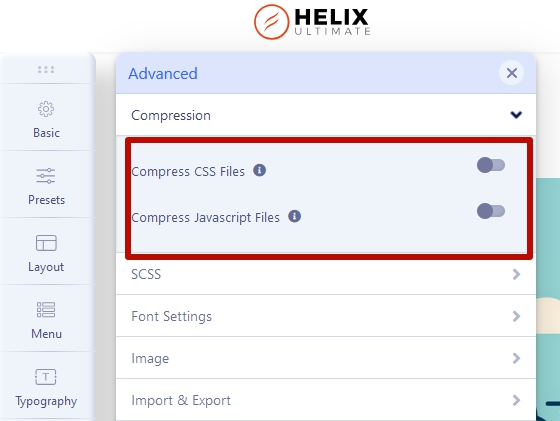
Before using this, turn off caching and compress in the template settings and clean the cache

Rashida Rahman Staff

Hi Pavel,

Thanks for taking effort to help him:)

Rashida Rahman Staff

Hi Laurant,

Did Pavel's suggestion help?

Please let me know.

Best Regards

Laurent Asked this

Hello,

Thank you all for your help,

I tried to add CSS code into :

System -> Site Template Styles -> shaper_wayne_corp - Default -> Template Options -> Custom code -> Custom CSS window

and did disable JCH Optimize, cleared the cache and also browser cache but CSS modification does not apply ...
Did i miss something ?

Pavel

Hi.

As far as I see, JCH is not disabled. Turn OFF it completely, clean it's cache and joomla cache

Laurent Asked this

I stopped again JCH Optimize, cleared its cache and Joomla cache but i still can't get Mega subtitle highlighted .

Pavel
2 years ago · edited

Hi.

As I wrote originally, you have a caching in the template, but not in JCH.


Turn it OFF and clean Joomla and browser cache

If you use JCH or similar extensions, never use compression in the template settings.

I stopped again JCH Optimize...

Do not turn ON JCH Optimize while editing a code and until your problem has been solved

Laurent Asked this

Template cache is now turned off as suggested.
However CSS addon rule does not hoover links into Mega Menu "Nos Tarifs"

Many thanks for your help,

Laurent Asked this
2 years ago · edited

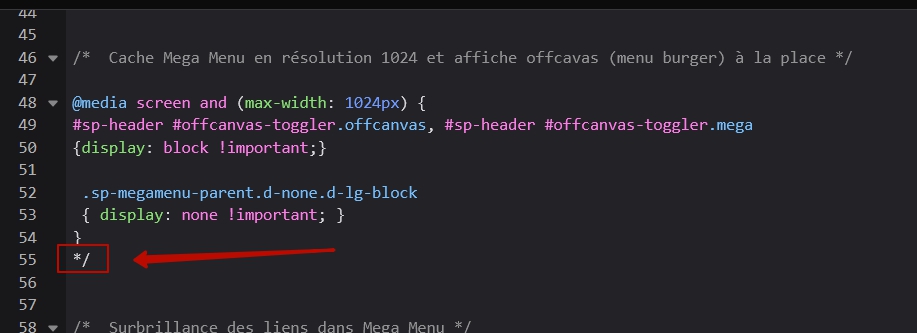
You are right , this comment symbol was the problem.
It works now, many thanks !

In which file the custom CSS code are saved to ?
I do not find the file in the template folder.

Pavel

CSS code added in the settings of the template is saved in the <head>...</head>, not in file. This is why it is better to use custom.css file instead. Read Helix documentation about this

Log in to reply.