

Strange Phenomena With Double Images
K
kriss
Hi
On a site i have suddenly a strange phenomena. With Firefox everyhting looks ok but on firefox and edge i see the images double.
Thank you Best regards Christoph
Website
https://kaempfen.com
13 Answers
Order by
Oldest

Anne
Accepted AnswerHello Kriss,
Please, check these URL and let us know that everything is alright. https://www.kaempfen.com/news-start https://www.kaempfen.com/projekte-uebersicht I have checked these in all browsers and they are fine. There was a css class in your row option in both article. I removed that and they are working.
-Regards
Anne
Accepted AnswerHello there,
Thanks for contacting with us. The image is double on firefox too. May be you have used the image for two times. Please, disable one and try again.
-Regards
K
kriss
Accepted AnswerHi
Yes. For some strange reasons there are two images. So i deleted one. Now when i look at the Page, i can see the image on firefox but i can't see any Picture on Chrome. This happend suddenly. The Site was running without any problems.
Regards Christoph
Anne
Accepted AnswerHello Kriss,
Thanks for contacting with us. Can you give us a screenshot for better understanding? I have checked this on chrome and It seems fine from my end. Please check the screenshot: https://prnt.sc/1nw2rxz https://prnt.sc/1nw3o12 Please, clear the joomla and browser cache . You can check the site in incognito window.
-Regards
K
kriss
Accepted AnswerHi Anne Thanks for helping. the most of the Pages are working as expected. I have to pages with problems:
https://www.kaempfen.com/news-start
An image with firefox No image with chrome/safari/edge
https://www.kaempfen.com/projekte-uebersicht
It looks good, but for some reasons i have to enable 2 Images.

When i disable one (the other is enabled), there ar no images on all browsers-
And yes. Off course. I clear the cache (browser and joomla!) all the time.
Best regards Christoph
Anne
Accepted AnswerHello kriss,
I have found 2 images in chrome , edge and safari but 1 image in incognito window for this url: https://www.kaempfen.com/projekte-uebersicht
It will be very helpful for me if you give me a screenshot about the problem that you are facing for this url : https://www.kaempfen.com/news-start
-Regards
Anne
Accepted AnswerHello Kriss,
Please share your administrator access here to check the issue. Use the Hidden Content box to share the credentials.
Best regards
Anne
Accepted AnswerHello Kriss,
Thanks for the administrator access. It will be very helpful for me if you give me a screenshot about the problem that you are facing for this url : https://www.kaempfen.com/news-start Because all images are loading for this site in chrome , safari and edge.
-Regards
K
kriss
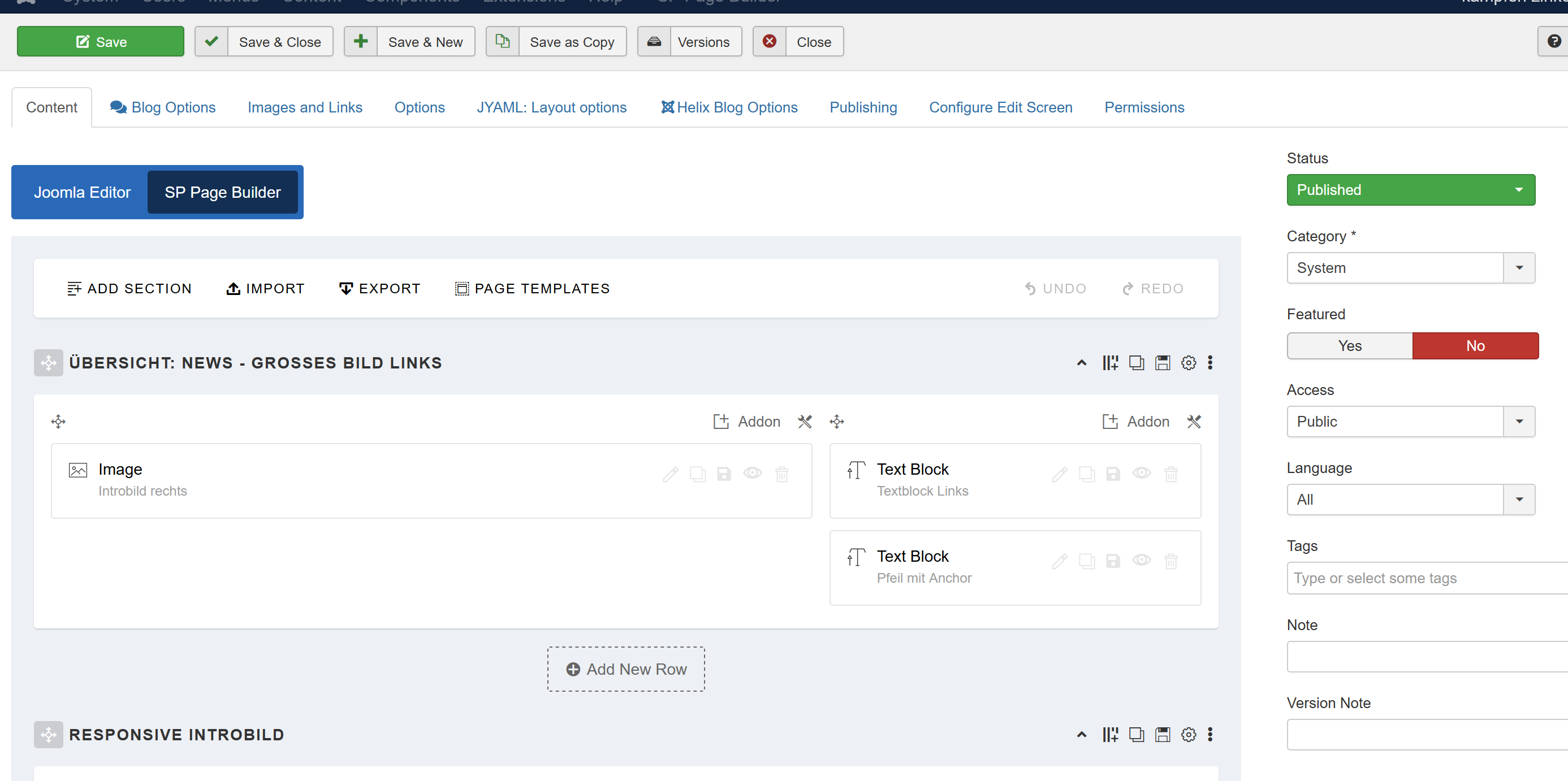
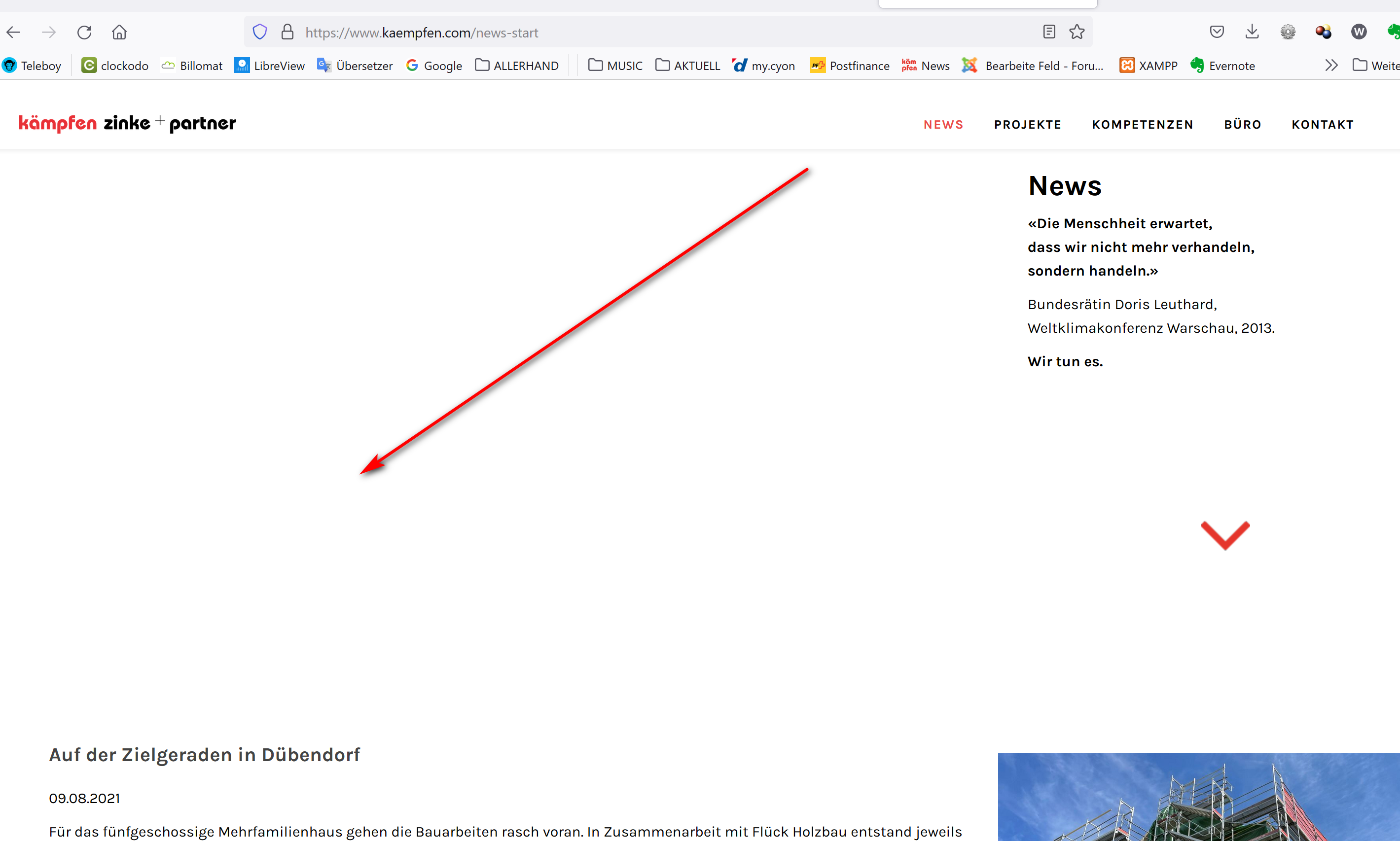
Accepted AnswerOk Article ID 556 https://www.kaempfen.com/news-start
Setup seems OK:
No images here (all Browsers):
Article ID 663 https://www.kaempfen.com/projekte-uebersicht
Setup: There are 2 Image-Addons
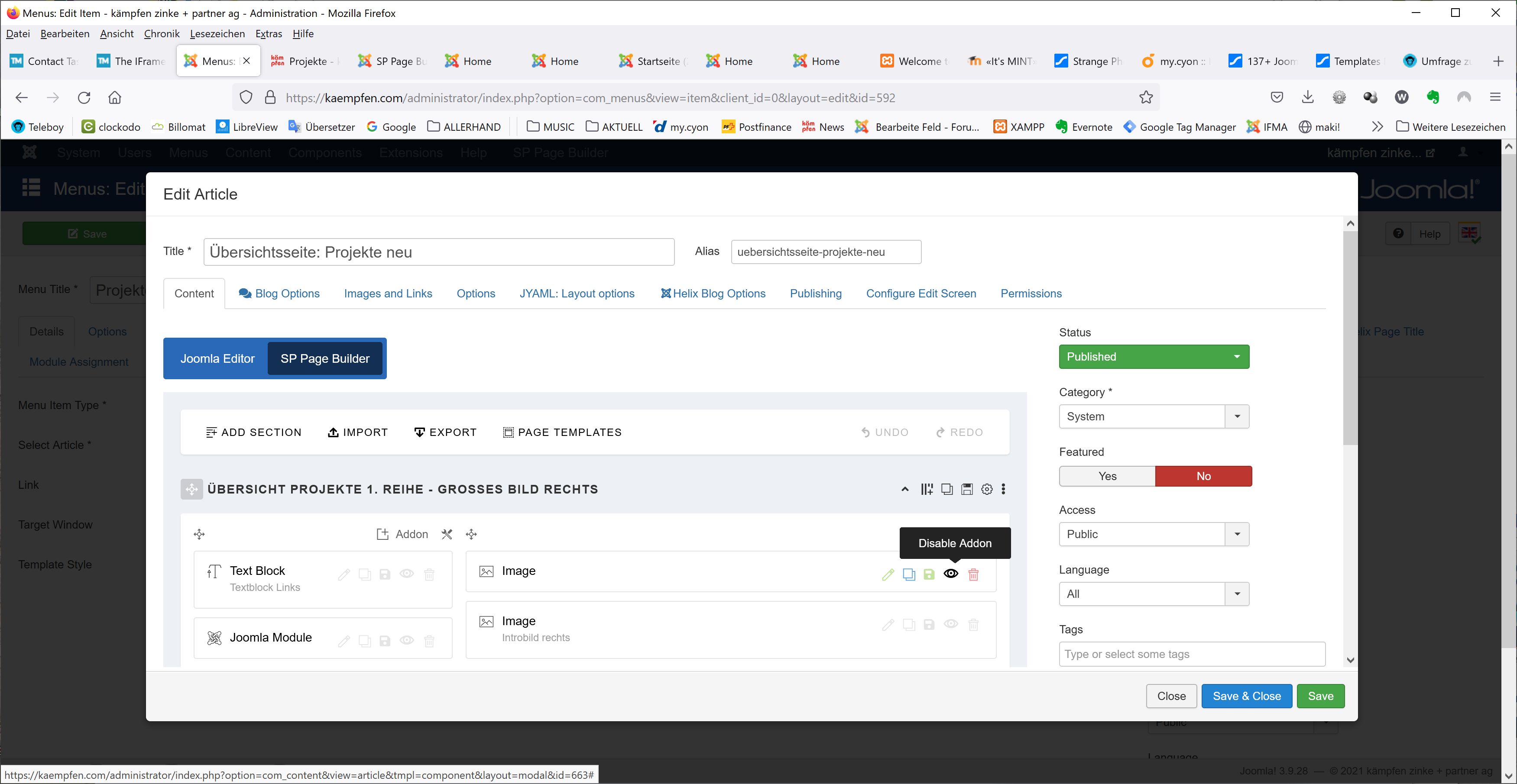
When disable one of them, I can see the image in Firefox but no image in chrome
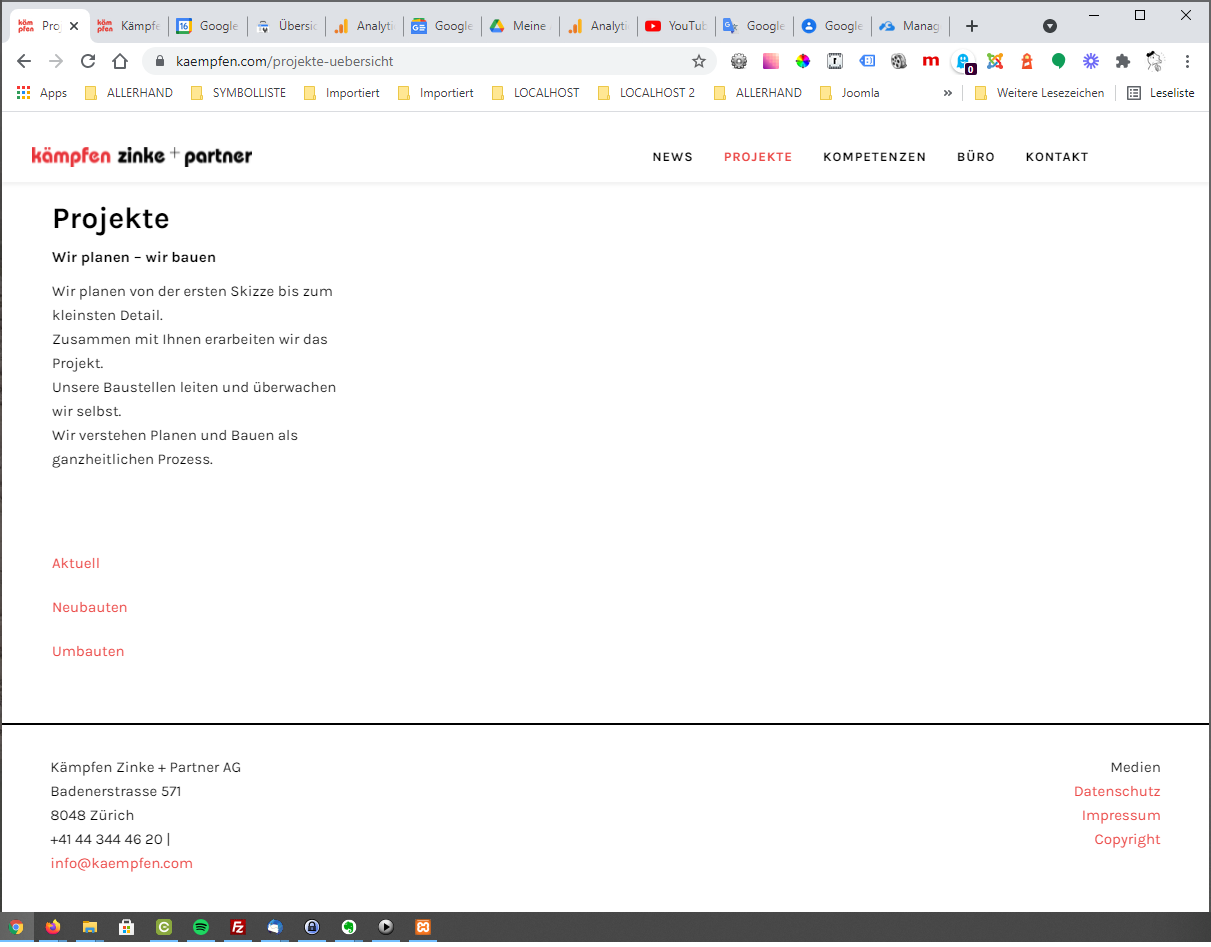
Strange ...
Anne
Accepted AnswerHello Kriss,
I have created a new article https://www.kaempfen.com/uebersichtsseite-projekte-neu-2 and a new menu . I have kept the menu hidden. https://prnt.sc/1pouhng https://prnt.sc/1poyc5d https://prnt.sc/1po6fq5 You can check them. I used 2 images. If you enable both of them, then 2 images are shown. If you enable 1, then 1 image is displayed. I have checked them in all browsers. You can use this instead of your previous one.
-Regards