How can I add some Joomla Module to the right sidebar?
Staff replied
Templates
Innovate and Joomla Modules
5 replies

Paul Frankowski Senior Staff
Hi Giovanni.
First in Template Options check if your Layout has "right" position in structure. It should be next to component.
If yes, just publish your modules in the "right" position to have them in "sidebar".
Guide >> https://www.joomshaper.com/documentation/helix-framework/layout-builder
Giovanni Cerretini Asked this
Hi Paul,
I've read that page.
The example differ from my actual options.
I cannot change the row name and I've a few options on module position.
Paul Frankowski Senior Staff
1 year ago
· edited
Row name, what for? Why complicate your life as a webmaster?
You can change here, click on Gear Icon first.
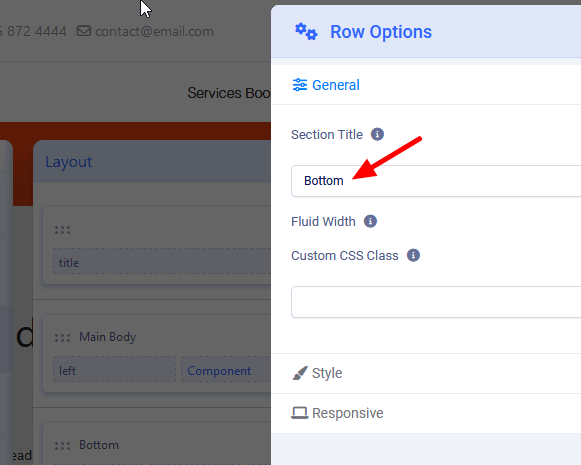
Then click Apply Button > Save
But it's name used later in ID name, but it will always have "SP-" First
So even if you used "Rome" for Bottom it will get "sp-rome" name in HTML.
Giovanni Cerretini Asked this
In my template in the bottom row there are 4 bottom items named
bottom1 bottom 2 and so on.
Where they come from? If I add an item in the row the name is set to none and i canot change it.
Paul Frankowski Senior Staff
By default in Joomla, since 1.0 (2005) - all module position names are taken from template file: templateDetails.xml
You can delete Bottom section, create you own , set column grid, and add different module positions there. Or just rename them using poistion name from the list.
If you need unque/custom name, edit templateDetails.xml and add them, then reload Template Options and use them.
Log in to reply.