Large system editor is not loaded Großer Systemeditor wird nicht geladen - Forum | JoomShaper
Solved SP Page Builder

Large system editor is not loaded Großer Systemeditor wird nicht geladen

Asked by Matthias Wulff 1 year ago Last activity 1 year ago

Hello everyone,

I have a problem in the page builder. I have had the problem for several versions. If I edit a text in a post and call up the large system editor, a menu bar is first displayed. The menu only appears when I close the window and open again, or I do a line break.

Has anyone ever had the problem?

Thank you for all information and answers. Here is a link to a video where you can see what is not going;)

https://youtu.be/HTFyr2vOtCk

Best regards;)

...................................................................

Hallo zusammen,

ich habe ein Problem im Pagebuilder. Das problem habe ich bereits seit mehreren Versionen. Wenn ich in einem Beitrag einen Text bearbeite, und dazu den großen Systemeditor aufrufe, wird erstmal eine Menuebar angezeigt. Nur wenn ich das Fenster wieder schließe und erneut öffne, oder ich z.B. einen Zeilenumbruch mache erscheint das Menue.

Hat das Problem schonmal jemand gehabt?

Besten Dank für alle Hinweise und Antworten. Hier ein Link zu einem Video wo man sieht was nicht läuft;)

https://youtu.be/HTFyr2vOtCk

Beste Grüße;)

Accepted answer

Marked as the solution
Matthias Wulff Asked this

Hello Paul,

Thank you very much for the quick help. I have installed Dne JCE Editor. So everything runs smoothly.
Thank you very much for the quick help.

You are great troops ... Have a nice weekend;)

.....................

Hallo Paul,

besten Dank für die schnelle Hilfe. ich habe nun mal dne JCE Editor installiert. Damit läuft alles reibungslos.
Besten Dank für die schnelle Hilfe.

Super Truppe seid Ihr... Schönes Wochenende;)

2 more replies

Paul Frankowski Senior Staff
1 year ago · edited

Hi Matthias,

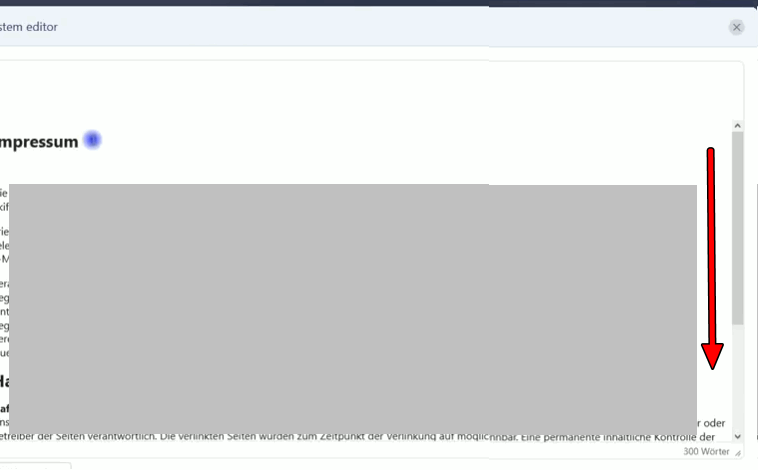
I saw that issue before, in most cases you have scroll down and toobar will apear after 2sec.

info_3273_2025.gif

Paul Frankowski Senior Staff
1 year ago · edited

BTW

Do you have default JCE or TinyMCE editor?

If JCE, go to JCE - Editor Global Configuration > Compress Javascript: YES, and Compress CSS: YES

it may help a little bit more.

And if you're using it, make sure, that you updated JCE to new version 2.9.80-83.


And enable "Gzip Page Compression" in Global Configuration.

Log in to reply.